
.png)
Key Takeaways
Product recommendations, when done well, surface the right product to the right customer at the right moment. Simply put, they turn single-item orders into multi-product baskets and one-time buyers into repeat customers.
Done poorly, they become background noise that customers scroll past without a second glance.
This guide covers everything: how to set up native Shopify recommendations, which apps are worth installing, and, critically, how to break through the ceiling that every on-site recommendation tool eventually hits.
The AOV Ceiling of On-Site Recommendations
Every on-site recommendation tool, native Shopify or third-party app, shares the same hard constraint: it only triggers when a customer is already on your store. The widget cannot follow a customer who has left. It cannot reach the buyer who purchased three weeks ago and has not been back since.
It sits on your product page, waiting. For most Shopify stores, where a customer might visit once every few months, that waiting is what the widget mostly does.
This is why the numbers sometimes don’t move as merchants expect. The recommendations are there. The logic is sound. But the audience seeing them at any given moment is a fraction of your actual customer base, only the ones who happened to come back that day.
Amazon's recommendation engine is the most cited benchmark in this space: 35% of revenue attributed to recommendations. But that figure is not the product of better widgets.
Amazon's system is proactive. It reaches customers via the homepage, the app, email, and push notifications. The recommendation finds the customer. The customer does not have to find their way back to the store first.
It is the reason why merchants who have done everything right on-site, like a good app, right placements, solid logic, still find average order value (AOV) stubbornly flat.
The question worth asking before you configure anything: what happens to all the recommendations that never get seen, because the customer never came back?
How to Make Product Recommendations Proactive with Flowcart
The fix for your reach problem is Flowcart.

The customers who bought once and disappeared are not gone. They are just not coming back on their own. Flowcart reaches them where they already are, delivering personalised product recommendations directly to their WhatsApp inbox, between visits, not during them.
This happens when they are not actively thinking about you, which is exactly when a well-timed recommendation lands hardest.
When they are ready to buy, they do not leave the chat to do it. Flowcart's In-Chat Checkout lets customers complete the purchase directly within WhatsApp, without drop-off between intent and transaction. The recommendation and the checkout live in the same conversation.
That is where most on-site tools stop short.

Why is Flowcart your best bet?
Recommendation tools work from a single data point: what the customer bought and match it against a static product relationship map. The result is a suggestion that is catalogue-aware but customer-blind.
It knows what goes with what. It does not know what this specific customer was considering before they left.
Flowcart builds on top of Shopify's native recommendation engine. It already understands your catalogue, your product relationships, and what items naturally complement each other. Then, layer every individual customer's behavioural signals on top of it:
- Products purchased: Full order history, not just the most recent transaction
- Products and collections viewed: What they considered but did not buy
- Cart behaviour: What they added and walked away from
- Browsing patterns: How they have moved through your catalogue over time
Your customers receive a recommendation that is both catalogue-aware and customer-specific.
What happens here is this: Shopify knows your products. Flowcart knows your customer. The combination is what makes the recommendation feel less like a widget and more like something that was actually chosen for them.
This engine can be deployed two ways:
As part of a Flow: automated sequences triggered by on-site actions, purchase history, or time elapsed since last order.
The recommendation logic runs at the moment of sending, so every customer gets a suggestion that reflects their most current behaviour.
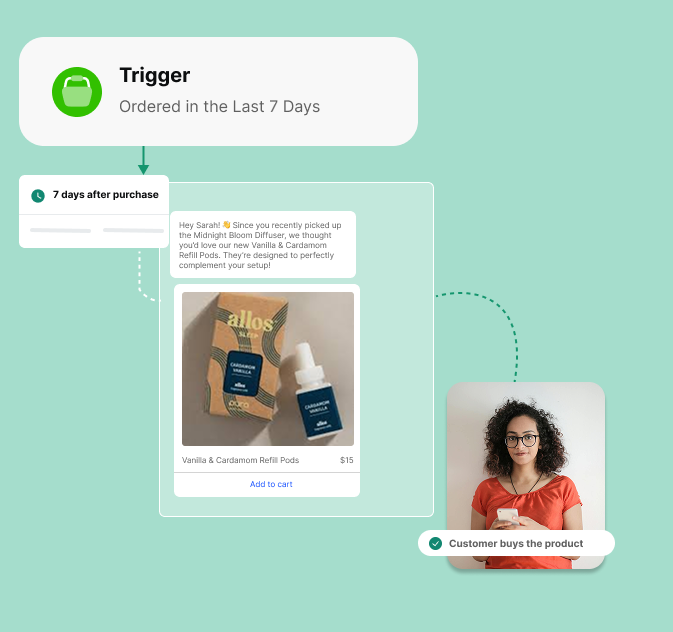
As part of a Broadcast: a message sent to a defined segment of your customer base, with recommendations personalised to each recipient within that segment.
You define the audience. Flowcart handles the personalisation.


The Flowcart flows that drive AOV
Flowcart comes with two core recommendation flows ready to activate:
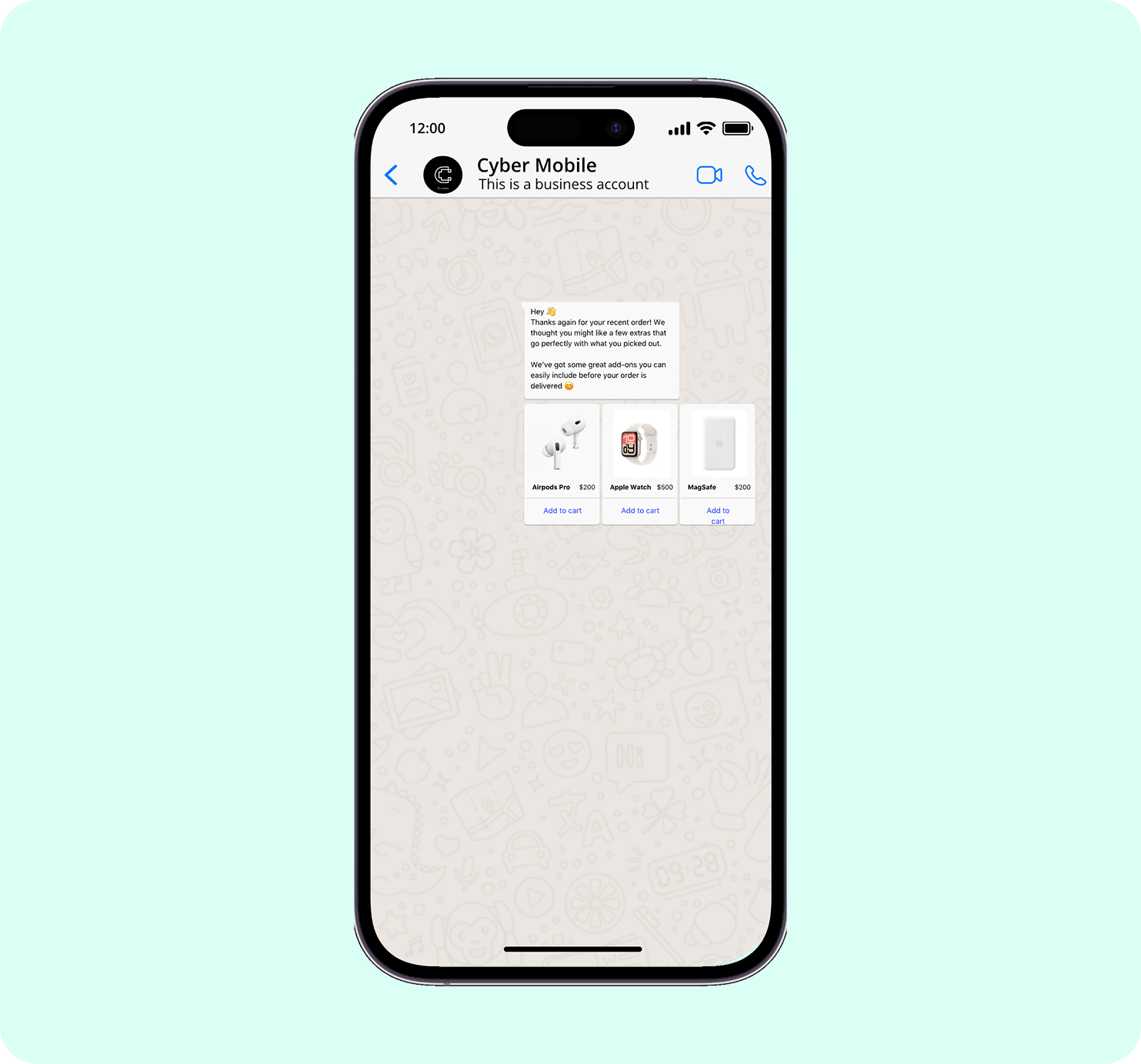
Upsell Flow
One hour after an order is confirmed, the customer receives a WhatsApp message with a personalized product recommendation and a direct product link. Purchase intent is at its peak in this window. The customer just bought from you, the brand is front of mind, and a well-chosen complementary product lands as a natural next step rather than an interruption.
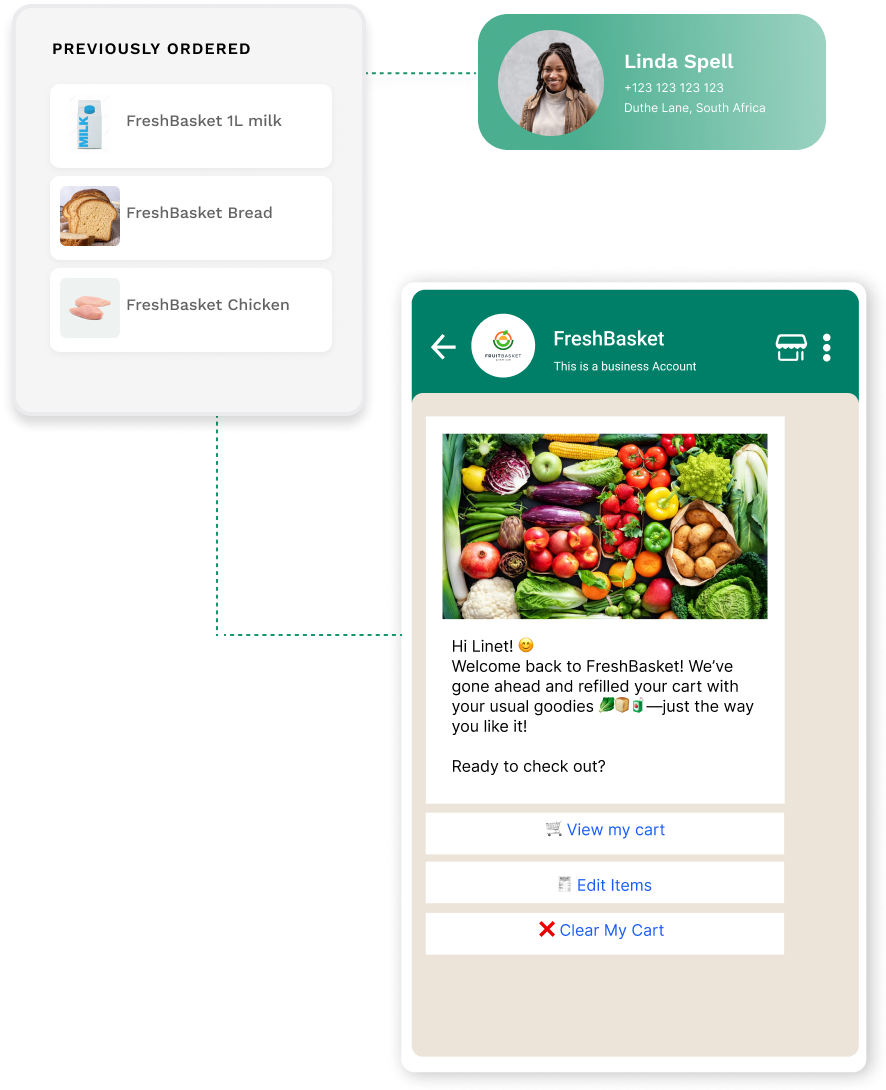
Winback Flow
Fifteen days after a customer's last order, Flowcart sends a re-engagement message built from their complete browsing and purchase history. This is the flow that directly addresses the reach problem: it goes to customers regardless of whether they have returned to your store.
The recommendation is not generic. It is drawn from everything the customer has done throughout their relationship with your store.

What happens when the customer engages
When a customer clicks through from a Flowcart recommendation on WhatsApp, they do not land on a product page and get funneled through a standard checkout. They complete the purchase inside the chat using in-chat checkout.
Every additional step between a customer deciding to buy and actually buying is a drop-off point. In-chat checkout removes most of them.

The Best Shopify Product Recommendation Apps
Native Shopify recommendations are a starting point, not a ceiling. If you want Frequently Bought Together logic, cart and checkout upsells, or personalization that adapts to individual customer behavior, you need an app. These four are the ones worth considering.
1. Rebuy (Best for Shopify Plus merchants and high-volume stores wanting full-funnel recommendations)
via Rebuy
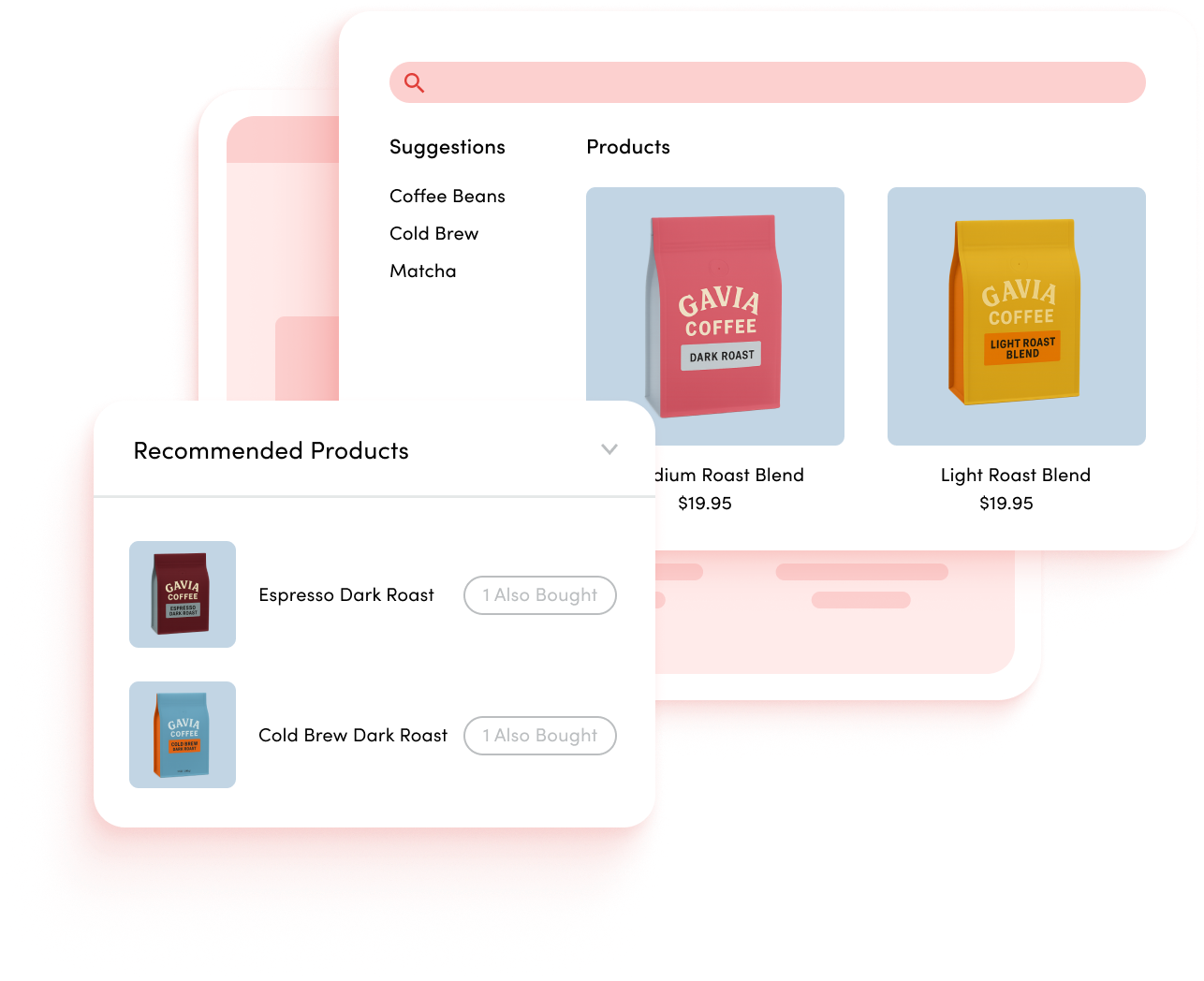
Rebuy covers every placement across the customer journey from product pages, cart, checkout, post-purchase, and email. And uses AI-driven logic to personalize at the individual customer level. For Shopify Plus merchants, it integrates directly with checkout extensibility, making it a suitable option for stores that want recommendations embedded in the checkout experience.
Rebuy pricing

2. LimeSpot (Best for mid-size stores wanting AI personalization without enterprise pricing)

via LimeSpot
LimeSpot sits in the middle of the market in the best way: capable personalization, accessible pricing, and enough flexibility to serve stores that have outgrown native recommendations but are not yet at Rebuy scale.
It adapts recommendations to individual browsing and purchase behavior and includes A/B testing tools so merchants can measure what placements and logic are actually driving revenue.
LimeSpot pricing

3. Also Bought (Best for high-volume stores and catalogs with strong natural product affinities)

via Also Bought
Also Bought does one thing: Amazon-style Frequently Bought Together logic, and does it well. It analyses your actual order history to surface the product pairs your customers most commonly buy together, displayed on the product page when purchase intent is highest.
The result is a Frequently Bought Together block on your product page that is grounded in genuine purchase behavior.
Also Bought pricing
4. Wiser (Best for smaller stores and merchants testing recommendations for the first time)

via Wiser
Wiser covers the standard recommendation types like Recently Viewed, Frequently Bought Together, Trending Products, and Related Products across the home page, product pages, and cart. It personalizes at the individual visitor level and offers a free, functional plan, making it one of the lowest-risk ways to move beyond native Shopify recommendations without an upfront commitment.
Wiser pricing

Which Approach for Which Store: Decision Framework
The right setup is not the most sophisticated one. It’s the one most compatible with your store.
Just starting out
Turn on native Shopify recommendations first; it costs nothing and takes five minutes. Then add Also Bought if your catalog has natural product affinities and you want FBT logic immediately. Or Wiser if you want broader recommendation coverage across more page types without an upfront cost. Either gets you meaningfully further than native alone.
Established store wanting AI-level logic
Rebuy if you are on Shopify Plus or processing significant order volume and want recommendations across every touchpoint: product page, cart, checkout, and post-purchase. LimeSpot if you want strong individual-level personalization at a more accessible price point and are willing to work around its gaps.
Want recommendations to reach customers between visits
Add Flowcart on top of whichever on-site app you choose. This is not an either/or decision. On-site apps cover the customer during the session. Flowcart covers every opted-in customer in the gap between sessions on WhatsApp.
It sends recommendations built from their full browsing and purchase history. The two layers serve different moments in the customer relationship. Running both closes the loop.
This is What Compounding AOV Looks Like
On-site recommendations are necessary. A well-configured product page with strong FBT logic and AI personalization will always outperform a bare one. But every on-site tool shares the same ceiling: it only works when the customer is already there. For the majority of your customer base, the ones who bought once and moved on, the widget never triggers.
The stores compounding AOV over time are the ones that have solved for both moments. An on-site layer that captures customers who return to browse.
And a proactive layer that reaches those who do not, in their inboxes, with a recommendation relevant to their history with your store, on a channel where they are genuinely paying attention.
Get started with a Flowcart demo and learn how you can execute this.






%201.webp)




.png)