
Key Takeaways
Instagram is where intent forms. WhatsApp is where intent converts.
Most brands still treat Instagram and WhatsApp as separate silos: one for awareness, the other for sales. That split creates an invisible but costly leak. Your most engaged Instagram leads may never make it into your WhatsApp sales flow.
Someone discovers your product on an Instagram Reel, DMs about sizing, and you reply “Let’s move to WhatsApp.” Helpful in theory, but that switch wipes context. The WhatsApp thread starts from zero, forcing your team to rebuild a conversation that was already halfway to converting.
This guide shows you how to integrate WhatsApp and Instagram into one unified conversation system where discovery on Instagram flows seamlessly into transactions on WhatsApp. Without context loss, manual copy-paste, or leads falling through the cracks.
Why Connect WhatsApp and Instagram?
1. Single Inbox Management
Managing Instagram DMs in one app and WhatsApp threads in another creates operational chaos: lost messages, duplicate responses, inconsistent customer experiences.
Consolidate all conversations into one dashboard.
Your team sees every Instagram DM and WhatsApp chat in a unified view, with conversation history intact regardless of where the chat started or migrated.
2. Seamless Click-to-Chat from Instagram Profiles
Once your WhatsApp Business account connects to Instagram, you can add a WhatsApp button directly to your Instagram profile. Followers click, land in WhatsApp with pre-filled context, and start chatting immediately.
Businesses can also boost Instagram posts that drive users directly into WhatsApp chats. Meta's ad system detects which messaging platform the user prefers and routes them accordingly — but only if your accounts are linked.
3. Better Lead Capture and Automation
Manual Instagram DM management breaks at scale. Millennials use Instagram as a mobile messaging app 47% of the time.
Integration enables automation: Instagram DM inquiries trigger WhatsApp qualification flows. Product questions auto-route to AI-powered recommendation quizzes. High-intent leads escalate to sales reps with full context. Low-intent leads enter nurture sequences.
4. Real-Time Personalization
When Instagram and WhatsApp conversations sync to a unified CRM, every interaction informs the next.
A lead who viewed your Instagram Story about winter boots then messages on WhatsApp gets product recommendations based on that engagement.
Post-purchase WhatsApp flows reference products they discovered on Instagram.
How to Integrate WhatsApp & Instagram: Step by Step
1. How to Connect WhatsApp Business Account to Instagram
- Verify you have WhatsApp Business: The free WhatsApp Business app or WhatsApp Business API access. Personal WhatsApp accounts don't support Instagram integration.
- Confirm your Instagram account is a Business or Creator profile: Personal Instagram accounts can't link to WhatsApp Business.
- Open your Instagram app and navigate to Settings → Business.
- Tap "Contact Options" and select Add a WhatsApp Button.
- Choose your WhatsApp Business phone number.
- Confirm the link. Instagram adds a WhatsApp button to your profile.
Not all Instagram business categories are supported. If you see "Your Instagram business category isn't supported on WhatsApp," change your category to comply with WhatsApp Commerce Policy before linking.
2. How to Link WhatsApp to Facebook and Instagram Pages via Meta Accounts Center
For businesses managing multiple Meta properties, Accounts Center provides centralized linking:
- Go to Meta Accounts Center (accessible via Facebook Business Suite or accountscenter.meta.com).
- Add your accounts: Link your Facebook Page, Instagram Business profile, and WhatsApp Business number under one Accounts Center.
- Enable cross-platform messaging: In Accounts Center settings, toggle on unified messaging for Instagram and Messenger.
- Set routing preferences: Choose whether Instagram DMs should automatically route to WhatsApp or remain in Instagram inbox with manual handoff options.
3. How to Set Up WhatsApp Links or Click-to-Chat Buttons on Instagram
Beyond profile buttons, you can embed WhatsApp links in:
Instagram bio: Use wa.me/yourphonenumber format (e.g., wa.me/14155551234).
Instagram Stories: Add link stickers directing to WhatsApp.
Boosted posts: When boosting an Instagram post, select "Messages" as your goal and choose WhatsApp as the destination.
Instagram Shopping: Add WhatsApp as a contact method so product inquiries route into WhatsApp threads.
How to Use WhatsApp–Instagram Integration for Lead Generation?
1. Click-to-WhatsApp ads on Instagram
Run Instagram ads with "Send Message" CTA that routes users into WhatsApp. Use dynamic parameters to pass campaign source and product interest into the WhatsApp thread.
2. Story engagement triggers
Users engaging with Instagram Stories can auto-route into WhatsApp qualification flows. Example: "Just voted in our Story poll? Let's find your perfect product match — message us on WhatsApp."
3. Product discovery → checkout flow
Users discover products via Instagram Reel, messages for details, conversation auto-migrates to WhatsApp where AI-guided quiz qualifies fit, then checkout happens in-thread. No website redirects, no cart abandonment.
4. Retargeting based on Instagram engagement
Leads who viewed your Instagram profile or engaged with posts but didn't convert get retargeted with WhatsApp follow-ups.
Best Practices for Using WhatsApp Links on Instagram
1. Make the value exchange explicit
Don't just say "Message us on WhatsApp." Tell users why. "Get instant sizing help on WhatsApp" or "Skip the wait — chat with us now on WhatsApp."
2. Use pre-filled messages strategically
When someone clicks your WhatsApp link from Instagram, pre-fill the first message with context: "Hi! I'm interested in [product from your Instagram post]."
3. Don't force the switch for simple questions
If someone asks a basic question in Instagram DMs that can be answered in one reply, answer it. Reserve WhatsApp handoffs for complex inquiries or checkout flows.
4. Track conversion by source
Use UTM parameters or source tags to measure which Instagram content drives WhatsApp conversions.
Build Your Smart WhatsApp + Instagram Funnel
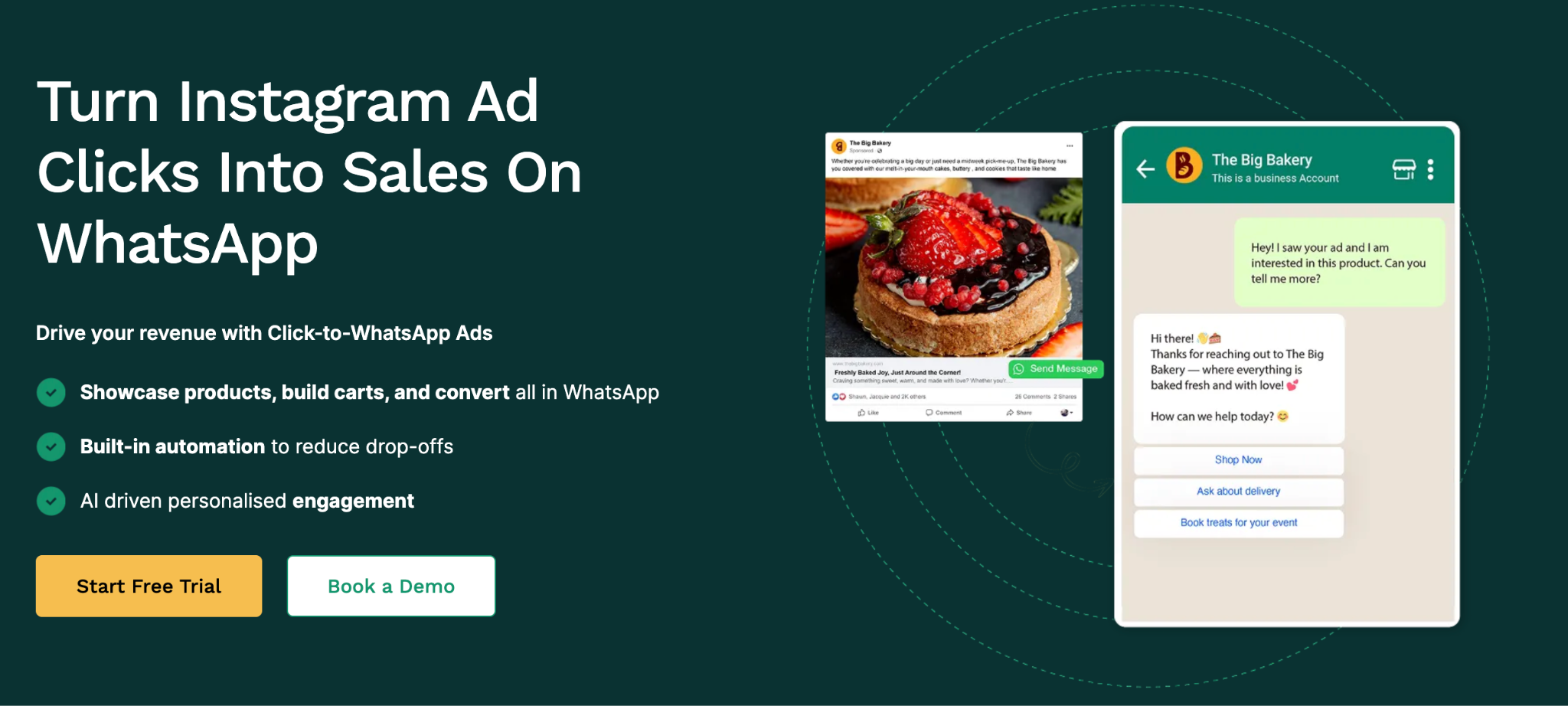
Most platforms treat Instagram-WhatsApp integration as just connecting two channels. Flowcart does more: it rebuilds the entire conversational commerce flow as a unified, AI-powered infrastructure.
Why Flowcart stands out:
Unified conversation management
Every Instagram DM and WhatsApp thread syncs to Flowcart’s CRM with full context — lead source, conversation history, product interest, and engagement score.
AI-powered lead qualification
Leads moving from Instagram to WhatsApp continue the conversation seamlessly. Chat-based quizzes and guided selling recommend products without making users repeat themselves.
WhatsApp-native checkout
Complete the purchase inside WhatsApp, eliminating website redirects that cause cart abandonment. Instagram-sourced leads can transact in the same thread.
Automated abandoned cart recovery
Personalized flows re-engage leads who didn’t complete checkout, recovering 20–30% of drop-offs.
Post-purchase retention with full journey context
Retention automation tracks the full customer journey — from Instagram discovery to WhatsApp purchase — driving up to 3x higher repeat purchases.
Final Thoughts
WhatsApp-Instagram integration isn't about being on more channels. It's about eliminating the structural breaks that kill conversion velocity.
Instagram is your discovery engine. WhatsApp is your revenue engine. Without integration, they're two businesses that don't talk to each other. With it, every Instagram comment, DM, and Story reply becomes a trackable, monetizable conversation that flows directly into your sales system without context loss or manual handoffs.
The brands winning in conversational commerce aren't working harder. They've architected response systems where speed, context, and intelligence operate independently of their team's capacity.
FAQs
How to Add a WhatsApp Button to Your Instagram Profile?
Open Instagram, go to Settings → Business → Contact Options → Add a WhatsApp Button. Select your WhatsApp Business phone number. The button appears on your profile immediately. Make sure you're using a WhatsApp Business account and your Instagram account is set to Business or Creator profile.
What is WhatsApp-Instagram integration?
WhatsApp-Instagram integration unifies conversations across both platforms into one system where Instagram DMs and WhatsApp threads sync to a central inbox and CRM. It eliminates manual handoffs, preserves conversation context when leads switch platforms, and enables automated routing from Instagram discovery into WhatsApp qualification and checkout flows.
Why should I integrate Instagram with WhatsApp instead of managing them separately?
Managing platforms separately creates context loss and operational inefficiency. When leads move from Instagram to WhatsApp manually, they have to re-explain their inquiry. Integration preserves context automatically, ensures consistent experience regardless of entry point, and surfaces revenue intelligence showing which Instagram content drives WhatsApp conversions.
When should I implement WhatsApp-Instagram integration?
Now, before volume forces you to retrofit under pressure. Building the integrated system early lets you optimize workflows while stakes are low, create competitive moat before competitors unify their channels, and avoid manually managing fragmented conversations when growth hits.
What are the best tools for WhatsApp-Instagram integration?
For conversational commerce (e-commerce, D2C): Flowcart offers purpose-built infrastructure with unified CRM, AI qualification, WhatsApp-native checkout, and automated retention. For social media management: Agorapulse and Sprout Social consolidate Instagram + WhatsApp into one inbox. For chat automation: Manychat and Interakt provide Instagram DM and WhatsApp automation with pre-built templates.






%201.webp)




.png)