.png)
.png)

Key Takeaways
Learn the highest-converting places to add Shopify cross-sell offers across product, cart, checkout, and thank-you pages.
Get a clear, step-by-step framework plus recommended apps to launch effective cross-sell flows on Shopify.
See how Flowcart uses Shopify behavior and WhatsApp to recover carts and increase order value with contextual cross-sell nudge.
A customer walks into a store planning to buy just one item. Then a helpful salesperson steps in, points out a complementary product, and suddenly the basket looks fuller than expected. Not because the customer was pushed, but because the suggestion made sense.
Creating that same moment online takes more than a static product page. Shopify stores need to surface the right products at the right moments in the buying journey.
That’s cross-selling.
It’s the art of recommending complementary products that fit seamlessly with what a customer is already considering. When done right, it helps, increases average order value, and makes the shopping experience more complete.
In this guide, we’ll break down what cross-selling really means, why it matters for Shopify stores, and how to use it to drive revenue without compromising customer trust.
What is Cross-Selling and Why Is It Critical for Shopify Stores?
Cross-selling is the practice of recommending related or complementary products to a customer based on what they’re already viewing or planning to buy. The main goal of cross-selling is to make the purchase more complete and useful for the customer.
For example, imagine a customer adding a smartphone to their cart on a Shopify store. A cross-sell could be a screen protector, a phone case, or wireless earbuds shown on the product page or at checkout.
These suggestions feel natural because they solve an immediate, related need. The customer was already considering protecting or enhancing their phone; you made it easier for them to do so in one place.
This ability to increase value without disrupting intent is exactly why cross-selling has become a core revenue lever for modern businesses. In fact, 21% of companies say cross-selling is their primary strategy for increasing revenue.
Here’s why cross-selling is so important:
- Increases average order value (AOV): Instead of spending more to acquire new customers, cross-selling helps you generate more revenue from shoppers who are already ready to buy.
- Improves the customer experience: Relevant recommendations save customers time and effort. They don’t have to search for add-ons or realize later that they missed something essential.
- Boosts conversion efficiency: Shoppers are more likely to add a complementary item than start a brand-new purchase journey from scratch.
- Strengthens product discovery: Cross-selling introduces customers to products they might not have found on their own, without disrupting their shopping flow.
For Shopify stores competing in crowded markets, cross-selling is a way to make shopping smarter, smoother, and more customer-centric.
Also Read: How to Measure ROI from WhatsApp Marketing Campaigns
Best Places to Add Cross-Sell Offers on Shopify With Examples
Effective cross-selling is about choosing the moments where a customer is most receptive. On Shopify, there are a few high-impact touchpoints in the buying journey where cross-sell offers feel helpful rather than distracting. These include:
1. Product pages
This is one of the most natural places for cross-selling. When customers are actively evaluating a product, showing complementary items such as accessories, add-ons, or frequently bought together products helps them visualize the complete purchase. Because intent is already high, relevant recommendations here often convert well.
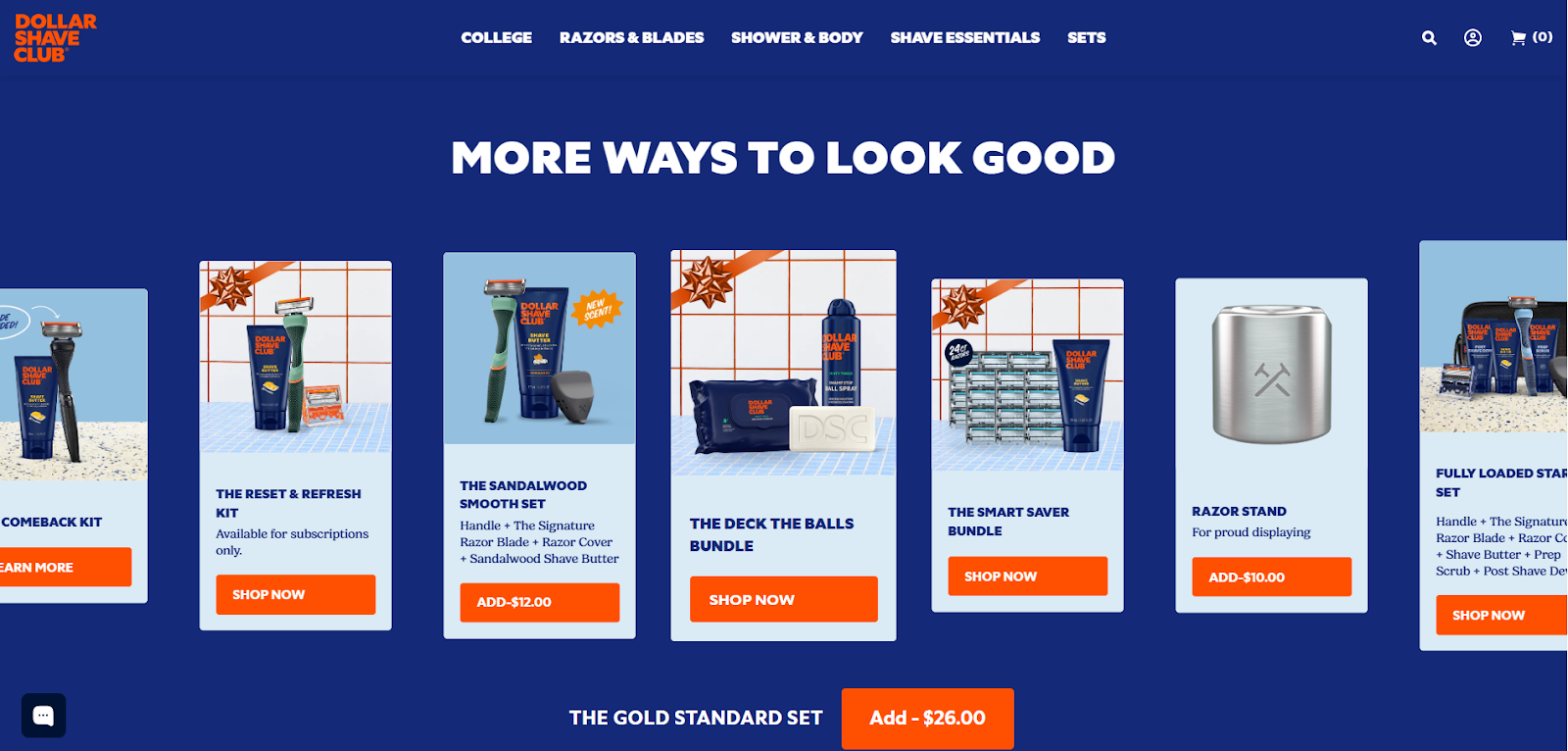
A good example of this is Dollar Shave Club. When a customer purchases The Gold Standard Set on Dollar Shave Club, below the purchase details, Dollar Shave Club introduces a section titled “More ways to look good.”
This section features curated, relevant bundles such as The Comeback Kit, The Reset & Refresh Kit, and other grooming sets designed to complement the customer’s shaving routine.
Because the customer has already committed to the Gold Standard Set, these recommendations feel like thoughtful extensions rather than pushy add-ons. The products align perfectly with the original purchase because of the same category, same intent, next logical step.
2. Cart page
The cart is where customers pause to review their choices. This makes it an ideal moment to suggest low-friction add-ons that enhance the original product. Since the shopper has already committed to buying, well-matched cross-sells at this stage feel like thoughtful reminders rather than sales pitches.
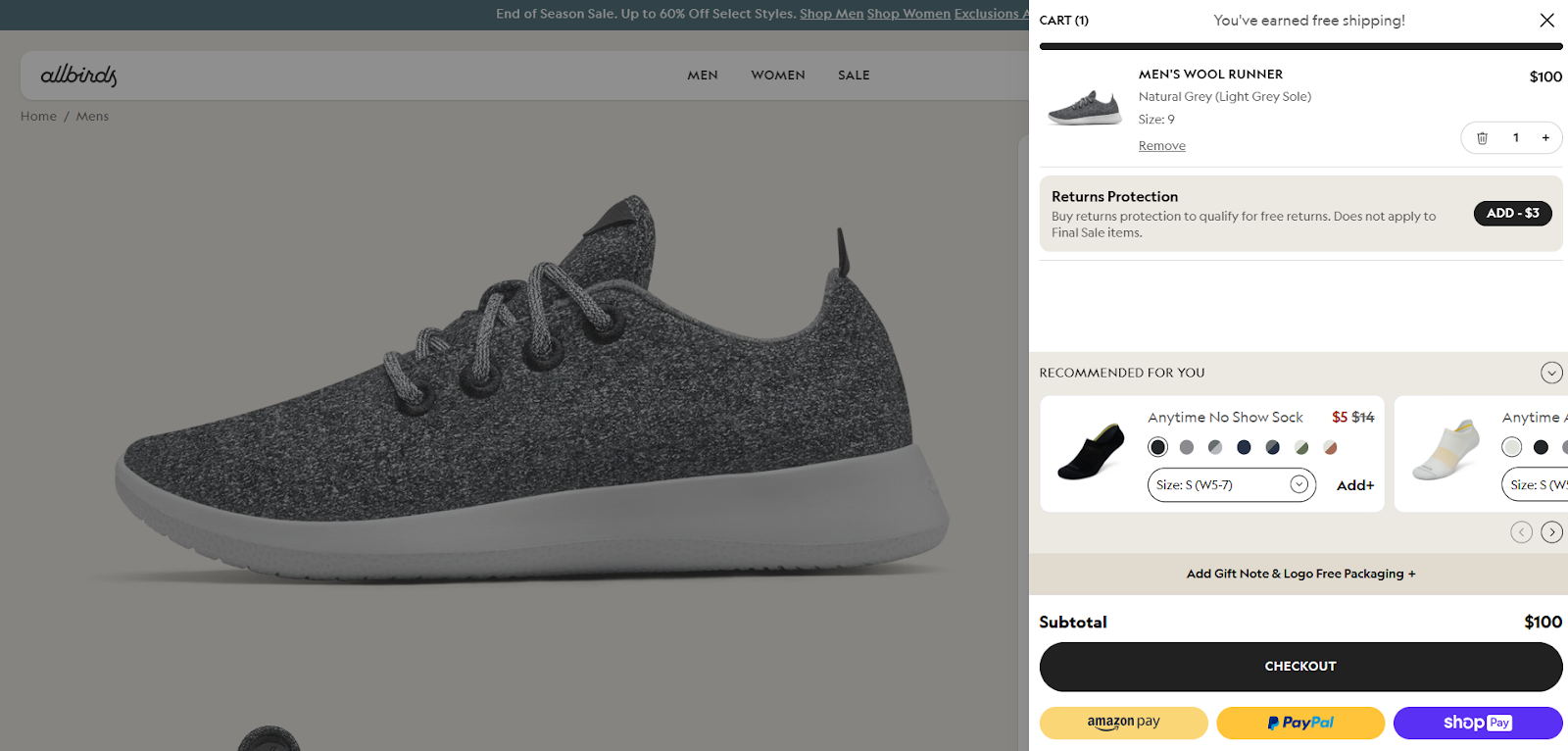
For example, a customer adds a pair of Allbirds Wool Runners to their cart and opens the checkout drawer to place the order. Just below the order summary, a small section suggests Anytime No-Show Socks with a simple “Add” button.
The recommendation feels natural. If you’re buying shoes, socks are an easy last-minute essential. With one click, the socks are added without leaving checkout, and the customer completes the purchase. It’s a subtle, well-timed cross-sell that increases order value without disrupting the checkout flow.
3. Checkout
Checkout cross-sells work best when they are simple and clearly valuable. Think of essentials, upgrades, or last-minute add-ons that don’t require much consideration. The key here is to provide limited options so that confusion does not slow down conversions.
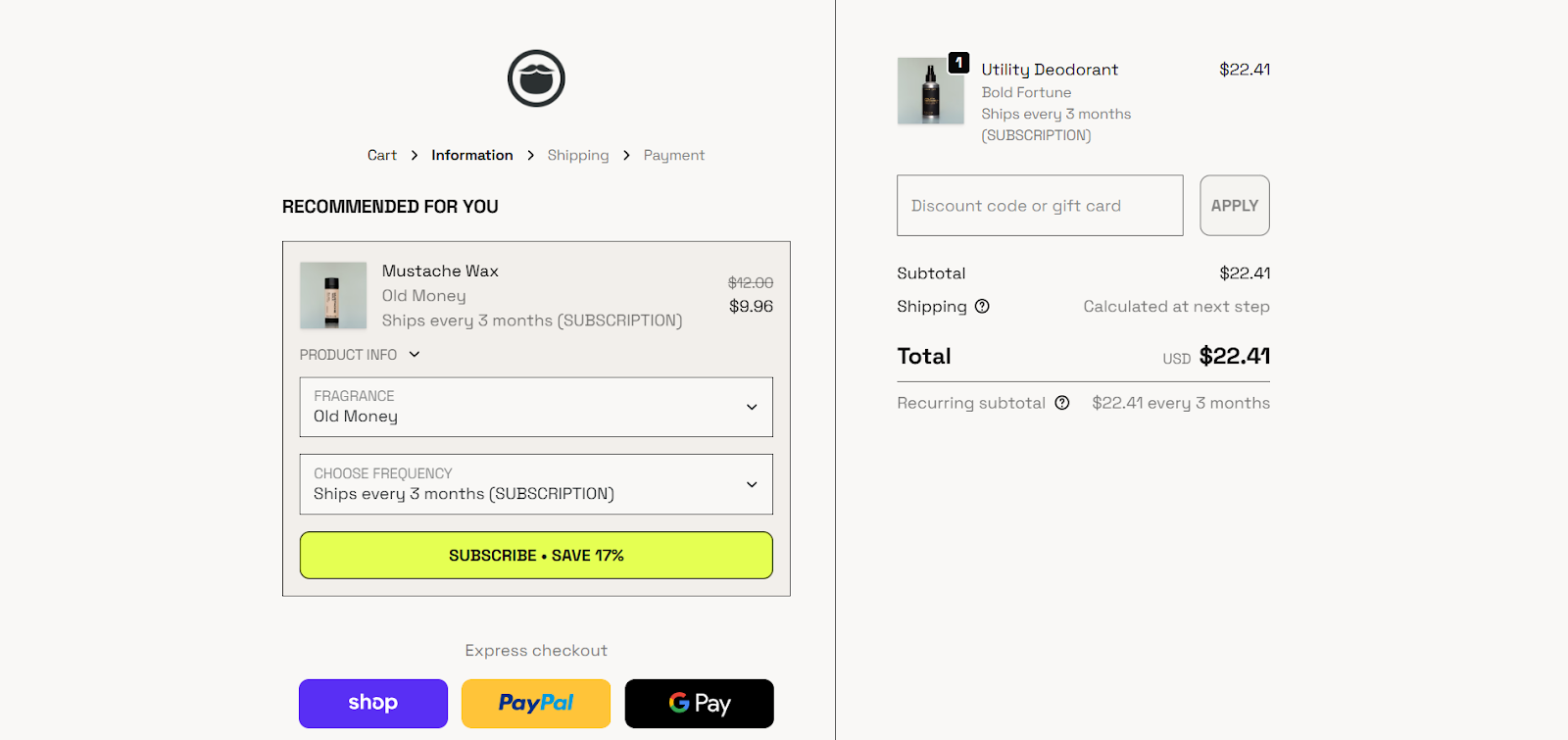
A good example of this is Beardbrand. When a customer adds a Utility Deodorant and reaches checkout, the brand displays a “Recommended for you” section that includes Mustache Wax.
The product is shown with clear pricing and a short, expandable description, allowing customers to understand its value without leaving checkout. The suggestion feels natural, complements the original purchase, and encourages a seamless add-on just before payment.
4. Thank-you or order confirmation page
Cross-selling doesn’t have to end at checkout. The post-purchase page is a great place to suggest related products for future use, refills, or upgrades. Since the purchase decision is already complete, these offers feel low-pressure and often lead to repeat purchases.
After a customer completes an order on Sephora, the thank-you page doesn’t just confirm the purchase. It introduces a section such as “You may also love” or “Complete your routine.”
This section recommends complementary products for the customer's recent purchase. For example, a moisturizer or primer after buying a foundation, or a cleanser and toner after buying a skincare serum. These products are framed as part of a routine rather than an immediate add-on.
Since the purchase is already complete, the customer isn’t under pressure to buy again immediately. The suggestions provide helpful guidance for future purchases, encouraging return visits and repeat orders without disrupting the completed checkout flow.
Quick Tip: Beyond your Shopify store itself, some brands are now extending cross-selling into conversational channels like WhatsApp. With tools such as Flowcart, merchants can follow up after checkout, recommend add-ons in chat, and continue the buying journey where customers already spend their time.
How to Set Up Cross-Sell on Shopify: Step-By-Step Guide
Setting up cross-selling on Shopify isn’t about showing more products everywhere but helping customers make better buying decisions by recommending items that genuinely belong together.
When executed well, this approach not only improves the shopping experience but also drives measurable impact. In fact, insights from HubSpot suggest that businesses using cross-selling effectively can increase revenue by as much as 30%.
Follow these steps to do it right:
1. Identify products that naturally go together
Start by reviewing your product catalog and thinking from a customer’s perspective. Ask yourself: If someone buys this product, what else do they usually need?
For example, someone buying shoes might also need socks. A customer purchasing a skincare serum may need a moisturizer. These are natural companions, not forced suggestions. Accessories, refills, upgrades, and add-ons work best because they build on existing intent rather than trying to create a new one.
Tip: Check past orders or common customer questions. If people frequently buy two products together, you’ve found a strong cross-sell opportunity.
2. Decide where the cross-sell should appear
Different stages of the buying journey serve different purposes, so placement matters.
- On product pages, cross-sells help customers understand the complete solution early.
- In the cart or checkout, they work best as quick, low-effort add-ons.
- On the thank-you or order confirmation page, they’re ideal for future purchases, refills, or bundles.
Avoid showing the same cross-sell everywhere. Each placement should answer a specific customer need at that moment.
Example: A phone case fits well on a product page, while a screen cleaner makes more sense at checkout.
3. Set up product relationships in Shopify or via an app
Once you know which products to recommend and where, it’s time to connect them technically. Shopify allows basic product pairing, but most stores use cross-sell or recommendation apps for better control. These tools let you:
- Manually link related products
- Create “frequently bought together” sections
- Show recommendations based on what’s already in the cart
The more specific and intentional these pairings are, the more natural they feel to customers.
Tip: Avoid fully automated suggestions at the start. Manual control ensures relevance, especially for new stores.
4. Design the cross-sell so it feels helpful, not pushy
How your cross-sell looks is just as important as what you recommend. Keep the section clean, simple, and limited to a few items. Too many options can overwhelm customers and slow down decisions.
Use clear, friendly labels like “Goes well with,” “Complete your purchase,” or “Recommended for you.” This frames the suggestion as guidance, not a hard sell.
Tip: A single add-on with a short benefit description performs better than a grid of unrelated products.
5. Track performance and improve over time
After your cross-sells go live, monitor their performance. Key metrics to watch include:
- Add-on conversion rate
- Average order value (AOV)
- Cart abandonment rate
If a cross-sell isn’t getting clicks or additions, it usually means the timing, placement, or product match needs adjustment.
Tip: Test one change at a time. Swap the product, move the placement, or simplify the message before making bigger changes.
Read More: How to Boost Customer Engagement on WhatsApp in 2026
Best Shopify Cross-Sell Apps
Here are four highly rated Shopify apps that make setting up cross-sell offers easier and more effective, whether you want product page recommendations, cart offers, or thank-you page upsells:
1. ReConvert
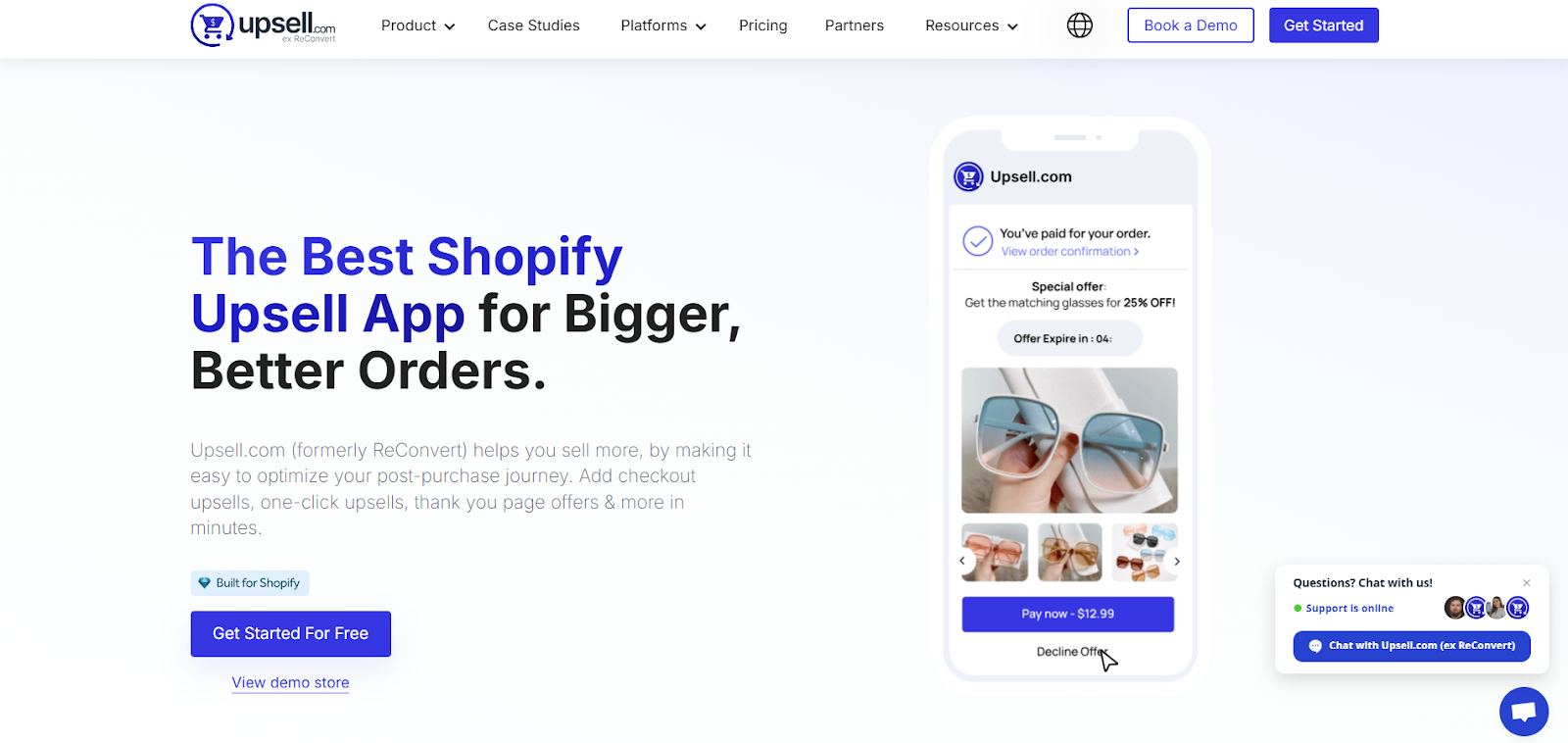
ReConvert is especially powerful for post-purchase optimization. It lets you turn your thank-you or order confirmation page into a revenue engine by adding one-click upsells and cross-sells right after checkout.
You can also build custom funnels using a drag-and-drop editor, segment offers, and include extras like surveys or birthday collection tools to boost repeat purchases. This makes it ideal for merchants focused on maximizing lifetime value after the initial sale.
Some unique features of ReConvert are:
- Drag-and-drop thank-you page builder
- One-click post-purchase upsells and bundles
- Custom funnels and segmentation tools
- AI-powered recommendations across stages
2. Selleasy
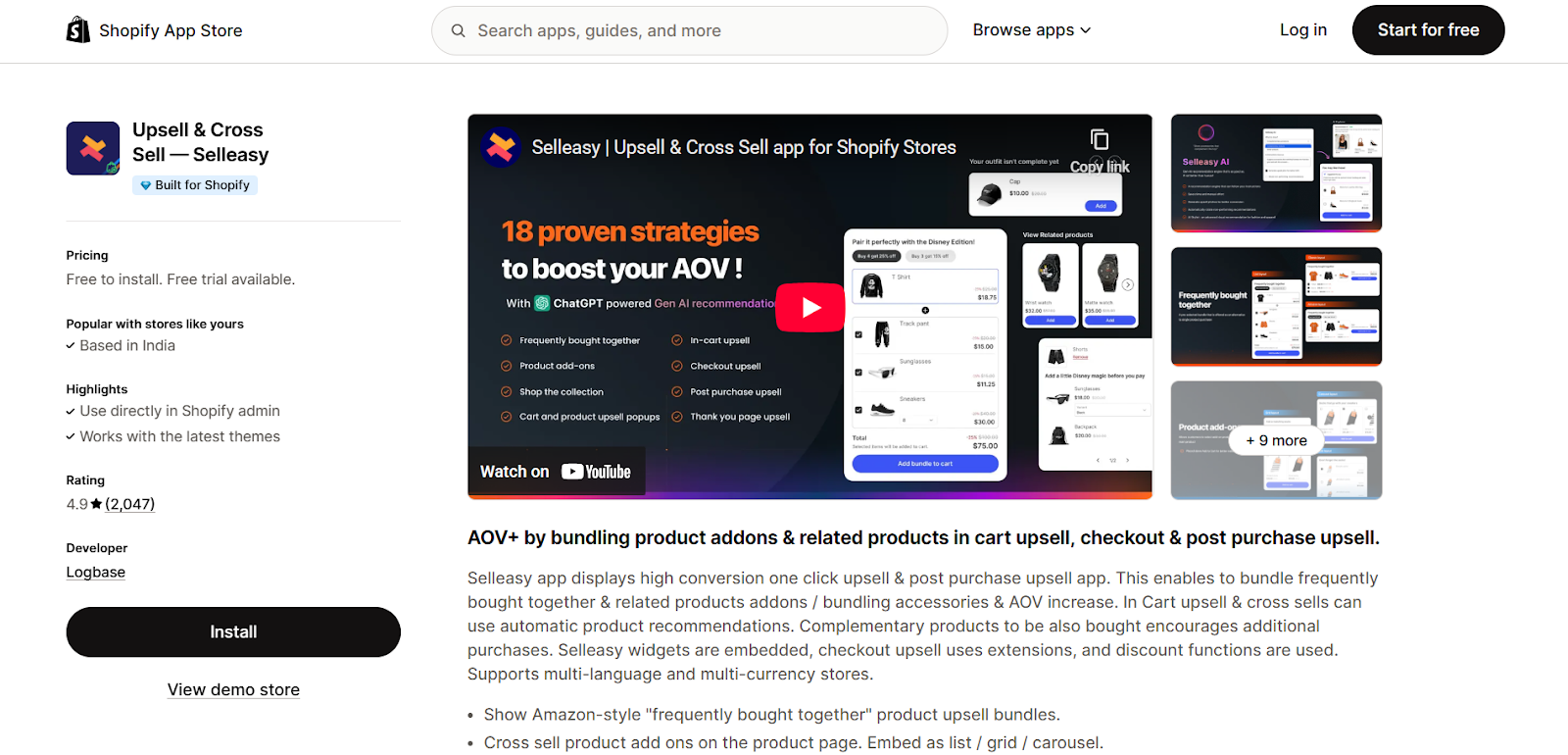
Selleasy is a versatile, all-in-one app that covers multiple touchpoints across the Shopify experience: product pages, cart, checkout, and post-purchase. It brings Amazon-style “frequently bought together” bundles to your store with widgets that blend seamlessly into your theme.
You can display related products in grid, list, or carousel formats and run one-click upsells at key moments. It’s particularly valuable for stores looking to add cross-sell throughout the entire journey.
Here are the unique features of Selleasy:
- Amazon-style “frequently bought together” bundles
- Cross-sell and upsell widgets on product, cart, and post-purchase
- Mobile-optimized design and multi-currency/language support
- Flexible bundle and discount options
3. Frequently Bought Together (AI-Driven Bundles)
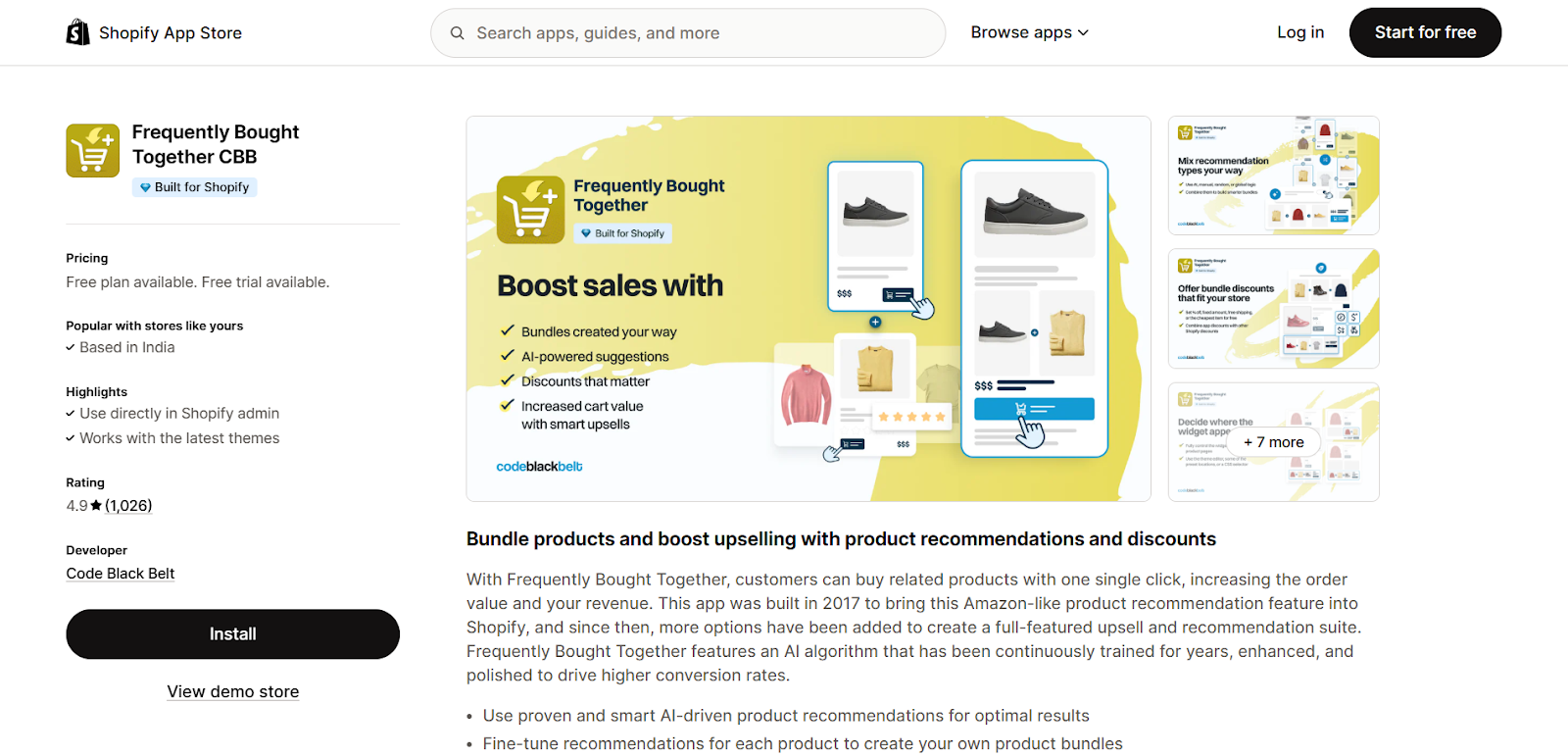
This app focuses primarily on Amazon-like recommendation blocks that automatically suggest complementary products based on purchase behavior and configurable bundles. It’s one of the simplest yet most effective ways to boost AOV, as customers can add related items with a single click.
The AI-driven product pairing improves relevance over time, helping push higher conversions without manual curation.
Here are some unique features of Frequently Bought Together:
- AI-powered product recommendations
- Click-to-add “frequently bought together” widgets
- Multiple bundle discount types (fixed, percentage, free shipping, etc.)
- Responsive and theme-friendly design
4. Fast Bundle
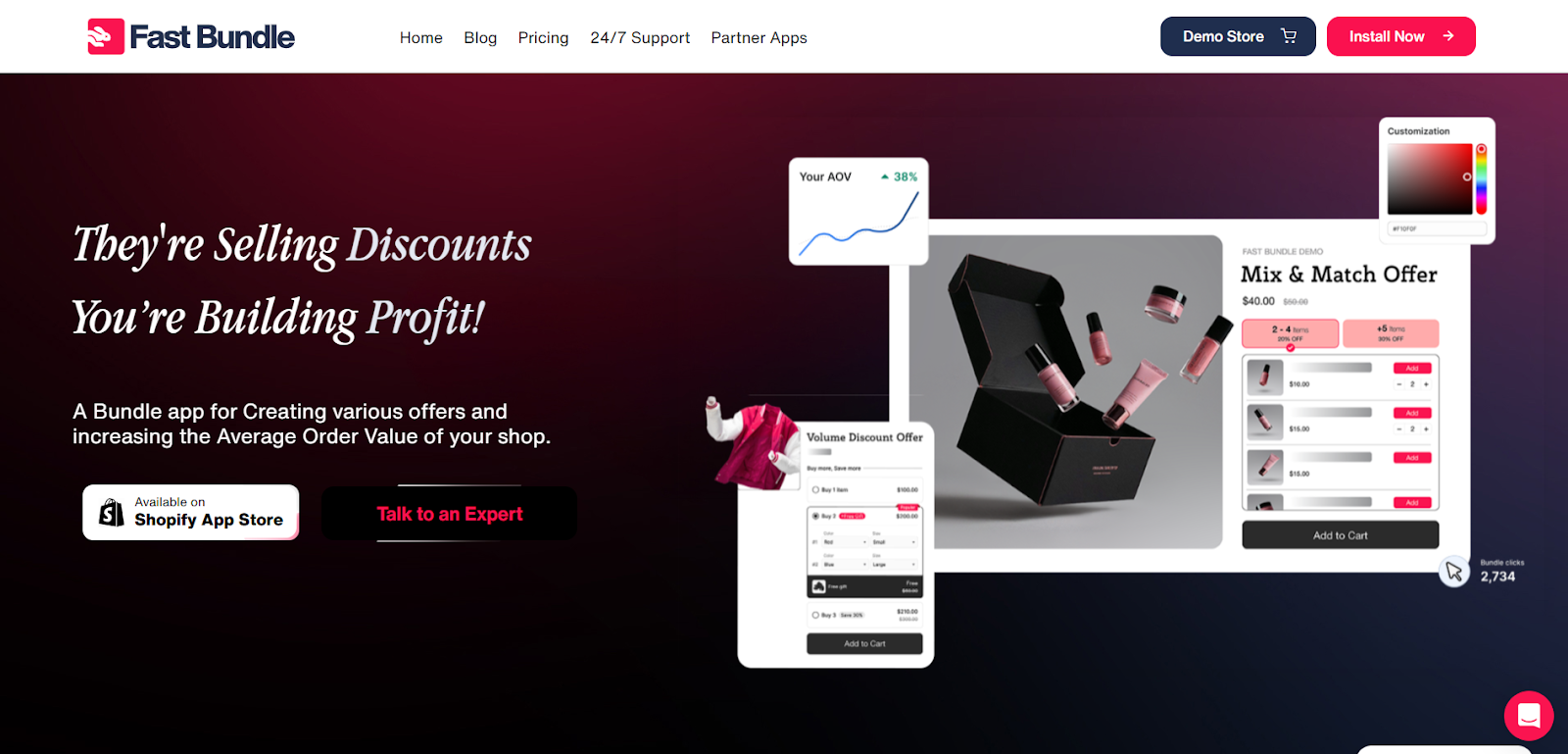
Fast Bundle is great for merchants who want flexible, customizable bundle creation beyond simple cross-sell prompts. You can set up mix-and-match deals, combination bundles, volume discounts, and cross-sell upsell widgets that fit your catalog logic.
It offers both fixed and dynamic bundle options and integrates seamlessly with Shopify themes without requiring code.
Here are some unique features of Fast Bundle:
- Mix-and-match and combo bundle capabilities
- Volume discounts and real-time analytics
- Flexible bundle display across product pages and cart
- Native Shopify integration with easy setup
Quick Tip: While these apps focus mainly on on-site cross-sells, some brands also use WhatsApp-based tools like Flowcart to take cross-selling beyond the website and into direct customer conversations.
Best Practices to Cross-Sell in Your Shopify Store
Cross-selling works best when it feels like good service, not aggressive selling. These practical tips will help you implement cross-sell offers that customers actually engage with:
Start with relevance, not volume
The success of any cross-sell depends on how closely it matches the customer’s intent. Focus on products that naturally complement each other rather than pushing high-priced or unrelated items. One strong, relevant recommendation will outperform five generic ones every time.
Match the offer to the stage of the journey
Customers are more open to different types of cross-sells at different moments. Use product pages to educate and suggest complementary items, carts, and checkout for quick add-ons, and thank-you pages for refills or future purchases. Timing matters just as much as the product itself.
Keep choices limited
Too many options can slow decision-making and increase drop-offs. Aim for one to three cross-sell products per placement. Fewer choices make it easier for customers to say yes without overthinking.
Make it easy to add
A good cross-sell should require minimal effort. Use one-click add buttons, avoid page redirects, and keep customers in the same flow, especially at checkout. The easier it is to add, the higher the conversion.
Test, track, and refine regularly
Monitor metrics such as add-on conversion rate and average order value to identify what’s working. If a cross-sell isn’t performing, try changing the product pairing, placement, or messaging before removing it entirely.
How Flowcart Can Help With Cross-Selling
Cross-selling doesn’t have to be limited to your website. In fact, WhatsApp can be one of the most effective channels for cross-selling, even if customers don’t complete their purchase there.
As a conversational support channel, WhatsApp allows brands to step in at the right moment to answer questions, recover abandoned carts, nudge customers toward relevant add-ons, and help them see the value in buying a little more.
When a customer drops off or hesitates, a timely WhatsApp conversation can bring them back. A simple message like “Would you like to add this to complete your purchase?” or “Most customers pair this with…” feels personal, helpful, and far less intrusive than pop-ups or emails.
This is where Flowcart makes cross-selling on WhatsApp scalable and effective for Shopify stores. Flowcart enables brands to use WhatsApp as a conversational commerce layer, supporting customers in real time while intelligently surfacing cross-sell opportunities based on intent and behavior.
Here’s how Flowcart helps with cross-selling:
- Cart recovery with contextual cross-sell nudges: Flowcart Abandoned Cart Recovery can trigger WhatsApp messages when a cart is abandoned, not just reminding customers to complete the purchase but also highlighting relevant add-ons or bundles that increase value.
- Personalized flows based on customer intent: Whether a customer is browsing, comparing, or ready to buy, Flowcart WhatsApp Flows provide recommendations to their stage, ensuring cross-sell suggestions are timely and relevant.
- Quick add-to-cart and seamless checkout links: With Flowcart In-Chat Checkout, customers can add cross-sell products directly from WhatsApp and move to checkout with minimal friction, keeping the buying journey smooth.
- Targeted campaigns for repeat purchases: Flowcart enables brands to run WhatsApp campaigns with AI-Powered Segmentation that recommend refills, upgrades, or related products to existing customers, turning post-purchase follow-ups into cross-sell opportunities.
By using WhatsApp as a smart support and engagement channel, Flowcart helps Shopify stores recover lost revenue, increase order value, and make cross-selling feel like a natural extension of customer service. Explore Flowcart’s pricing to see which plan fits your growth goals.
Here’s what Zul Juma, the Director of Housewife’s Paradise, has to say about Flowcart,
“Flowcart has transformed our business by helping us respond faster, boost sales, and connect with a younger generation of buyers, all while simplifying the shopping experience on WhatsApp.”
Read how other businesses are driving growth and improving conversions by choosing Flowcart as their WhatsApp conversational commerce partner in our Customer Success Stories section.
Turning Cross-Selling Into Sustainable Growth
Cross-selling is a core part of delivering a better shopping experience. When done well, it helps customers discover what they actually need, increases average order value, and builds long-term trust with your brand.
As shopping journeys become more conversational, WhatsApp marketing with Flowcart offers a powerful way to take cross-selling beyond your website. It allows brands to nudge customers at critical moments, recover abandoned carts, and recommend add-ons through real, helpful conversations.
Ready to explore how you can start driving higher cross-selling through WhatsApp? Book a demo with Flowcart today!
Frequently Asked Questions (FAQs)
What is cross-selling on Shopify?
Cross-selling on Shopify is the practice of recommending complementary or related products to customers based on what they’re already viewing or buying, to make the purchase more complete and useful.
Where should you add cross-sell offers on a Shopify store?
Cross-sell offers work best on product pages, in the cart, during checkout, and on the thank-you or order confirmation page.
How is Shopify cross-sell different from upsell?
Cross-selling suggests related products that complement the original item, while upselling encourages customers to buy a higher-priced or upgraded version of the same product.
Can you cross-sell on Shopify without using apps?
Yes, Shopify supports basic cross-selling through manual product recommendations and collections, though apps offer greater flexibility, automation, and control.
Which products work best for cross-selling on Shopify?
Accessories, add-ons, refills, consumables, and products that naturally go together perform best for cross-selling.
Does cross-selling improve AOV on Shopify?
Yes, effective cross-selling increases average order value by encouraging customers to add relevant items to their purchase without starting a new buying journey.
How do you measure cross-sell performance on Shopify?
Cross-sell performance is measured using metrics like add-on conversion rate, average order value, cart abandonment rate, and revenue generated from recommended products.

.png)





%201.webp)




.png)