.png)
.png)

.png)
Key Takeaways
Learn why WhatsApp outperforms email and SMS for Shopify with higher opens, faster replies, and 3x stronger conversion potential.
Get step-by-step guidance to connect WhatsApp with Shopify, automate flows, and enable in-chat checkout for frictionless buying.
Discover proven WhatsApp use cases for Shopify: cart recovery, order updates, support, product recommendations, and promotional campaigns.
You’ve never tried WhatsApp marketing for Shopify before? No issues at all. This Reddit user did that and turned over $18,000 profits in a month.
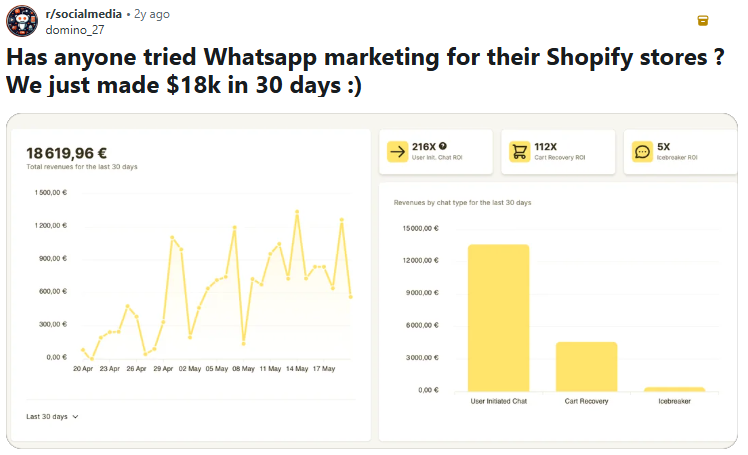
Shopify stores are undoubtedly among the leading ecommerce platforms. In fact, it converts 36% better than Magento and WooCommerce.
However, relying on traditional channels like email marketing and SMS to generate leads for your store, convert, and engage customers post-purchase quickly becomes a blocker. Why? Because customers open them infrequently and rarely reply in real-time.
That’s where WhatsApp marketing comes in. WhatsApp helps you connect with your customers where they already are. And that results in higher engagement rates, better revenue, and fewer abandoned carts.
In this article, we’ll share why WhatsApp marketing is the next big thing for your Shopify store and practical Shopify WhatsApp marketing practices to implement for more sales.
What Is Shopify WhatsApp Marketing?
Shopify WhatsApp marketing is a strategy that connects WhatsApp to your Shopify store and uses it as your go-to channel for generating leads, nurturing them toward conversion, and keeping them engaged for repeat purchases.
Typically, what happens is that:
- You sync your Shopify store with your business WhatsApp account. Products from the store appear on the WhatsApp catalog, and customers can access it from there
- You launch lead generation campaigns via click-to-WhatsApp ads, QR codes, store widgets, and pop-ups
- A lead clicks any of these entry points and lands on your WhatsApp with an already personalized intro message or product choice
- Your agents or chatbot engage them and nudge them to make a purchase
- After a successful purchase, the customer, with consent, receives periodic engagement messages, such as exclusive offers, discount alerts, and gamified loyalty campaigns. This boosts retention and repeat purchase
Just a notch further into sales, WhatsApp business APIs like Flowcart offers Shopify plugins which lets your customers complete checkout or make payments directly inside the chat. That eliminates friction and removes the extra steps common in email or SMS marketing.
Why WhatsApp Marketing Works for Shopify Stores
Marketing for your Shopify store only works when you send the right message at the right time and to the right place. The latter matters more because your customers can only open or engage with what they see. WhatsApp marketing checks all these criteria and results in:
High message open and read rates
Over 3 billion people actively use WhatsApp. Moreover, it has an open rate of 98% compared to 21.5% for email and converts 3x more. Let’s also include the fact that 95% of WhatsApp messages are read within 3 minutes.
If you personalize each message, you’ll likely see those reads turn into revenue-centric engagements and sales. Flowcart’s automated WhatsApp flows ensure your customers only receive campaigns relevant to them.
Real-time direct communication with customers
Unlike email and SMS, where you spray and pray, waiting for your customers to open their inboxes and possibly respond, WhatsApp puts you where your customers are already active. No back and forths.
They see your message immediately when the notification appears and decide within seconds whether to reply or ignore it.
When they respond, Flowcart’s WhatsApp bot steps in to deliver instant, tailored replies, keeping the conversation moving and removing unnecessary wait times.
Personal and conversational engagement
The best part? WhatsApp marketing is highly conversational. Your messages do not need the rigid structure of emails. You can speak the way real people do, ask questions, get quick replies, and guide customers through decisions without breaking the flow of the chat.
Smart Retargeting
One of WhatsApp marketing’s hidden strengths is its ability to connect real customer identities to your campaigns.
WhatsApp business API platforms like Flowcart leverage Meta pixels to de-anonymise visitors from your Shopify store. This means you know exactly who engaged with your site, what products they viewed, and where they dropped off.
With this data, Flowcart enables precise retargeting on WhatsApp. You can send tailored messages to customers based on their behavior, like reminding them of abandoned carts, suggesting complementary products, or offering personalized discounts.
5 Key WhatsApp Marketing Use Cases for Shopify
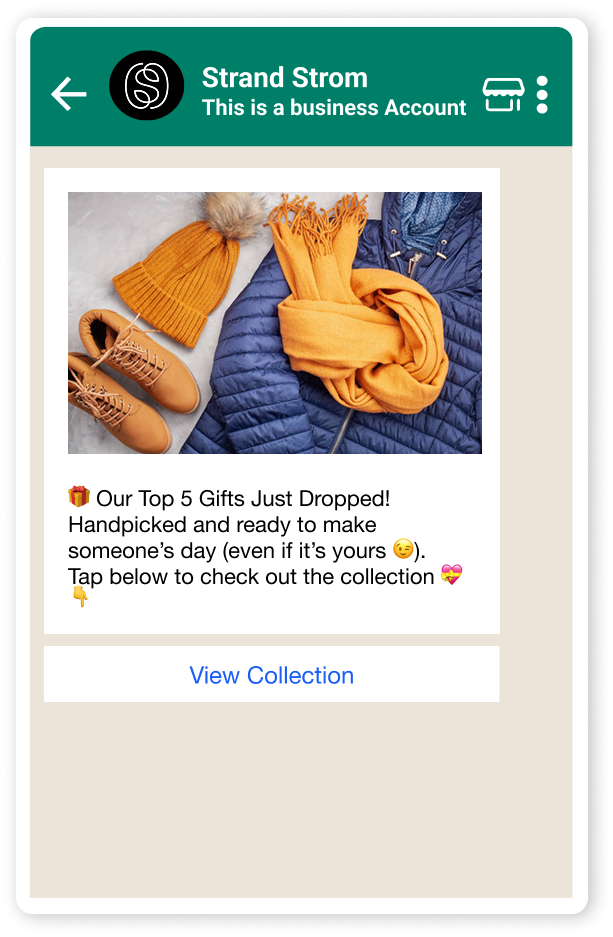
This Reddit user uses WhatsApp to re-engage past customers and nudge them to make new purchases. Technically, what you do here is send existing customers new in-stock alerts, exclusive deals, one-time offers, VIPs, and other perks to boost repeat sales.

But reengagement is just one of the things you can use WhatsApp marketing for as a Shopify store owner. Others include:
Cart abandonment recovery messages
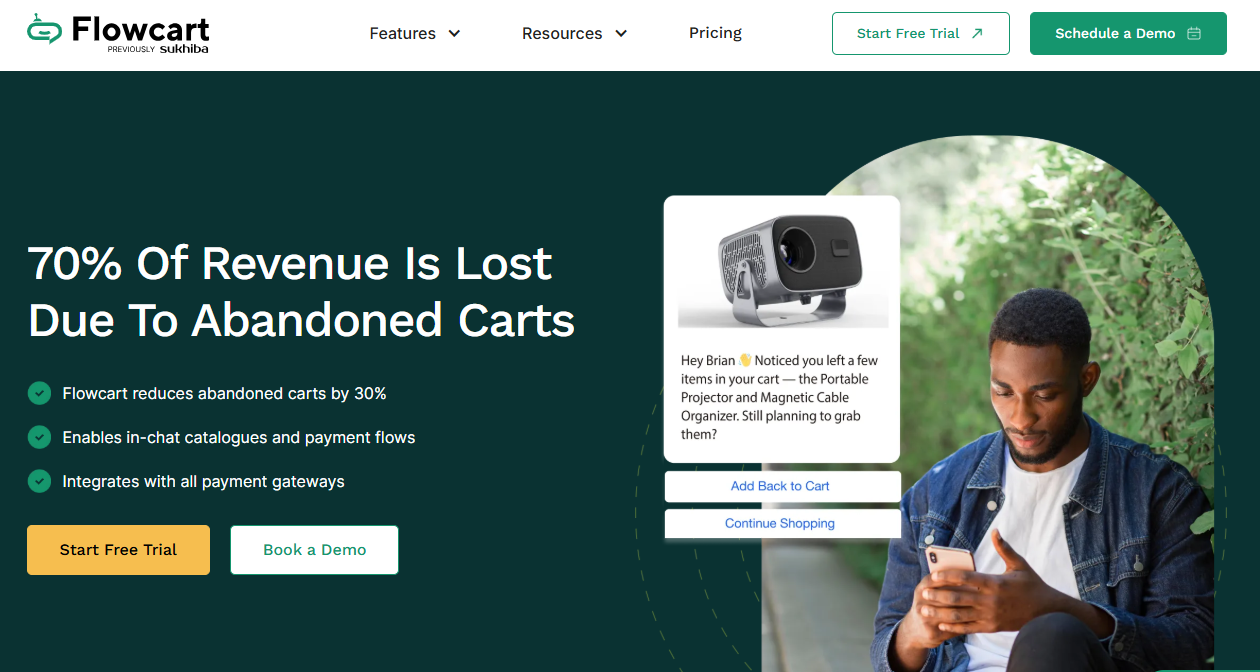
Approximately 70% of revenue is lost due to abandoned carts. With WhatsApp marketing, you can recover most of these carts via simple, timely reminders or subtle nudges attached to discounts or one-time exclusives.
Flowcart’s abandoned cart recovery feature makes this process seamless by detecting when a customer drops off midway and automatically triggering a recovery flow. The result? More than 80% of lost sales are recoverable.
Order confirmation and shipping updates
What is one big blocker to using email for Shopify marketing? Your emails might hit a block and fail to deliver. Take this Shopify user’s complaint as an example.
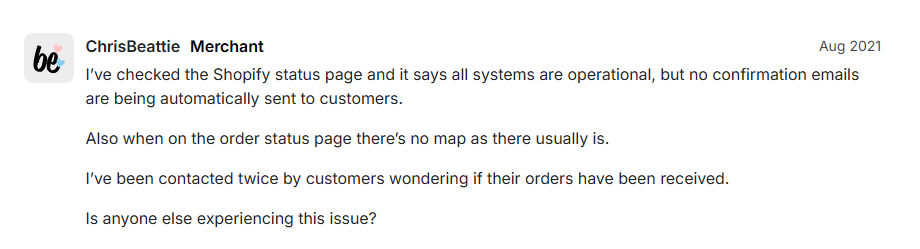
Your customers want to know whether their order has been received, whether it’s being processed, where it is in the delivery process, and whether there’s any delay. WhatsApp marketing solves all these with instant in-chat updates. No service provider bouncebacks like with email and SMS marketing.
Customer support and inquiry responses
According to a 2026 Zendesk report, 68% of customers expect a quicker response than they did a year ago, and 86% say a faster response influences their purchase decision. WhatsApp marketing helps you meet these expectations.
Using Flowcart’s flows and AI chatbot, you can automate almost 100% of conversations on WhatsApp. In addition, if it’s a query your WhatsApp bot can’t handle, it automatically redirects the conversation to an agent.
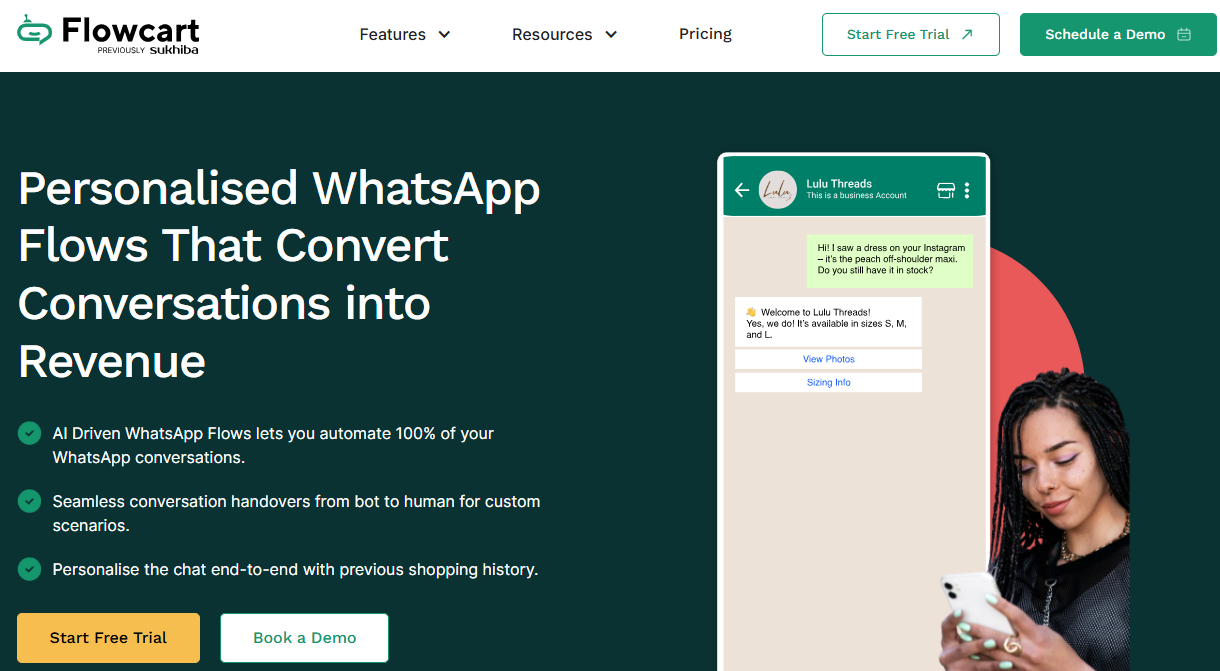
This reduces wait times and ensures your Shopify customers receive the response they need in real time.
Product recommendations and upsell messages
If your Shopify contacts are already on WhatsApp and have opted in to receive messages from you, you can easily send them messages containing product recommendations from your whatsapp-linked shopify store.
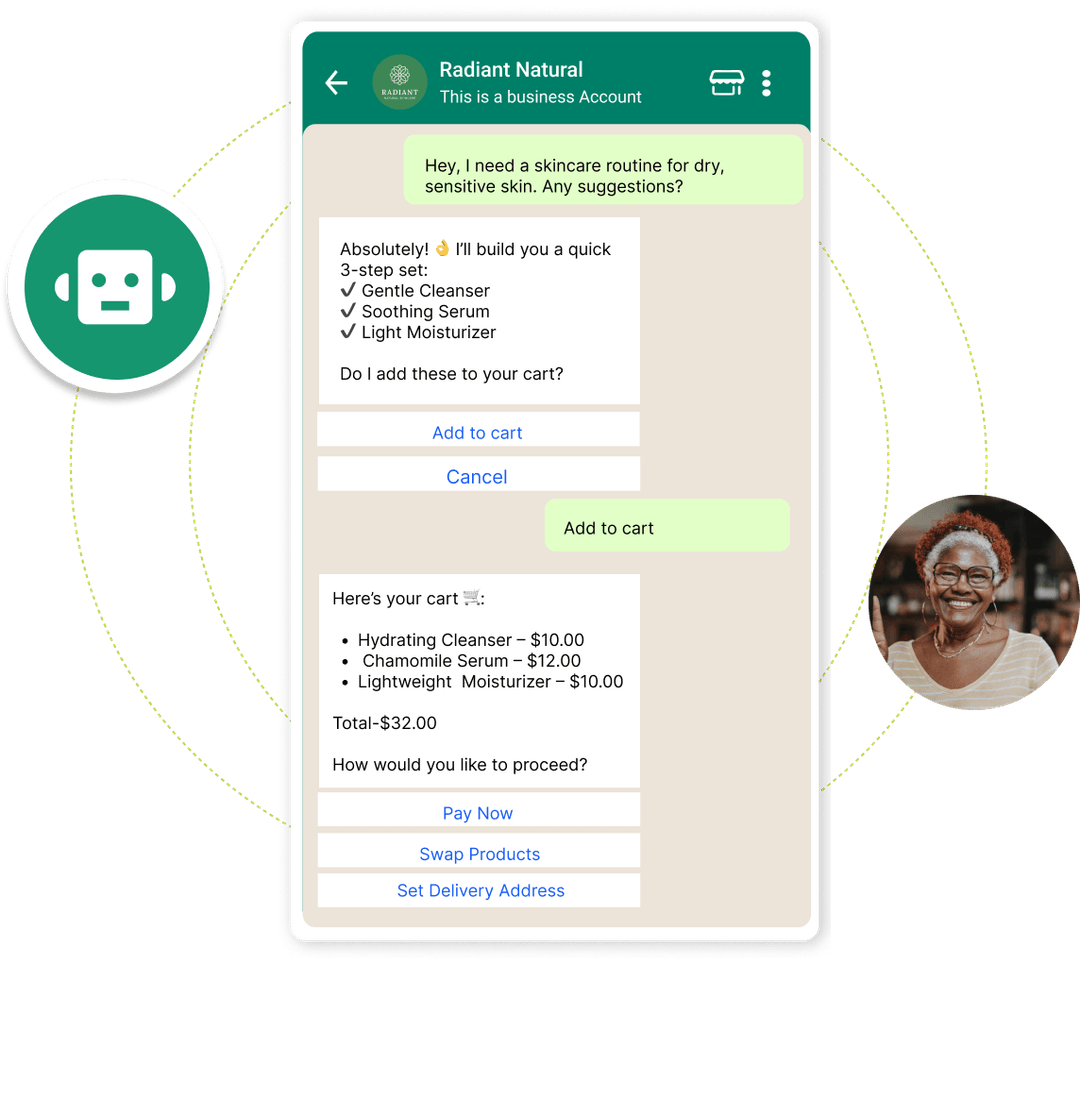
Flowcart’s AI-generated cart feature streamlines this process by creating personalized carts based on customer inputs and sending them to them. This lifts average order value by 18% while reducing abandoned carts by up to 30%.
Promotional campaigns and flash deals
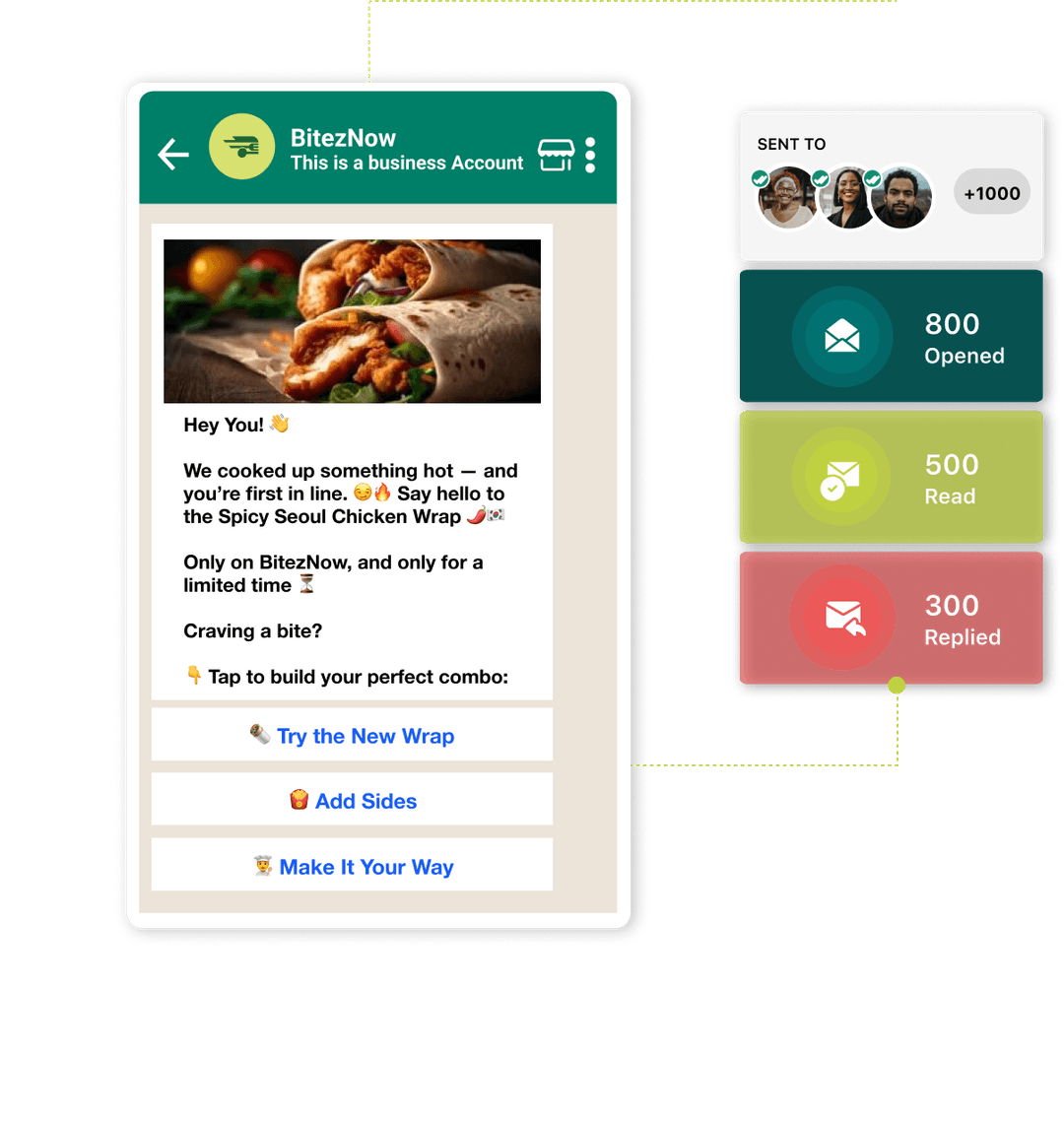
WhatsApp marketing lets you run promotional campaigns and generate leads for your Shopify store through entry points like click-to-WhatsApp ads, QR codes, website WhatsApp widgets, and pop-ups.
Once leads land on your chat wall, you can nurture them over time with gamified smart broadcast flows, such as flash deals, exclusive offers, and redeemable action-based points, to keep their intent warm.
Manually managing promotional broadcasts is a hassle. Flowcart’s smart broadcast feature automates this process and helps you reach thousands of customers with hyperpersonalized and targeted offers in seconds.
5 Detailed Steps to Set Up WhatsApp Marketing for Shopify
Setting up WhatsApp marketing for Shopify can be a bit confusing, especially if this is your first. Here’s how to get it done:
1. Create WhatsApp Business Account
This is where you’ll interact with customers, manage orders, deliver updates, and handle inquiries.
- Step 1: Download WhatsApp Business account from the Play Store, App Store, or any other app provider on your device
- Step 2: Open the downloaded app, follow the prompts, use a phone number you use primarily for business needs, and register
- Step 3: Set up your business profile by adding your store name, logo, description, business hours, product catalog, and a link to your Shopify store so customers have all the essential information at a glance
- Step 4: Configure automated greetings, away messages, and quick replies to respond efficiently to common customer questions
- Step 5: Add your WhatsApp link to your Shopify store’s contact page and product or checkout pages so customers can connect with you easily
Note that you can add as many as 500 products to your catalog and set up about 50 uncategorized quick replies.
2. Integrate with Shopify via app or API
If your Shopify customer base is below a few dozen monthly and you receive very few requests daily on WhatsApp, you can manage conversations manually, set up simple WhatsApp ads, and nurture leads without automation.
Anything beyond that, you’ll need to integrate your WhatsApp account with Shopify via a WhatsApp business API platform like Flowcart. This lets you automate messages, sync orders, and efficiently handle large volumes of customer interactions.
To do that, follow these steps.
- Step 1: Create a Shopify account and fill in all the necessary details. If you already have a functional Shopify account, skip this process
- Step 2: Go to your Shopify dashboard and scroll to the Apps section. Click it. It’ll expand into a search. Search for Flowcart and click
- Step 3: You’ll land on Flowcart’s plugin dashboard. Follow the prompts to create a Flowcart account and choose a plan. Flowcart provides a free 7-day trial
- Step 4: Scroll to the Flowcart’s plugin settings and click add your business WhatsApp number in the labelled box. Ensure the number is active
- Step 5: Once set, click the “Sync Shopify customers” button, located just above the contact button. This syncs your Shopify data, including products, to WhatsApp while using Flowcart as a bridge
- Step 6: Enable the WhatsApp widget so customers can reach you on WhatsApp. The activation button is right above the “sync Shopify customers button”
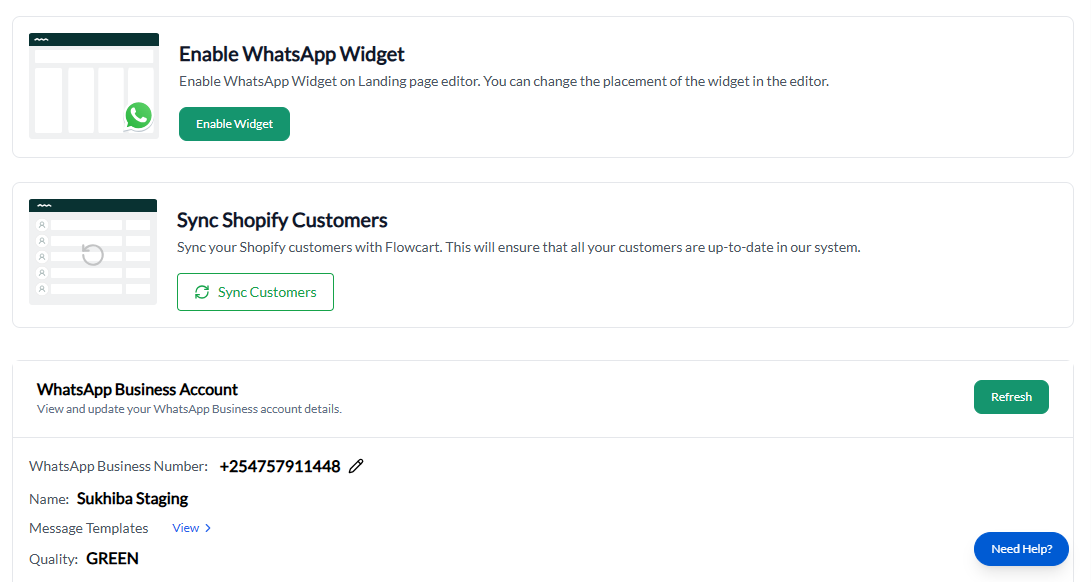
Once the sync is complete, your Shopify products should also appear on the WhatsApp catalog. With Flowcart, your customers can simply click to add items to their cart and complete checkout right inside WhatsApp.
3. Configure message templates and tags
Templates are message formats you can one-click to send or automate across different stages of marketing on WhatsApp. This saves you the time and effort of typing individual responses each time customers ask a question.
Primarily, WhatsApp Business without integration allows you to set up over 50 uncategorized replies tailored to specific but rigid triggers. Insufficient if you’re dealing with a large number of customers with varying needs.
On the other hand, WhatsApp Business API platforms like Flowcart help you set up up to 5,000 categorized responses.
- Step 1: Go back to the Flowcart plugin dashboard on Shopify
- Step 2: Scroll to broadcasts and switch the tab to “templates”
- Step 3: Create or select templates for key customer touchpoints, such as order updates, promotions, and shipping notifications. You can also import templates as csv. files or use predesigned templates provided by Flowcart
- Step 4: Add a tag to each template to serve as the trigger, for example, “new customer, or “cart abandoned”
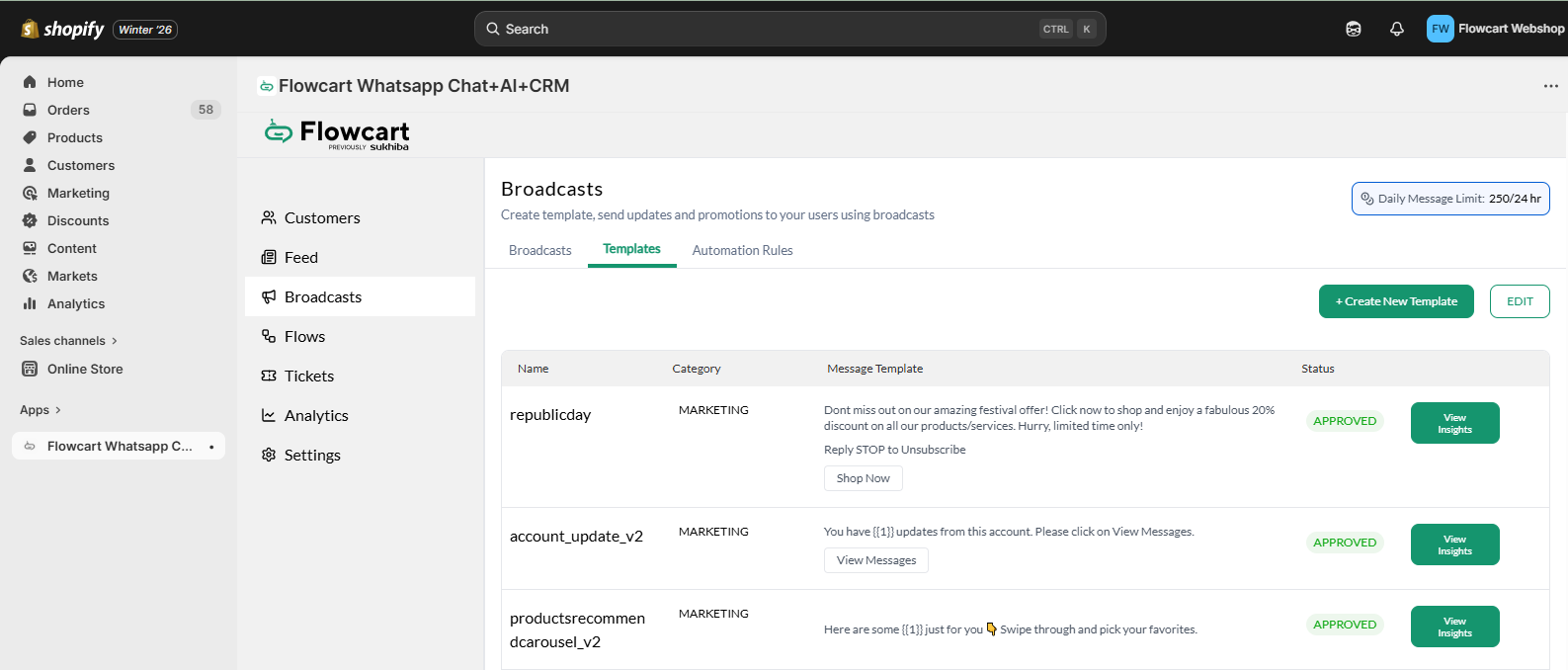
Flowcart’s dashboard on Shopify
Note that you must get pre-approval for each template on WhatsApp before sending it to your customers. Flowcart saves you time by providing several pre-approved templates you can use with a single click.
4. Set automated flows for triggers
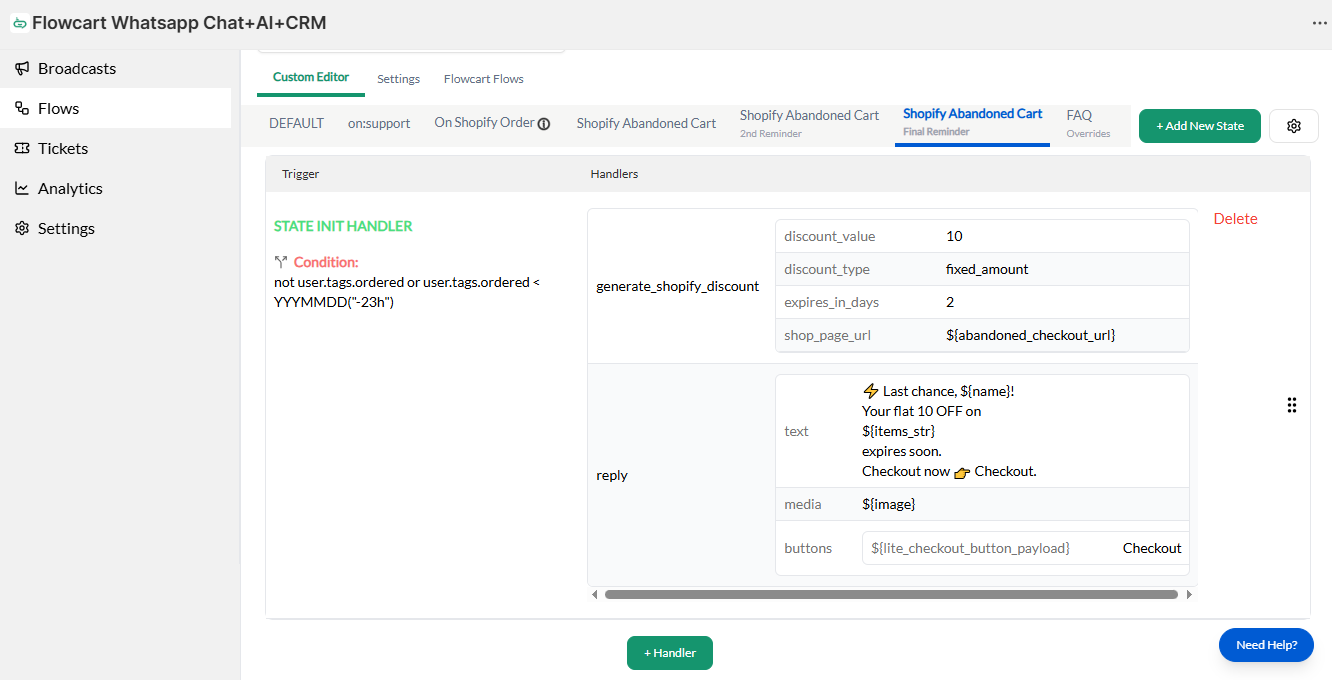
Flows are a series of message templates stringed together to guide a customer through a predefined interaction. It is typically triggered when a customer takes an action, such as sending a message, abandoning a cart, or placing an order.
To set up one, do these:
- Step 1: Go to Flows. Flowcart provides prebuilt flows for Shopify product search, order updates, cart recovery, first-time WhatsApp user discount, Shopify collection browse, and Shopify Lite checkout
- Step 2: You can decide to activate any of these flows or all, depending on what you need. Each flow has several sequential templates configured to follow certain logics
- Step 3: Edit them to suit your needs, such as timing of messages, tone and style of messages in the flows, media type, inclusions like discounts, etc
5. Test and refine
Verify that all flows are intact and responsive by running a dummy test with your team. A simple way is to send a message, abandon a cart, or make a purchase, then follow the automated flow to ensure each message is triggered correctly.
- Verify that templates display properly and placeholders like names and order numbers populate accurately
- Test interactive elements like buttons and quick replies to confirm they work as intended
- Monitor timing between messages to ensure the conversation feels natural and not spammy
- Refine any broken steps, unclear messaging, or incorrect triggers before going live with real customers
Once you confirm everything is in place, launch your WhatsApp entry points such as QR codes, store widgets, and website pop-ups.
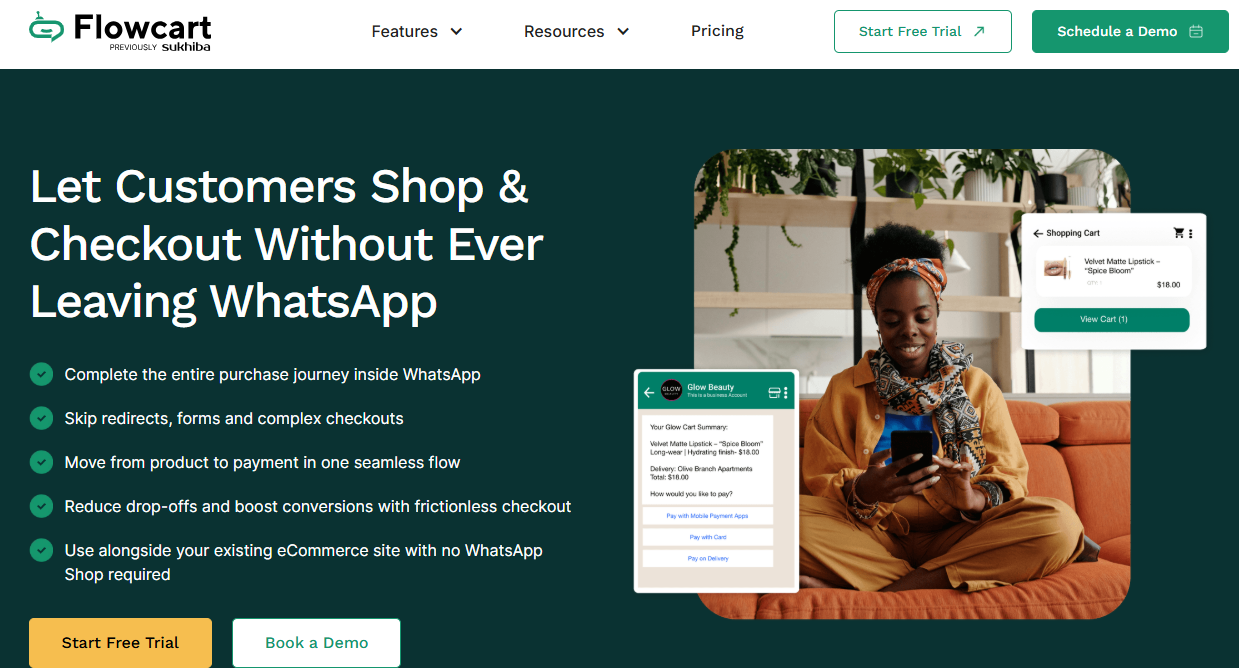
For best results, you can use click-to-WhatsApp ads to generate leads directly to WhatsApp and either send them to Shopify from there or use Flowcart’s in-chat checkout feature to help them complete purchases within WhatsApp. Every in-chat purchase syncs to your Shopify store automatically.
Best Practices for Shopify WhatsApp Marketing
Setting up WhatsApp marketing for Shopify is just half the journey. The remaining half is using it correctly to achieve the results you want. Here’s how.
Ask for explicit opt-in consent
WhatsApp is the best channel for direct, conversational interaction with your customers. But it can also turn awry very fast if you do that without their consent. This Reddit user’s frustration shows how.
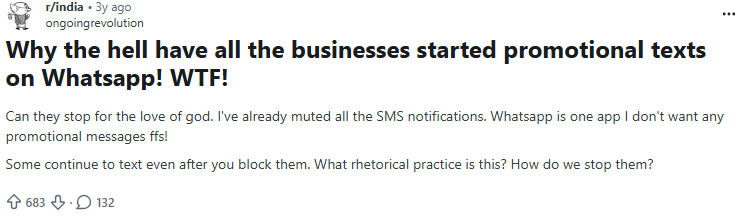
Broadcasting your campaigns to customers who did not agree to receive your message sets the wrong tone from the start and puts your brand reputation at risk. Worse still, they can blacklist your business number by reporting to WhatsApp.
That’s why WhatsApp explicitly mandates receiving customers’ permissions for you to engage, send broadcasts, updates, or any sort of messaging prior.
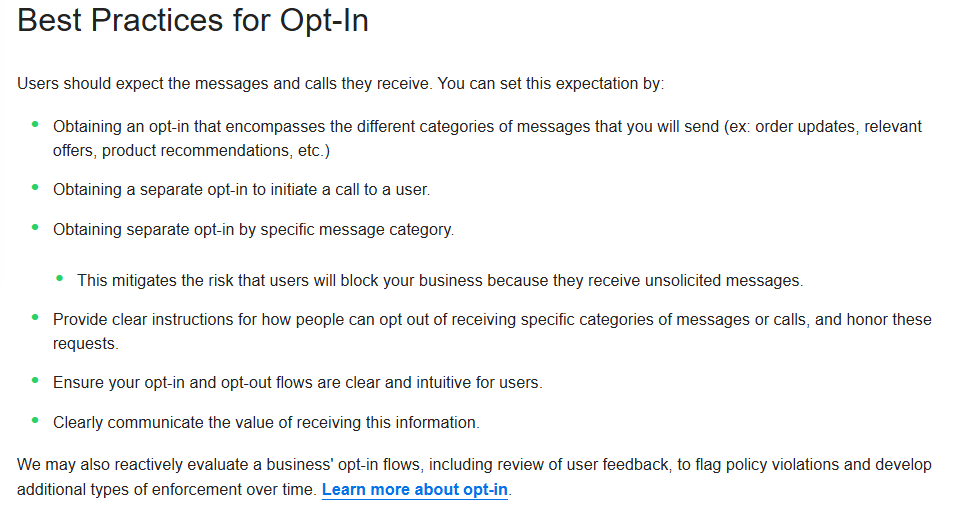
Flowcart plugin provides opt-in points like QR codes, Shopify store widgets, and pop-ups which allows customers to personally message your brand, not otherwise.
Aside from a mandatory opt-in, ensure your customers can opt out at any time, easily.
Use clear and concise messaging
WhatsApp is not Shakespeare's playground or a place to use ambiguous words.
Communicate your business profile and products in clear words, add proper descriptions to each catalog, and streamline customers’ experiences across your WhatsApp touchpoint.
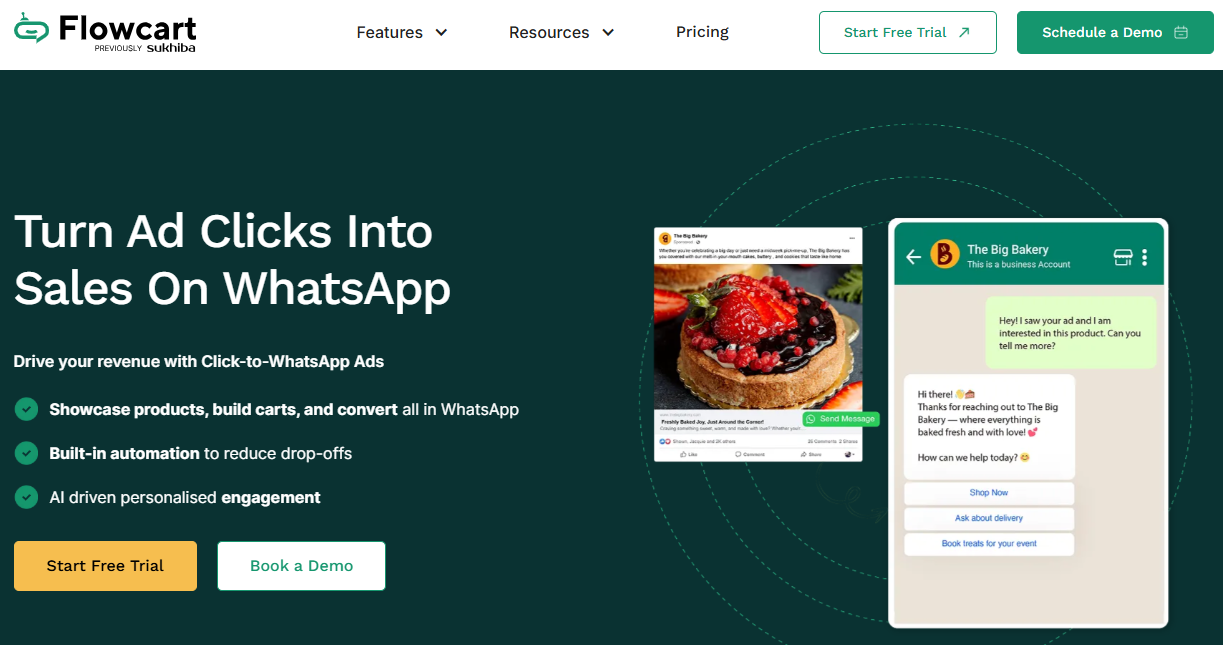
If you’re generating customers with click-to-WhatsApp ads, ensure they see exactly what they clicked the link for. Flowcart does that by auto-detecting ad campaigns, serving a campaign‑specific flow that mirrors the message your ad promised, and tracking every step from click to conversion.
Personalize messages with customer data
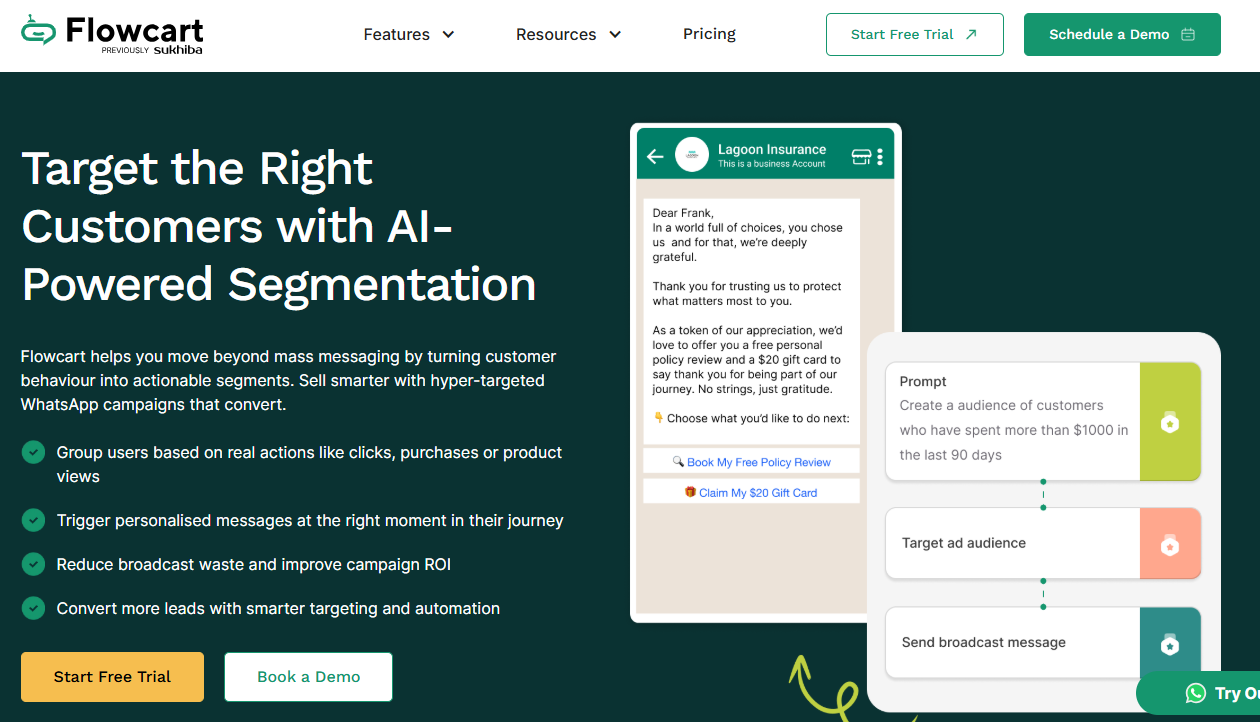
61% of people expect brands to tailor experiences based on their preferences. You can do that by using customer data you already have, such as past purchases, browsing behavior, order value, location, and engagement history, to shape messaging narratives.
Of course, that can be quite difficult if you’re juggling hundreds or several hundreds of them. Flowcart’s AI segmentation handles that by automatically categorizing your customers based on real actions and behaviors and triggering personalized messages at the right moment in their journey.
“We stopped using generic replies. Now each visitor gets something that feels designed for them. The result? More leads, more replies, and more sales,” Clinton Obura, CEO and Founder at Samaking, says.
Respect frequency so you do not spam
There’s no hard and fast rule about how many messages you can send and how frequently you can send them on WhatsApp. Send too many messages, and they will likely block you. Send too few, and you risk losing attention and engagement. What you need is balance.
Ideally, a customer should receive your broadcasts or promotional messages no more than once a week. Configure the broadcasts based on the time of last purchase or engagement.
If a customer is cold, initiate a more personal conversation rather than blasting them another message flow.
Common Mistakes to Avoid in WhatsApp Marketing
WhatsApp marketing for Shopify is gold when you know what to do and what not to. You’ve seen the best practices above. Below are the mistakes you should always avoid.
Ignoring replies and not responding timely
82% of customers generally expect an immediate response and problem resolution. There’s no fixed figure on how fast you should respond on WhatsApp, but 95% of WhatsApp users read their messages within 3 minutes. Your response time should be within that timeframe as well.
Failure to meet that expectation might prompt a customer to abandon their purchase midway, and your subsequent messages will have no impact.
If your customer base is growing quickly, you need automation to keep operations running smoothly. Flowcart’s AI chatbot and automated flows help you do that by responding to customers within seconds and keeping conversations moving.
Failure to disclose the total costs earlier on
According to Baymard’s report, 14% of respondents have abandoned a cart in the past three months prior to the survey because they couldn’t see the total costs upfront. Abandoned carts mean lost revenue and wasted lead-acquisition costs.
Avoid that by disclosing all costs upfront, from ad placement through to when you send your broadcasts, and nudge customers towards checkout. You should also include delivery costs, discounts, and other fees before customers reach the checkout page.
Lack of clear human handoffs
Using automation to speed up processes is essential. However, it’s easy to make the mistake of letting automations do the heavy lifting without human oversight. Your customers still expect a real person when situations get complex. If you deny them that access, they lose trust faster and ditch.
Avoid this by adding your human agents to the flow so they can handle any issues your WhatsApp bot cannot resolve. Flowcart helps you onboard up to 5 different agents to keep things running smoothly.
Top 3 Shopify WhatsApp Marketing Tools
WhatsApp marketing for Shopify works well when you have a platform streamlining your processes. These are the top three options to consider, along with why.
1. Flowcart
Flowcart is a full-stack WhatsApp commerce platform built for Shopify stores that want marketing, sales, checkout, and retention handled in one place. It supports real-time Shopify sync, in-chat checkout with 30+ payment options, AI-powered flows, smart broadcasts, cart recovery, loyalty programs, and AI-generated carts.
Everything runs from both its native dashboard and Shopify’s interface, reducing tool switching and manual work.
Best for: DTC brands, Shopify store owners,that want to turn WhatsApp into a primary revenue channel.
Pricing: Starter plan $19.99/month, Pro $69.99/month, and Custom
2. Interakt
Interakt is a WhatsApp sales-oriented platform designed to capture leads, automate WhatsApp workflows, send personalized broadcasts, upsell products, and reduce response time with bots. It integrates Shopify catalogs and allows checkout via WhatsApp Pay for supported gateways.
Best for: Shopify sales teams looking for automated lead conversion and sales-focused messaging.
Pricing: Starter $21/month, Growth $41/month, and Advanced $51/month.
3. Wappify
Wappify is a budget-friendly WhatsApp marketing tool for Shopify stores. It supports automated abandoned cart recovery, bulk messaging, WhatsApp chat buttons, prebuilt templates, and order/shipping notifications.
Best for: Low-budget or early-stage ecommerce stores that need basic WhatsApp marketing and cart recovery features.
Pricing: Starter $4.99/month, Standard $9.99/month, and Plus $19.99/month.
FAQs
What is Shopify WhatsApp marketing?
Shopify WhatsApp marketing is a strategy that connects your WhatsApp Business account to your Shopify store to generate leads, guide customers toward purchases, and keep them engaged post-purchase. Customers can browse your catalog, receive personalized messages, complete checkout in chat, and get updates on orders all within WhatsApp.
2. Is WhatsApp marketing allowed for Shopify stores?
Yes. Shopify allows WhatsApp marketing, but you must get explicit opt-in consent from your customers before sending messages. This ensures compliance with WhatsApp policies and protects your brand reputation.
3. Do I need the WhatsApp Business API for Shopify WhatsApp marketing?
You do not need it for small-scale operations. However, if you have a growing store or high customer volume, using a WhatsApp Business API platform like Flowcart allows you to automate messages, sync Shopify orders, set up AI powered flows, and manage thousands of customers efficiently.
4. How does WhatsApp marketing compare to email and SMS for Shopify?
WhatsApp marketing has far higher engagement. It has a 98 percent message open rate compared to 21.5 percent for emails, 95 percent of messages are read within 3 minutes, and it has three times higher conversion potential. It also enables real-time conversations rather than waiting for customers to check their inboxes or SMS.
5. What are the best use cases of WhatsApp marketing for Shopify stores?
Key use cases include reengaging past customers with alerts and exclusive deals, recovering abandoned carts, sending order confirmations and shipping updates, providing fast customer support and handling inquiries, personalized product recommendations and upsells, and running promotional campaigns and flash deals.
6. Can WhatsApp marketing help reduce cart abandonment on Shopify?
Yes. Features like abandoned cart recovery flows can detect when a customer leaves a cart and automatically send reminders or incentives. Platforms like Flowcart report recovering up to 80 percent of lost sales.
7. How much does WhatsApp marketing for Shopify cost?
Free if you’re not using WhatsApp Business API. If you are using an API, Pricing varies by platform. Flowcart costs $19.99 per month for the Starter plan, $69.99 per month for Pro, with custom plans available. Interakt costs $21 per month for Starter, $41 per month for Growth, and $51 per month for Advanced. Wappify costs $4.99 per month for Starter, $9.99 per month for Standard, and $19.99 per month for Plus.
8. What features should I look for in a Shopify WhatsApp marketing tool?
Essential features include Shopify product sync and catalog integration, automated flows and triggers for marketing and customer support, in-chat checkout with multiple payment options, abandoned cart recovery, smart broadcasts and personalized campaigns, AI-generated carts or product recommendations, and human agent handoff capability.
Conclusion
WhatsApp marketing is a critical growth channel for Shopify stores because it lets you reach customers where they are active, deliver personalized messages in real time, and increase conversions while reducing cart abandonment.
Before blasting your customers with broadcasts, ensure they have consented. Personalize messages and respect frequency limits. Keep response time within 3 minutes and ensure there’s a clear human handoff.
To scale, choose a platform built for Shopify workflows, like Flowcart. This ensures smooth automation, catalog integration, and personalized engagement.
Ready to start? Turn WhatsApp into a high-conversion marketing channel for your Shopify store using Flowcart.

.png)





%201.webp)




.png)