.png)
.png)

.png)
Key Takeaways
You're looking for a chat app because customers are landing on your store and leaving without buying. They have questions about sizing, delivery, returns, or pricing, and there's no one available to answer them in the moment.
The good thing is, on-site chat apps can fix that. They keep customers on Shopify page longer, reduces the back-and-forth through email, and gives your support team a faster way to handle what comes in. For that specific job, chat apps work well.
The only problem is that once your customers are off your page:
- On-site chat apps can’t reach them anymore
- And that means no prospect of reengaging them for repeat purchases
- In a nutshell, chat widget apps don't move your retention numbers.
That's the gap WhatsApp fills. A WhatsApp Commerce platform like Flowcart reaches your customers after they've left, recovers carts they abandoned, brings back buyers who went quiet, and lets them browse, select, and pay without leaving WhatsApp.
Of course, that doesn’t mean WhatsApp is better than on-site chat apps. They are in different categories handling different tasks.
In this article, we’ll break both down clearly, starting with the best on-site shopify chat apps and what they genuinely do well, then covering WhatsApp as a separate channel entirely and what becomes possible when you use it properly.
Chat Apps on Your Website vs. WhatsApp: Two Different Jobs
On-site chat apps stay in your store and wait. When a customer is browsing your product page and has a question about sizing, delivery time, or the return policy, the widget helps them get answers or seek customer support.
But that’s it. Once your customers leave the page, your widgets’ job stops there.
In contrast, WhatsApp is where your customers live. They open it a dozen times a day compared to how much they open your Shopify page. When set up right, you can reach out to them on it, launch personalized recovery campaigns, boost retention, and drive up your revenue.
In case you’re wondering why this is important, according to Baymard Institute, 70.22% of online shopping carts are abandoned before checkout. On-site chat does not recover those customers after they leave. A well-structured WhatsApp flow powered by a WhatsApp commerce platform like Flowcart does.
So the question is not which chat app is best. It is what part of the customer conversation you are trying to cover, and what tool is actually built for that.
WhatsApp as a Commerce Channel
Every on-site chat tool has the same structural limitation.
Once a customer closes your browser tab, the conversation ends. No widget can reach them in their daily life. No reactive tool can send a cart recovery message at 8 pm while the customer is off their laptop and holding their phone.
But WhatsApp can. With 3 billion monthly active users as of May 2025, it is the world's most widely used messaging app. It is also the app that most of your customers are already in multiple times a day, not because they are looking for your brand, but because it is where they communicate.
That reach, combined with a 98% open rate and messages read within an average of three minutes of delivery, makes WhatsApp structurally different from any on-site tool.
Of course, reach alone does not make it a commerce channel. What makes WhatsApp powerful for Shopify brands is the combination of reach, two-way conversation, and the ability to complete an entire transaction, browsing to checkout, without the customer ever visiting your store. That is a different model entirely from adding a widget to your website.
How Flowcart Turns WhatsApp Into a Full Commerce Engine
Most WhatsApp tools give you a broadcast channel. Flowcart gives you a full-stack WhatsApp commerce platform, one that handles support, proactive flows, in-chat checkout, and audience building together rather than as disconnected features.
Here’s how:
Sell Through Support
When a customer messages your WhatsApp with a product question, Flowcart's AI-powered flows kick in. It pulls from your Shopify catalog in real time to answer queries about availability, specs, pricing, and delivery.
When a customer's question naturally leads to a purchase, Flowcart’s AI-generated cart feature comes into view and builds a personalized cart with relevant products directly inside the conversation, giving the customer a one-tap path to checkout without redirecting them anywhere.

Complex queries that need a human agent are routed automatically. And when an agent picks up, they can build, edit, and send a cart directly inside the WhatsApp conversation, so support interactions convert to sales without ever asking the customer to open a browser tab.
Recover Abandoned Carts Automatically
On-site chat widgets cannot reach customers once they leave your store. But Flowcart's abandoned cart recovery feature can.
When a customer abandons a cart, Flowcart automatically sends a WhatsApp message referencing the exact products they left behind, along with product images and a direct path back to checkout.
The best part is that each message is context-aware, and your customer can complete the purchase directly inside WhatsApp without re-entering details or navigating back to your store.
Use Personalized Flows To Reach Customers Where They Are
The most important difference between on-site chat and Flowcart's WhatsApp flows is that Flowcart initiates, not just responds. When a customer abandons a cart, Flowcart sends a context-aware recovery message referencing the exact products they left behind, not a generic reminder.

When an order is delivered, Flowcart fires a post-purchase flow that transitions naturally into a re-engagement sequence.
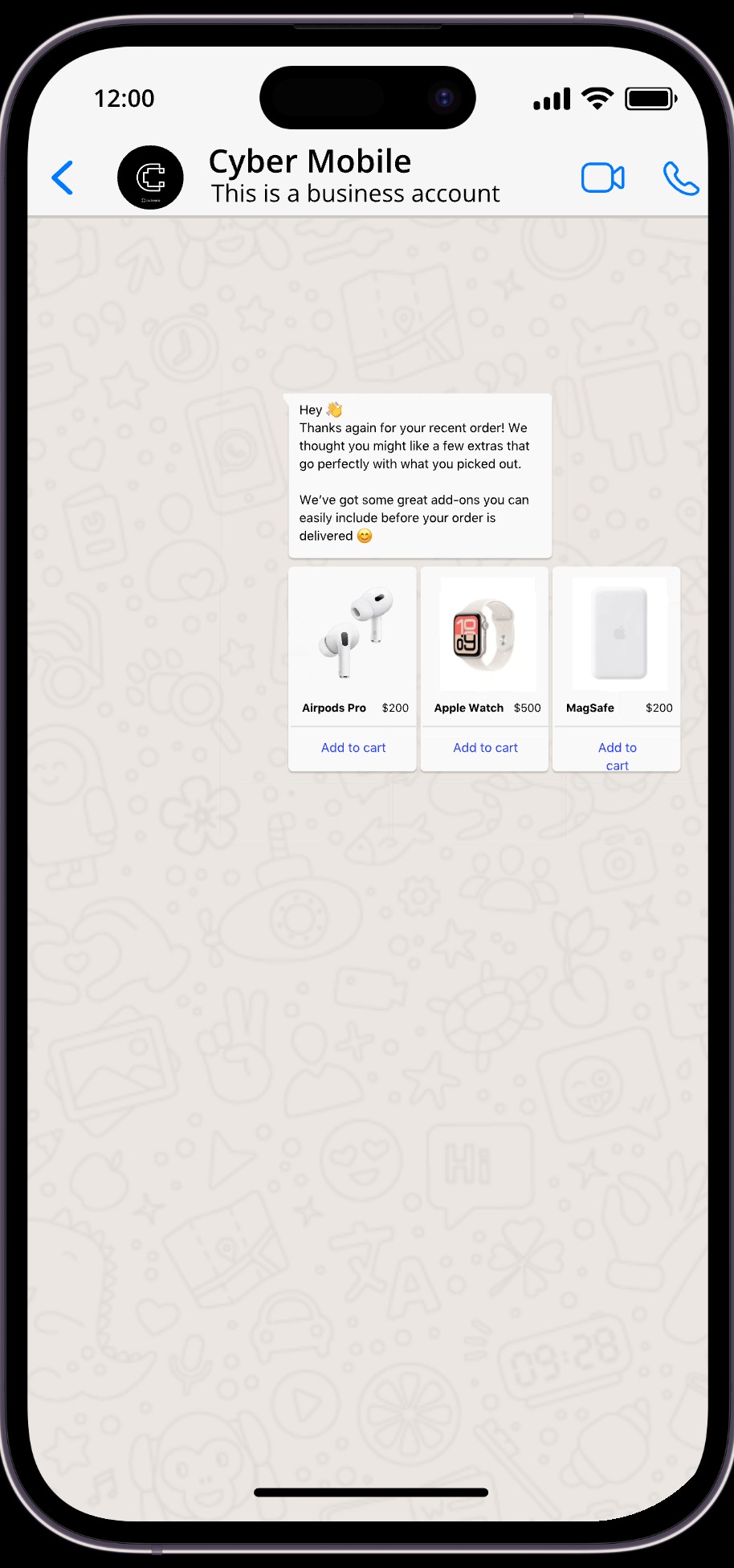
When a customer hits their natural replenishment window, a reorder reminder goes out. When a buyer goes 60 or 90 days quiet, a win-back gamified sequence activates with a personalized message tied to their last purchase.
None of these flows waits for your customers to initiate. Instead, they reach the customer at the moment the data says is right, which is a fundamentally different capability from anything that lives on your website.
SPAR Oman illustrates what this looks like at scale. Operating six supermarket branches across Muscat with customers already ordering informally on WhatsApp, SPAR needed infrastructure to turn that existing behavior into a proper commerce channel. With Flowcart, they went from zero to $62,100 in WhatsApp revenue in six months, processing 2,206 orders with an average order value of 10.82 OMR, reaching 24,106 contacts.
In-Chat Checkout
A customer who receives a personalized product recommendation on WhatsApp still has to complete the purchase somewhere. Flowcart closes that loop inside the conversation with in-chat checkout. Customers browse Flowcart's webview-based catalog or the native in-chat catalog, build their cart, and pay without leaving WhatsApp.
Moreover, Flowcart integrates with over 50 payment providers, including Stripe, Paystack, Razorpay, and Peach, so checkout works across markets without requiring your customers to navigate to a separate payment page.
The fewer steps between product discovery and payment completion, the fewer opportunities for the customer to drop off.
Building an Audience You Actually Own
Proactive flows only work if you have a WhatsApp audience to send them to. Flowcart builds that audience through multiple entry points running simultaneously.
Click to WhatsApp Ads turn ad clicks directly into WhatsApp conversations, with post-click flows that serve the customer a product-specific journey based on which ad they clicked, not a generic welcome message.

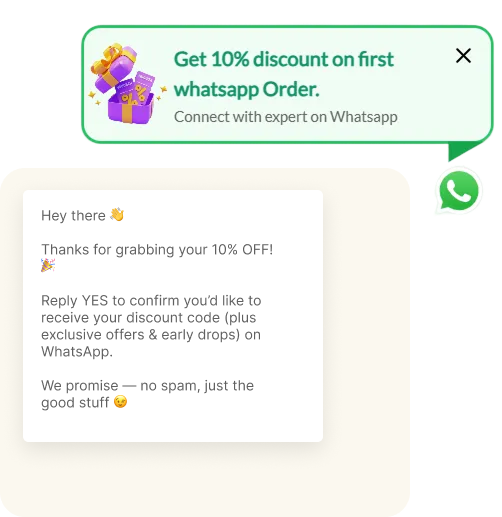
Tag attribution inside those flows tracks exactly which ad drove which customer and carries that personalization into every subsequent message. Popup opt-ins on your Shopify store convert first-time visitors into a consented WhatsApp audience.
QR codes in packaging bring customers back into WhatsApp after delivery. Each entry point grows the audience and makes every future proactive flow more powerful.
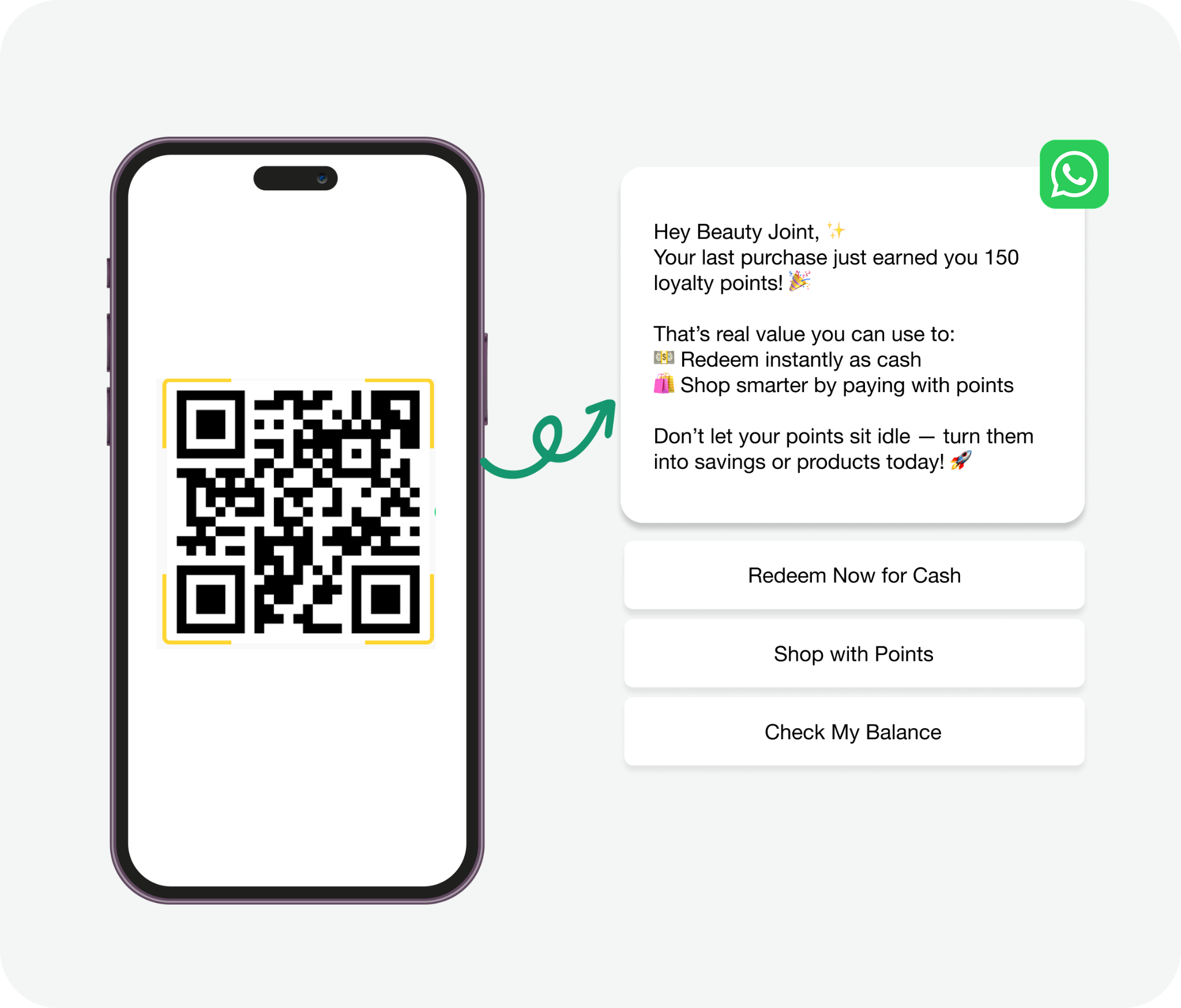
Ajab, one of Kenya's most recognized flour brands, used Flowcart's QR-based engagement across their retail distribution network to reach 3,350 stores, drive 105,972 QR scans, and achieve a 53.1% activation rate. This is WhatsApp as a channel reaching customers at the point of purchase in physical stores, not through a website widget at all.
Loyalty Inside the Conversation
Flowcart's Loyalty Program rewards customers for every action they take, from answering a survey to completing a purchase, with points they can redeem directly inside WhatsApp.
Gamified engagement tools, including Spin the Wheel and scratch cards, give customers a specific reason to act when a win-back or re-engagement message arrives. The loyalty mechanics run within the same conversation the customer is already in, without requiring them to log in to a separate portal or download an additional app.

The Best On-Site Chat Apps for Shopify
On-site chat tools handle one thing: customers already in your store who need help right now. They are support and session-conversion tools. The best ones reduce your ticket volume, speed up response times, and, in some cases, help convert hesitant browsers before they exit.
Here is how the strongest options compare:
1. Gorgias
Best for: Shopify stores with high support volume that need agents to work faster and smarter within a single dashboard.
Gorgias is the most Shopify-native helpdesk available. Your agents can view order details, issue refunds, update shipping information, and edit orders without leaving the platform. Every customer interaction, whether via live chat, email, Instagram, Facebook, or SMS, arrives in a single unified inbox.
What makes Gorgias genuinely useful at scale is its revenue-tracking layer. You can see exactly how much revenue your support team generates through chat-driven conversions. For stores where support is expected to contribute to sales, that visibility matters.
Key features
- Deep Shopify integration with in-dashboard order management
- Unified multichannel inbox covering email, live chat, social, SMS, and voice
- Macro-based automation for high-volume query handling
- Revenue tracking attributed to support interactions
- AI-assisted response suggestions and intent detection
Strengths
- Fastest available Shopify integration for order and customer data
- Unlimited agent seats on paid plans, so team growth does not add to the bill
- Clean interface built for high-volume, fast-paced support workflows
- Strong onboarding for Shopify and BigCommerce merchants specifically
Limitations
- Ticket-based pricing makes costs unpredictable during seasonal spikes. A surge in November can double your monthly bill overnight
- Automation rules require time to configure properly. The intent detection logic needs ongoing tuning to avoid misfires on ambiguous queries
- Analytics are limited compared to enterprise alternatives unless you pay for add-ons
- Not built for any form of proactive outreach. It handles what comes in, not what needs to go out
Pricing: Starter from $10/month (50 tickets), Basic from $50/month (300 tickets), Pro from $300/month (2,000 tickets), Advanced from $750/month (5,000 tickets). Enterprise pricing available on request.
2. Tidio
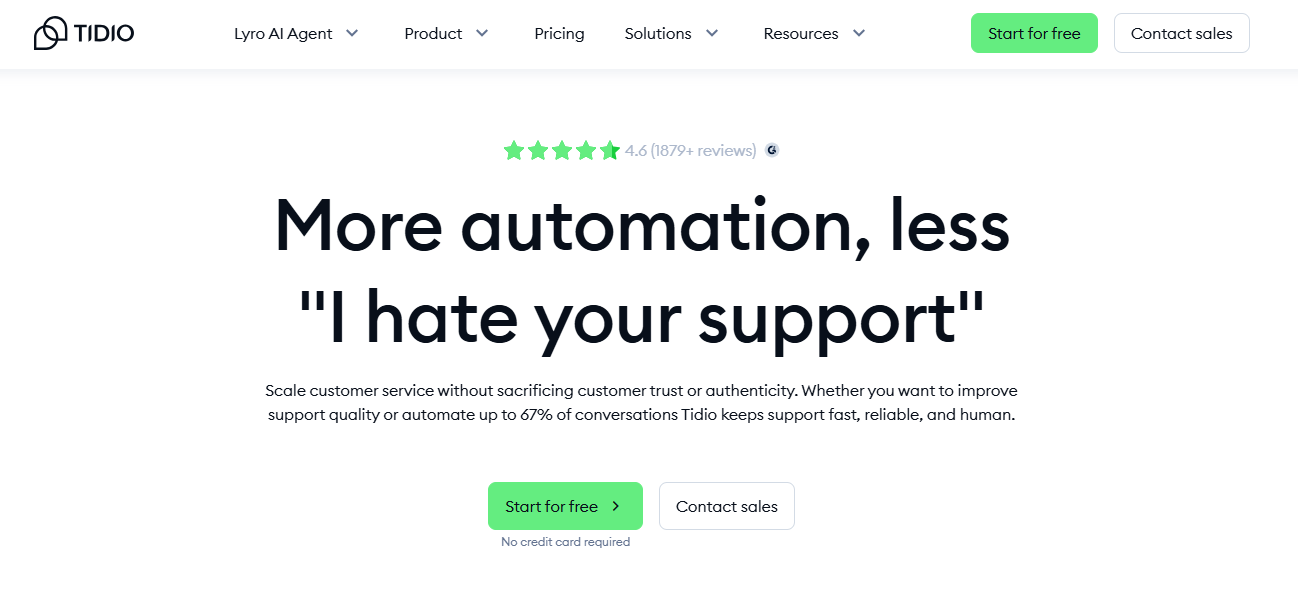
Best for: Growing Shopify stores that want a capable chatbot and live chat layer without the complexity or cost of Gorgias.
Tidio brings together live chat, an AI chatbot called Lyro, and basic automation into a single platform with a fixed monthly subscription. Lyro handles FAQ-type queries automatically, routes complex issues to agents, and works within a conversation limit that scales with your plan.
The Shopify integration covers the basics. Agents can see which products a customer viewed and access order context during the chat. It is not as deep as Gorgias, but for stores that primarily need support automation rather than order management inside chat, it covers the ground that matters.
Key features
- Lyro AI chatbot for automated FAQ handling and query routing
- Live chat with real-time visitor tracking
- Pre-set trigger messages for exit-intent and browse abandonment
- Integration with Klaviyo, Zapier, HubSpot, and Shopify
- Mobile apps for iOS and Android for on-the-go agent response
Strengths
- Fixed monthly pricing regardless of ticket volume, making costs stable
- Fast setup with a short learning curve, practical for lean teams
- Good entry-level chatbot performance for stores handling common, repeat questions
- Free plan available for stores just getting started
Limitations
- Shopify integration is not as deep as Gorgias. Agents cannot edit orders or issue refunds inside the chat window
- Spam queries can drive up AI usage costs faster than expected on lower plans
- Lyro's conversation limit means stores with high traffic need to manage capacity carefully
- Less suited to stores where support and order management need to be tightly integrated
Pricing: Free plan available. Starter from $29/month. Lyro AI conversations are billed separately based on volume on paid plans.
3. Zendesk
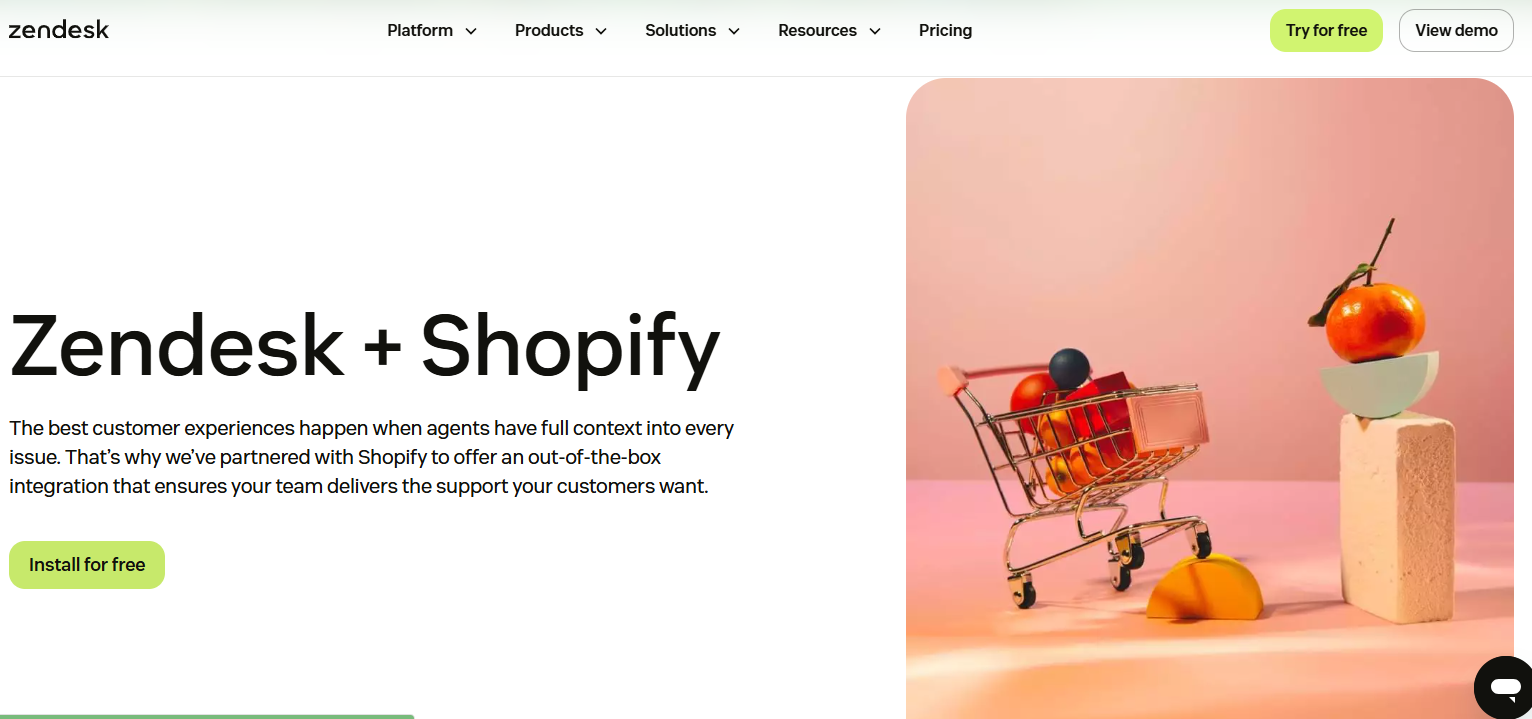
Best for: Large Shopify operations running support across multiple channels, markets, and teams simultaneously.
Zendesk is an enterprise support infrastructure. It consolidates email, live chat, social media, SMS, and voice into a single platform with over 1,500 integrations, deep workflow customization, and analytics that go several levels deeper than those offered by Gorgias or Tidio.
The Shopify integration is available and widely used, but Zendesk is not built specifically for ecommerce in the way Gorgias is. It is a horizontal support platform that works well for Shopify brands once configured, rather than one that arrives pre-built for the Shopify use case.
Key features
- Omnichannel inbox covering email, chat, voice, SMS, and social
- AI-powered suggestion and resolution tools with escalation routing
- Advanced workflow automation and custom ticket routing rules
- Over 1,500 marketplace integrations
- Detailed analytics and performance reporting across agents and channels
Strengths
- Best-in-class depth for multi-channel, multi-team support operations
- Reporting and analytics are meaningfully stronger than Gorgias at a comparable scale
- Flexible enough to serve both ecommerce and non-ecommerce functions if the business spans both
- Robust permission structures for large support organizations
Limitations
- Per-agent pricing from $25 to $219/month per agent makes costs climb quickly as the team grows
- Significant setup and configuration investment is required before it performs well
- More powerful than most Shopify stores will ever use, which means paying for a capability that sits unused
- Not Shopify-native in the way Gorgias is. Order management inside chat requires more configuration
Pricing: Support plans from $25/agent/month (Team), $69/agent/month (Suite), $149/agent/month (Suite professional), and $219/agent/month (Suite enterprise). Add-ons for advanced AI and data privacy, starting at $50/agent/month extra.
4. Rep AI

Best for: High-traffic Shopify stores that want AI to engage visitors proactively during the session and guide more of them toward purchase.
Rep AI moves beyond reactive support into active session conversion. Its behavioral AI monitors how visitors move through your store and initiates a chat when a specific customer is most likely to need a nudge.
Agents can transfer to live chat at any point. Product carousels display inside the chat window, and customers can add items to the cart without navigating away from the conversation. Rep learns your full catalog on setup and syncs every 10 seconds to stay current.
Key features
- Behavioral AI that initiates conversations based on real-time visitor actions
- In-chat product recommendations with scrollable carousels
- Add to cart directly from the chat window
- Brand voice customization and ongoing AI training
- Integration with Gorgias, Klaviyo, Postscript, and Attentive
Strengths
- Proactive engagement that works without the customer having to open the widget
- Catalog sync is automatic and continuous, so recommendations always reflect current stock
- Meaningfully improves session conversion rates for stores with significant traffic
- Quick setup typically takes 10 to 15 minutes
Limitations
- Does not complete the transaction inside the chat. The rep guides the customer to checkout, but checkout still happens in your store using the traditional flow. It is a conversion assist tool, not an in-chat commerce engine
- Premium pricing at upper tiers, reaching $500 or more per month for larger catalogs or higher traffic
- Performance depends on having enough site traffic for the behavioral AI to learn from. Smaller stores see less benefit from the targeting logic
- Some users report that AI responses can feel circular on complex or nuanced queries
Pricing: Free to install with a free trial. Paid plans scale with store traffic and catalog size. Upper tiers can reach $500+/month.
5. Shopify Inbox
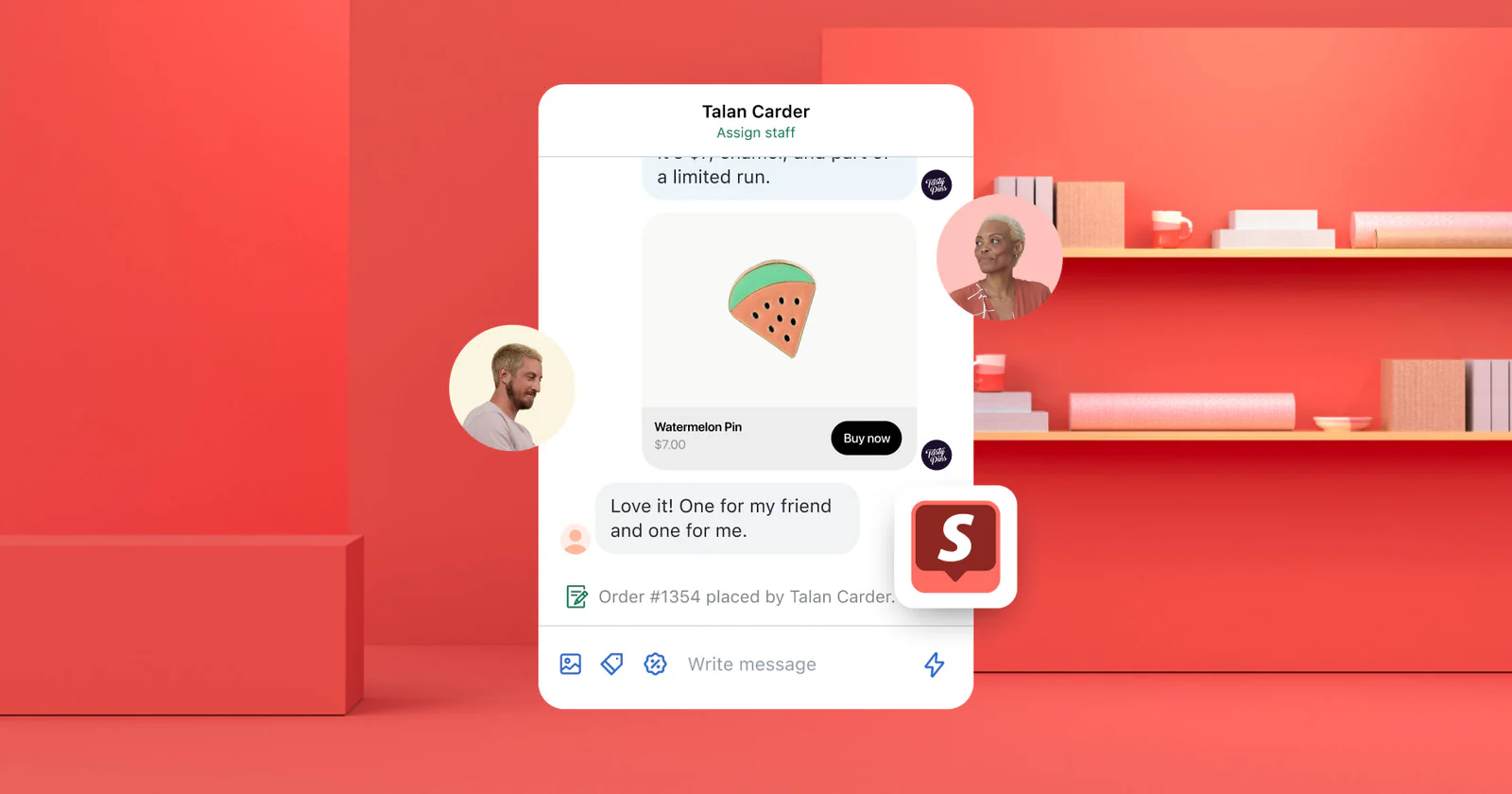
Best for: Early-stage stores that need basic on-site chat with zero cost and minimal setup.
Shopify Inbox is native to the platform, free on every plan, and takes minutes to configure. It handles basic product questions, order status queries, and common pre-purchase hesitations. The AI layer suggests replies based on your product catalog and FAQs, which reduces the manual response load for lean teams.
It is not a sophisticated tool. There is no proactive engagement, no advanced automation, and no multichannel inbox. But it is the right tool for a store that needs a functional chat option before it has the traffic or team to justify a paid platform.
Key features
- Native Shopify integration with access to product and order data
- AI-suggested replies based on catalog and FAQ content
- Basic automation for common queries like order status
- Mobile app for responding on the go
Strengths
- Free on all Shopify plans with no usage limits
- Zero configuration required to get it running
- Good enough for stores at early stages, where chat volume is low
- Keeps customers in the Shopify ecosystem without adding third-party complexity
Limitations
- No proactive engagement. The widget waits for the customer to open it
- Outgrown quickly once traffic and support volume start to scale
- No multichannel inbox, no agent routing, no ticket management
- Limited analytics and no revenue attribution
Pricing: Free.
Which On-Site Chat App Is Right for Your Store?
If your primary problem is support volume and agent efficiency, Gorgias is the strongest Shopify option. If you want that capability at a lower price point and without ticket-based billing, Tidio covers most of the same ground for smaller teams.
If you are running a high-traffic store and want to convert more of the visitors already on your site, Rep AI's behavioral engagement makes a measurable difference. And if you are just starting out and need something functional today at zero cost, Shopify Inbox gets the job done.
What none of these tools do is reach customers after they leave your store. That requires a different category of tool entirely.
Do You Need Both?
The short answer is yes. On-site chat and WhatsApp serve different parts of the customer relationship, and most stores benefit from covering both.
Your on-site chat tool handles the session. A customer in your store who has a product question, needs help with an order, or is hovering on the checkout page with hesitation. Gorgias or Tidio handles that well, and there is no reason to replace either with WhatsApp for that specific job.
WhatsApp handles everything after the session ends. The cart they abandoned when they left. The order they placed and need updates. The re-engagement that brings them back for a second purchase. The loyalty interaction that makes them feel valued, not just a transaction.
If your Shopify store is running Gorgias for on-site support and Flowcart for WhatsApp commerce, then you’re covering the full conversation. One tool keeps your session alive while the other keeps the relationship alive.
Conclusion
Chat apps are not a single category. On-site chat tools are session tools. They are good at what they do, which is supporting customers while they are in your store, and the best ones in this guide do that job well.
On the other hand, WhatsApp is a channel. It reaches customers in their daily lives, recovers lost revenue after they leave, and allows a complete commerce transaction without your store being involved at all. That is a different kind of value.
Ready to add WhatsApp commerce to your Shopify store? Start your free trial with Flowcart or book a demo to see how it maps to your specific setup.

.png)





%201.webp)




.png)