.png)
.png)

.png)
Key Takeaways
WooCommerce already has a native upsell feature. You can link related products from the Linked Products tab, and WooCommerce shows them in a “You may also like” section on the product page.
But the problem is that the upsell section sits below your main product. That means it's out of sight for many customers, and many won’t scroll that far before they click the checkout button. That’s a lost upsell opportunity.
If you want upsells to play a bigger role in your revenue, you need more control over where the offer appears, when customers see it, and how easy it is to add. Third-party upsell plugins can help you do that.
In this article, we’ll share some of the best third-party WooCommerce upsell options worth considering in 2026. After that, we’ll look at an upsell opportunity these plugins do not cover.
5 Best WooCommerce Upsell Plugins
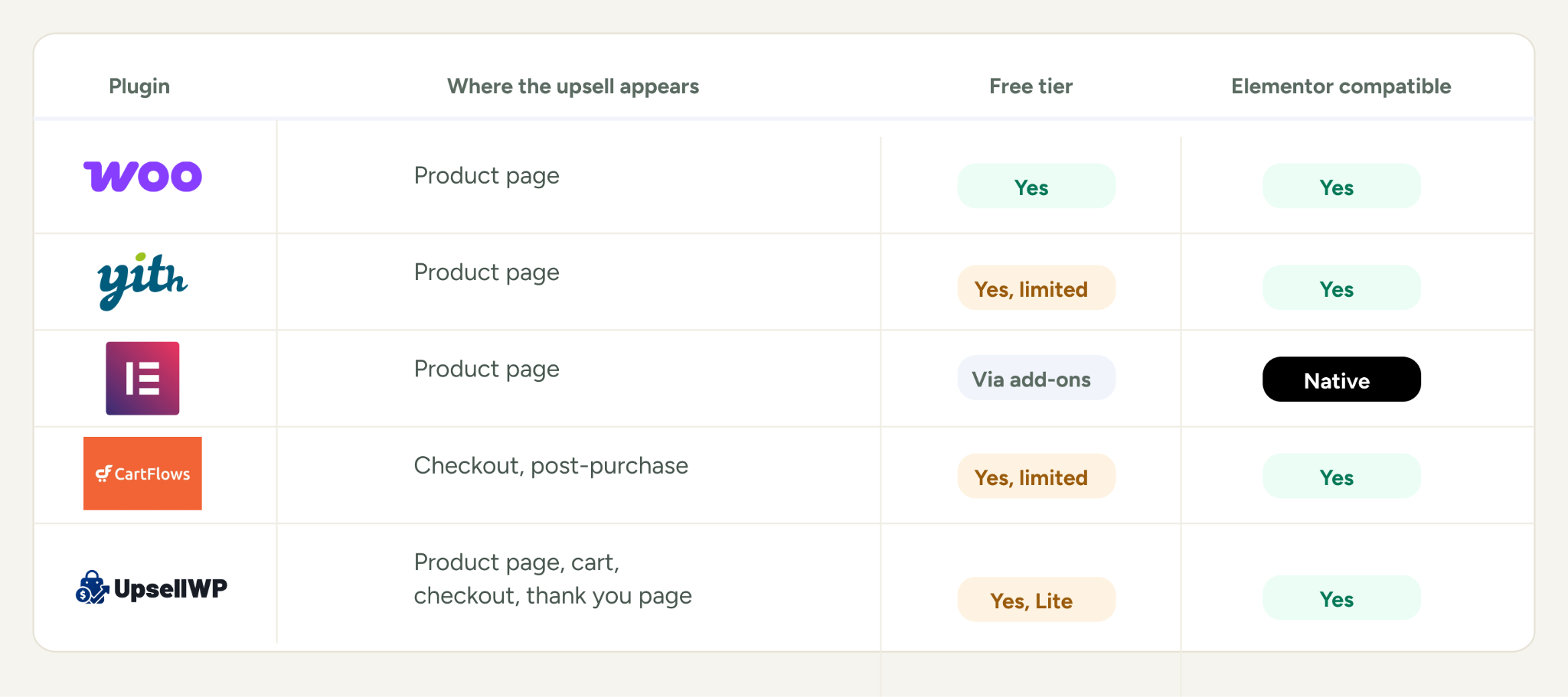
Here’s a quick snapshot to make your choice easier:
- If you only need a basic product page upsell, WooCommerce’s native option is enough to start
- YITH is more useful if you want customers to add related products together
- Elementor Pro makes sense if you already build your store with Elementor and want the upsell to match the rest of your product page
- CartFlows is built around checkout order bumps and post-purchase offers
- UpsellWP gives you more placements from one plugin
Let’s get to the list.
1. WooCommerce Native Linked Products
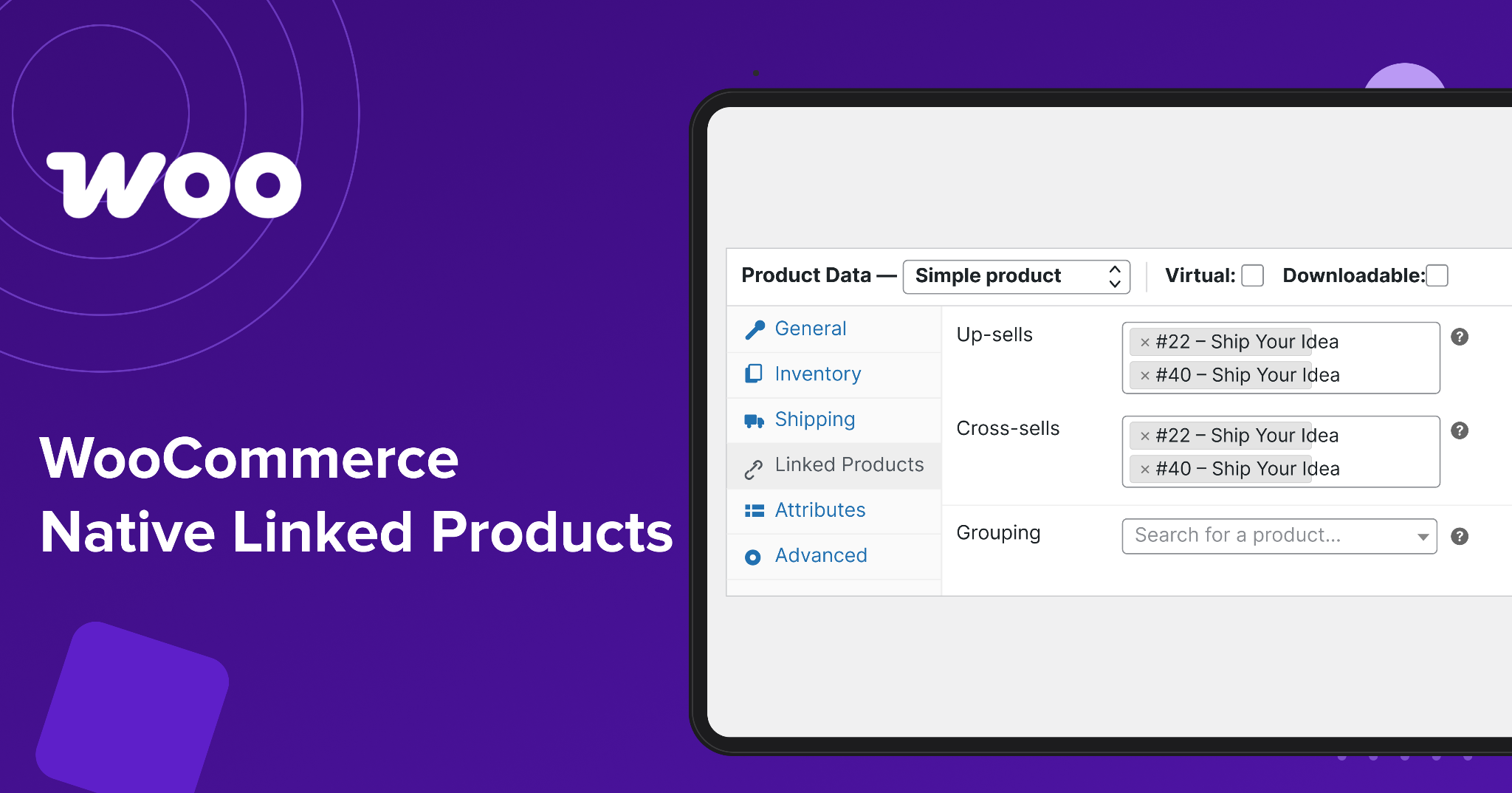
Best for: Stores that want a basic upsell without installing another plugin.
WooCommerce’s built-in upsell feature is simple to set up. You add products under the Linked Products section of each product, and WooCommerce displays those upsells on the product page.
It is useful if you just want to recommend a better or higher-priced alternative without paying for another tool.
The downside is limited control over the experience. Placement depends on your theme, and WooCommerce doesn't offer built-in options for discount offers or more advanced upsell logic.
Where upsells appear: Product page
Elementor compatible: Yes, through Elementor Pro
Pricing: Free with WooCommerce
2. YITH Frequently Bought Together
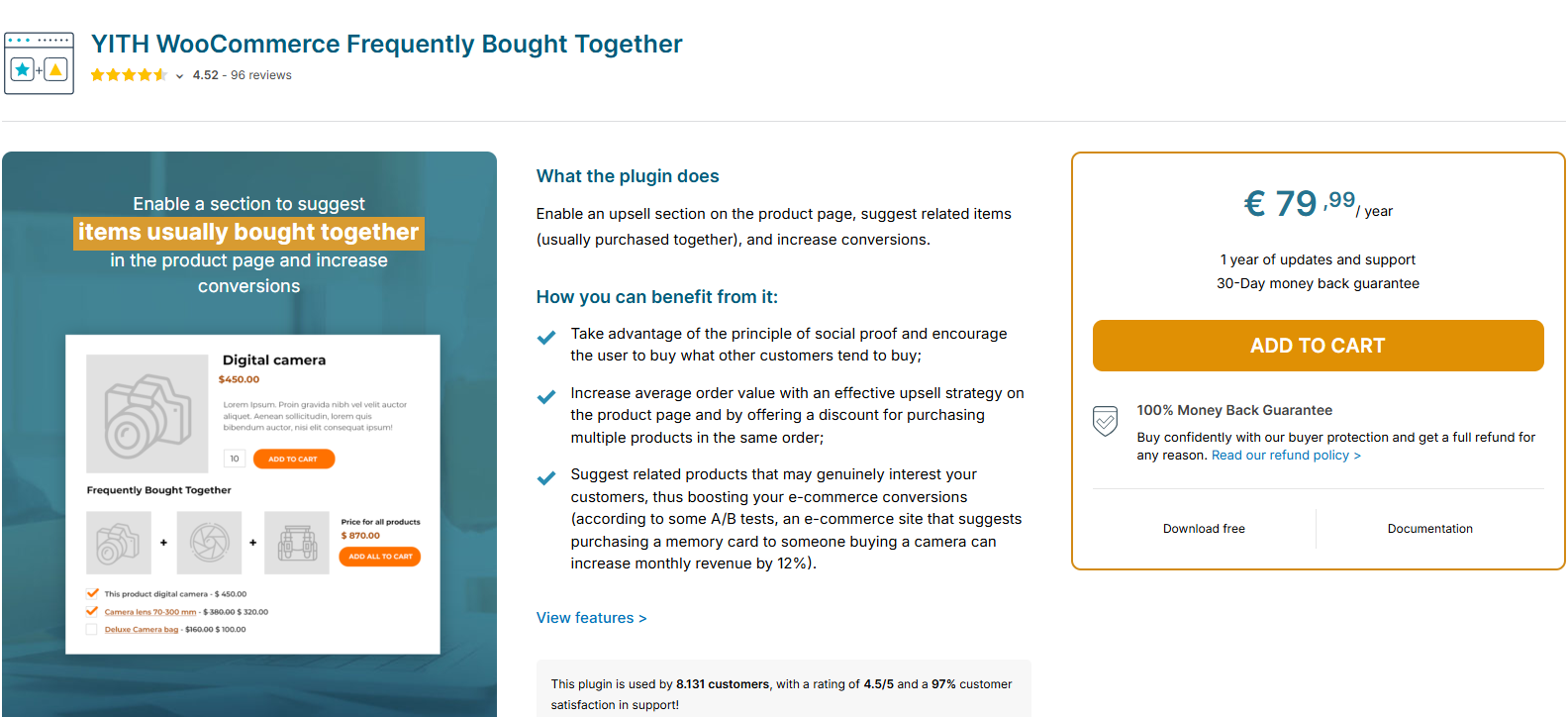
Best for: Stores that want to show related products together on the product page.
YITH Frequently Bought Together adds a section where customers can select several related products and add them to the cart at once.
You can choose which products to recommend, offer a bundle discount, and control how the section looks.
This works especially well when products naturally go together. A camera with a memory card is an obvious example. So is a main product with an accessory or consumable.
The main tradeoff is that you have to set up the product relationships yourself, which can take time for a large catalog.
YITH’s free version covers the basic setup. However, advanced features such as discount incentives, more layout options, and analytics require the paid version.
Where upsells appear: Product page. More placement options are available on premium.
Elementor compatible: Yes
Pricing: Free version available. Premium from $79.99 per year for one site.
3. Elementor Upsell Widget
Best for: Stores already using Elementor to build their product pages.
Elementor Pro includes an Upsell Products widget for WooCommerce. You can add it directly to your Single Product template and control the layout from the Elementor editor.
It uses the products you have already linked in WooCommerce, so there is no separate upsell system to manage.
This is useful if presentation is your main concern. You can control the columns, order, and styling so the upsell fits the rest of the page.
The limitation is that it still relies on WooCommerce’s linked products. It gives you more control over how the offer looks, but not much more control over the offer itself.
If you need bundle discounts, more advanced targeting, or upsells outside the product page, you will need another tool such as YITH or UpsellWP.
Where upsells appear: Product page through the Elementor template
Elementor compatible: Native
Pricing: Elementor Pro from $84 per year. Third-party add-ons vary.
4. CartFlows
Best for: Stores that want checkout order bumps and post-purchase upsells.
CartFlows works closer to the point of payment than the product page plugins above.
An order bump appears on the checkout page before the customer pays. A post-purchase upsell appears after the order is confirmed, giving the customer another offer without asking them to enter their payment details again.
That gives you two useful places to make an offer. A checkout bump works well for a small add-on that fits the main purchase, while a post-purchase offer works when the product is a natural next step after what the customer just bought.
CartFlows also gives you more control over the checkout itself and works with major WordPress page builders.
The free plugin provides basic checkout and funnel features. Order bumps and one-click upsells require a paid plan.
One trade-off, though. Once the customer leaves your store page after a purchase, you also lose the upsell opportunity.
Where upsells appear: Checkout and immediately after purchase
Elementor compatible: Yes
Pricing: Free plugin available. Starter from $99 per year.
5. UpsellWP
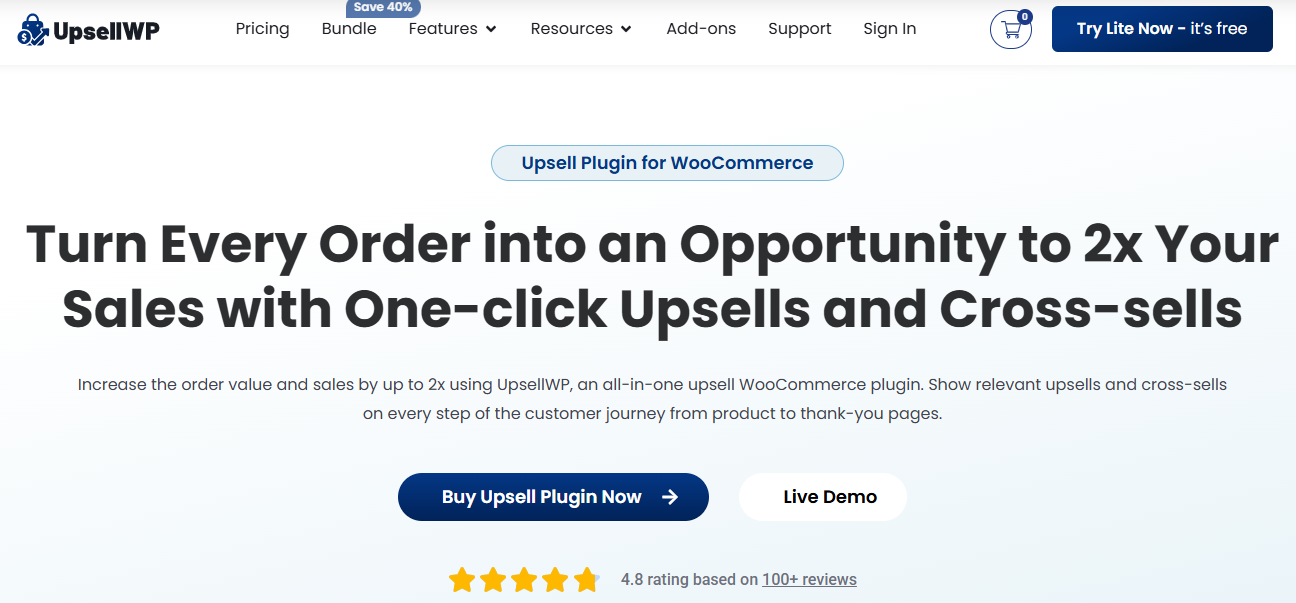
Best for: Stores that want upsells in several places without using multiple plugins.
UpsellWP covers product page upsells, cart offers, checkout order bumps, and thank you page offers from one plugin.
The free Lite version includes the core placement options. Paid plans add features such as conditional logic, A/B testing, discount rules, and more campaign types.
That makes it useful if you want to test different upsell placements without installing a separate plugin for each one.
Where upsells appear: Product page, cart, checkout, and thank you page
Elementor compatible: Yes
Pricing: Free Lite version available. Paid plans from $60/yr (currently discounted from $75)
What Happens After Checkout?
All five plugins give you more ways to recommend products before or around checkout. You can show related products on the product page, add an offer at checkout, or even show a one-click offer immediately after payment.
But they all depend on the customer being in the buying process.
Once a customer completes an order, these plugins have no way to follow up with another product recommendation based on what they just bought.
That means you miss opportunities like:
- Someone buys a camera but never gets an offer for a memory card or spare battery after checkout
- Someone buys a consumable product but does not get a reminder when they are likely to need another one
- Someone buys one product from a collection but never gets shown another product that would make sense with it
- Someone completes a purchase and leaves the site, with no further offer reaching them through the same buying journey
The problem is not that these plugins are bad at upselling. They are built mainly for offers that happen while the customer is on your store.
Once the order is complete and the customer leaves your store, that conversation ends.
And that's where Flowcart comes in.
Post-Purchase Upselling on WhatsApp With Flowcart
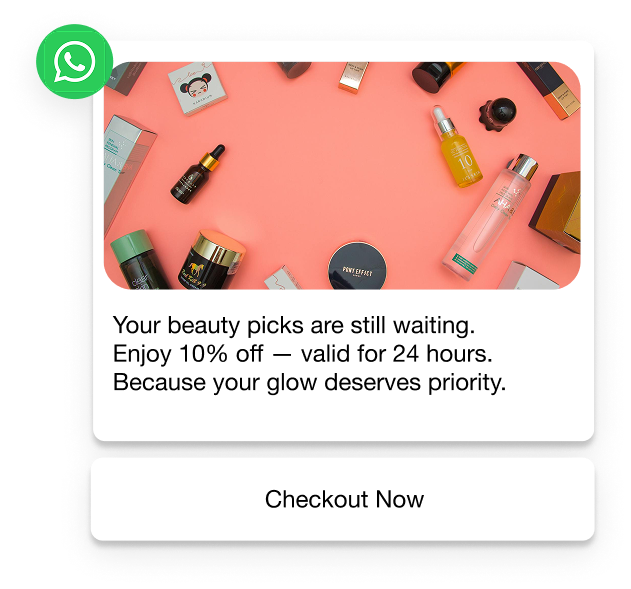
After a WooCommerce purchase, Flowcart triggers a WhatsApp message to the customer. The message could thank them for their order, recommend a complementary product, or remind them to reorder when a consumable is likely to run out.
The difference is that customers don't have to return to your store to see the offer. The message reaches them on WhatsApp, which has a reported 98% open rate.
If the customer wants the recommended product, they can add it and pay through in-chat checkout, with 50+ payment providers including Paystack, Stripe, and Razorpay, without going back to the store.
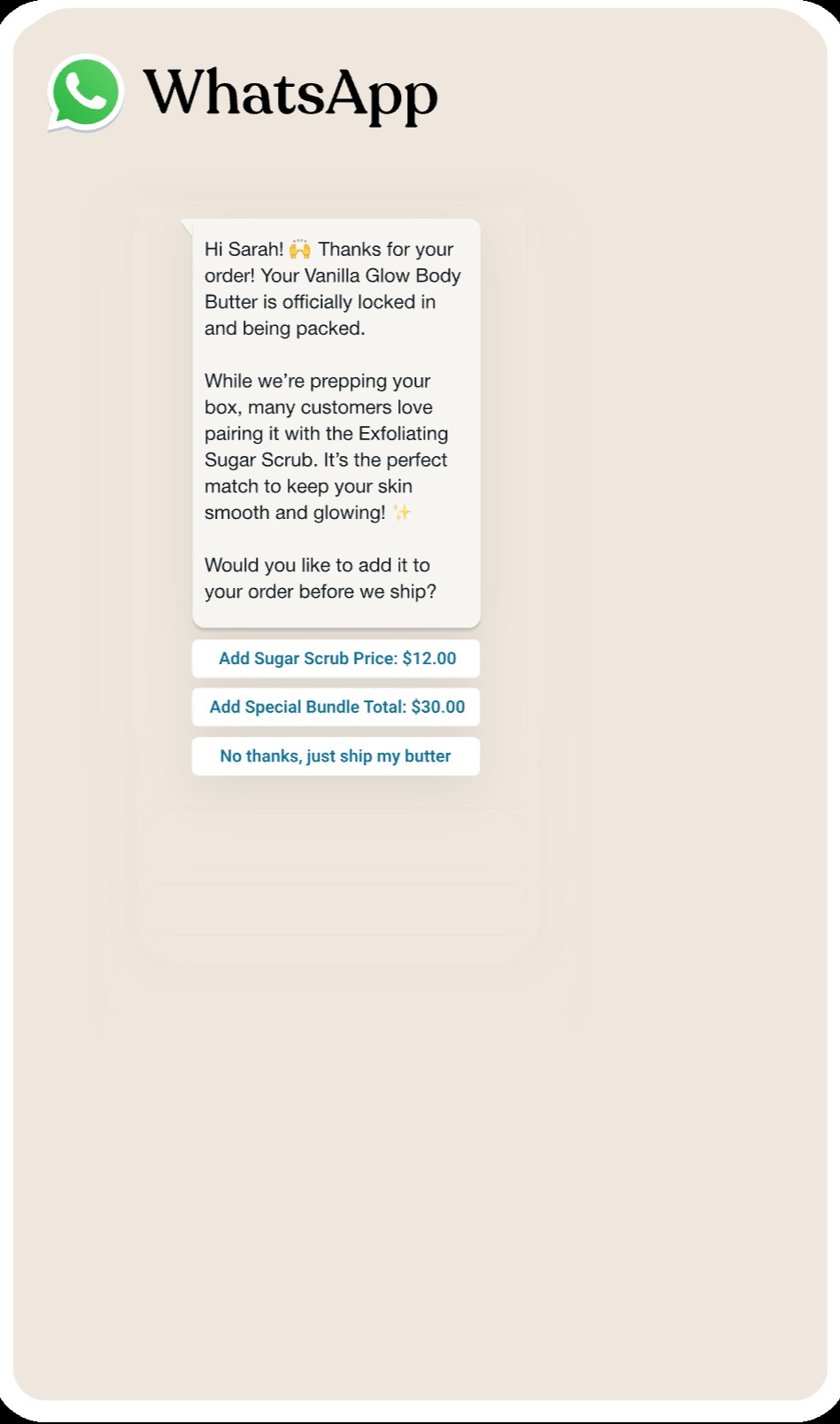
Flowcart does not replace the upsell plugins above.
Instead, the two can work together. For example, a store could use Elementor's upsell widget to recommend products on the product page, then use Flowcart to send a complementary offer after the customer has completed the purchase.
Why This Matters for Repeat Purchase Behavior
Once Flowcart helps you connect with a customer on WhatsApp, you can keep using that connection beyond the first post-purchase offer.
You can remind customers to reorder when they are likely to need the product again, recommend products based on what they bought before, or send relevant offers through Smart Broadcasts.
For instance, Uncover Skincare used customer location, demographics, and purchase history to send smart WhatsApp broadcasts for products, restocks, and sales. The broadcasts generated more than $116,000 in combined orders across Kenya and Nigeria.
In Nigeria, the brand generated over ₦22.4 million in attributed revenue from 38,974 broadcast messages, returning more than 7x on its messaging spend. In Kenya, every $1 spent on broadcasts returned $18.73.
That gives you another way to generate sales from customers who are no longer browsing your store.
In a Nutshell
Each WooCommerce upsell plugin solves a slightly different problem.
WooCommerce’s native option gives you a free starting point. Elementor Pro gives Elementor users more control over how product page upsells look. YITH is useful for products that naturally go together. CartFlows focuses on checkout bumps and post-purchase offers. UpsellWP gives you several upsell placements from one plugin.
While you cover in-store upsells with any of these plugins, you should also consider filling the post-purchase gap with Flowcart. With the latter, you can easily use WhatsApp to recommend products, encourage reorders, and bring back previous customers.
Schedule a demo today to see how Flowcart can scale your AOV and revenue.

.png)




%201.webp)



.png)