
.png)
Key Takeaways
Learn how WhatsApp Webviews (Flows) keep multi-step journeys inside chat to reduce redirects and form drop-offs.
See high-converting use cases like KYC, in-chat checkout, lead capture, returns, and post-service feedback on WhatsApp.
Understand when to build Webviews with code vs. using Flowcart’s no-code builder for faster launch and optimisation.
Every abandoned form has one thing in common: it asked for more effort from the customer than they were willing to put. Using WhatsApp Webview Integration lowers that effort by turning WhatsApp into a self-contained interface where tasks like checkout, onboarding, and KYC complete directly inside the chat.
You can use them to reduce drop-offs, eventually buying more time with the customer before interest fades.
This guide breaks down how Webviews work, why product and CX teams are adopting them, and where they create the most impact. It also walks through real use cases, implementation steps, and examples you can reference as you design your own flows.
Key Takeaways: WhatsApp Webviews for 2026
Webviews turn WhatsApp into a place where full customer journeys can unfold without pushing people to a browser or separate app. They give teams a structured way to collect data, display catalogs, guide decisions, complete payments, and close loops in a single conversation. This reduces drop-offs, speeds up completion, and provides users with a smoother path through tasks that often break the flow.
How WhatsApp Webviews Work
- They open a dedicated screen inside WhatsApp when the user taps a CTA button in a message.
- The screen loads content securely from the business’s server and guides the user through a structured task.
- Once done, the Webview closes and the chat continues with full context intact.
Key Features and Benefits for Businesses
- End-to-end flow inside WhatsApp for tasks like checkout, onboarding, KYC, bookings, and surveys.
- Structured data collection without long chat threads or messy inputs.
- Higher task completion because users don’t face redirects or unfamiliar pages.
- Real-time dynamic content, including catalogs, calendars, and personalised options.
- Consistent performance across devices due to WhatsApp’s controlled environment.
How this Differs from the WhatsApp Web
- Webviews run inside the WhatsApp chat, not in a separate browser tab.
- They support multi-step, interactive tasks instead of simple browsing or message-based interactions.
What Are WhatsApp Webviews?
A WhatsApp Webview is a focused, secure space that handles tasks that don’t fit well in regular messages. Put simply, the complete catalog appears on the WhatsApp screen, making it easy to browse and act without leaving the chat.
Core functionalities of WhatsApp Webviews include:
- Mini-app experience: Provides the rich visual and interactive experience of a website or a native app but within the secure context of WhatsApp.
- Secure data collection: Allows for the compliant collection of detailed data, such as KYC information or payment details, while being hosted on the business's secure server (HTTPS).
- Eliminates drop-offs: Removes external distractions, further increasing completion rates for multi-step processes like onboarding and checkout.
Why Meta Calls WhatsApp Webviews “Flows”
The term “Webviews” stuck because that’s how developers described the earliest version of this feature. Meta has since broadened it and is now standardizing it under the name Flows.
Flows introduce a more predictable framework:
- Better stability: Faster load, consistent behavior, fewer quirks across devices.
- Cleaner outputs: Data comes back to the business system in a well-structured format, which makes downstream automation simpler.
- Future alignment: Using Flows means you’re building on Meta’s current model for interactive WhatsApp experiences.
In practice, both terms point to the same thing: a way to run guided, interactive tasks inside WhatsApp without asking the customer to step out of the chat.
Additional Read: Texting Your Sales Down the Drain: WhatsApp Selling Mistakes to Avoid
How WhatsApp Webviews/Flows Work
WhatsApp Webviews (or the official Flows) work by opening a secure, temporary web browser window directly inside the WhatsApp chat interface. They act as embedded screens that let users complete structured tasks without leaving the conversation. Everything loads in-app, runs in a controlled environment, and closes the moment the action finishes.
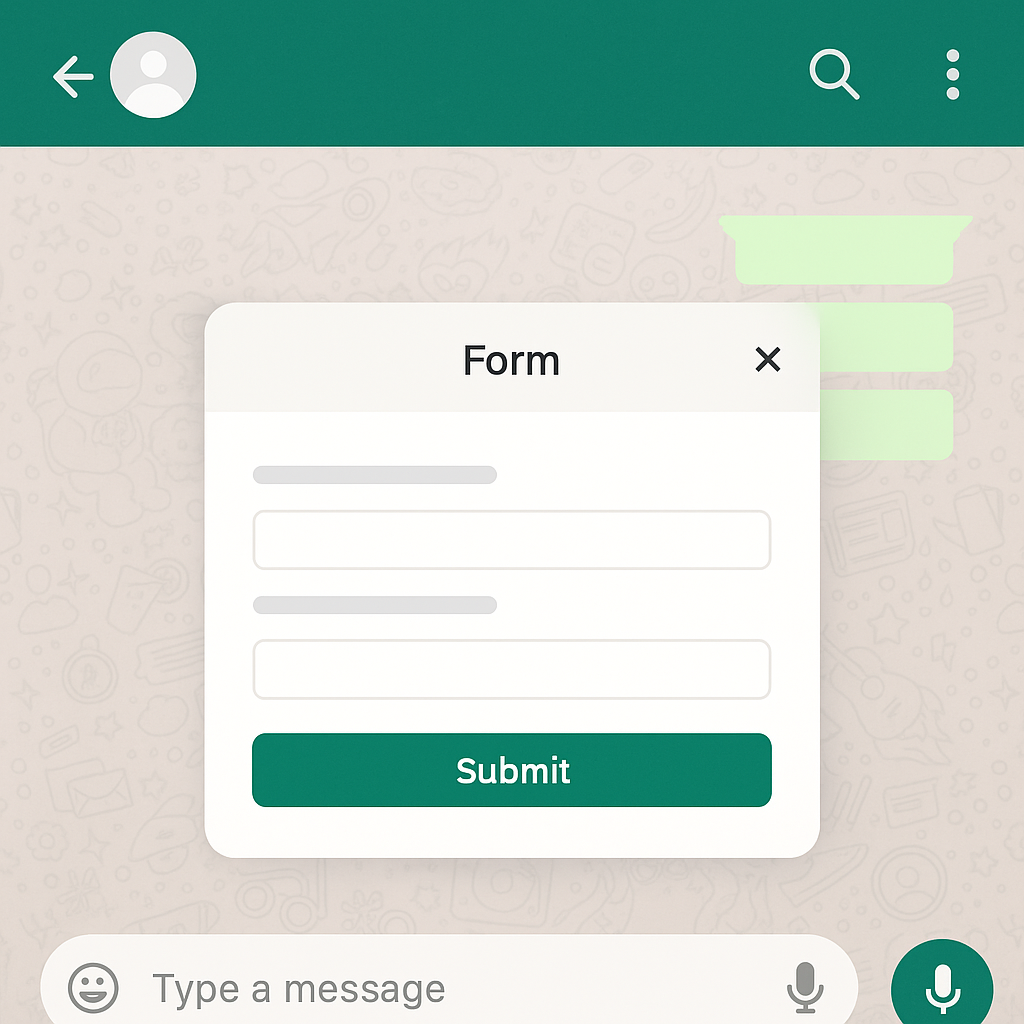
A Webview form opened inside a WhatsApp chat screen
How They Operate Behind the Scenes
When a business sends a message with an action button, WhatsApp treats that tap as a request for a specific URL. The app fetches the content from the business’s server and displays it inside a contained surface layered over the chat window.
This surface behaves like a mobile web page, but with tighter restrictions, faster load expectations, and predefined rules for how data moves in and out.
The user interaction stays simple: complete the task, submit the form or selection, and return to the thread right where the conversation paused. Once the submission is processed, WhatsApp hands control back to the chat and the business can follow up with the next step or confirmation message.
Here’s what makes this setup effective:
- A fixed execution environment: Flows run inside WhatsApp’s sandbox, which keeps behaviour consistent across devices and reduces unexpected rendering issues.
- Clear data pathways: Instead of relying on text-based inputs, the Webview sends structured data directly to the business’s backend. This keeps onboarding, catalog updates, or verification tasks clean and traceable.
- Minimal context switching: Since the system never pushes the user out to a browser, teams see fewer drop-offs in places where attention usually breaks, for example, long forms or verification flows.
This is the core mechanism that turns WhatsApp from a messaging channel into a place where fully guided tasks can be completed in one uninterrupted path.
8 Best WhatsApp Webview Examples and Use Cases for High Conversion
Webviews (or Flows) add an interactive layer inside WhatsApp, enabling brands to use whatsapp webview for shopping to turn chats into mini storefronts where users can browse catalogs, select products, and complete purchases without leaving the conversation.Here are strong, practical WhatsApp Webview examples of where they fit and why they increase conversions.
1. Secure KYC & Document Submission
Lets users upload IDs, address proofs, and other sensitive documents inside a protected interface. The entire flow stays encrypted and compliant.
Where it’s used: Fintech and banking onboarding.
2. Dynamic Product Browsing
Businesses can use whatsapp webview for shopping to create dynamic catalogs that let users filter, scroll, and select products seamlessly within WhatsApp, reducing drop-offs caused by external redirects.
Where it’s used: Fashion and retail brands with wide inventories.
3. In-Chat Checkout & Payments
Shows the cart, captures payment details, and confirms purchases inside the chat. This removes the drop-off that happens during external redirects.
Where it’s used: E-commerce checkout for accessories, apparel, and D2C items.
Flowcart Highlight: In-Chat Payments That Keep the Purchase Flow Intact
Flowcart lets customers move from product selection to payment inside WhatsApp, making it easy to with in-chat checkout, prefilled cart details, and secure payment options all in one seamless thread.
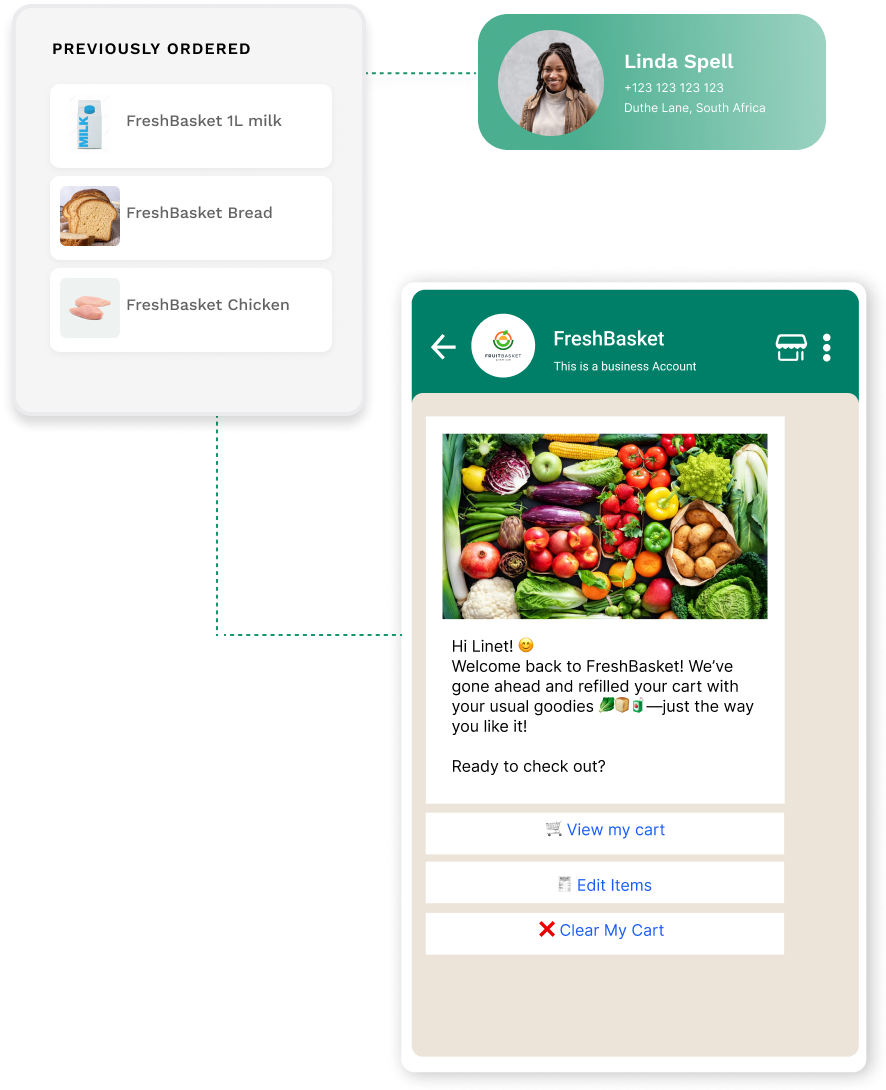
Flowcart checkout flows adapt to every customer’s needs
In fact, users can share their location with a tap, choose their preferred payment method, and receive confirmation instantly, inside the thread. For teams, this reduces checkout time, reduces abandonment, and integrates smoothly with an existing ecommerce site without requiring a separate WhatsApp shop.
Start with a 7-day free trial and see for yourself!
4. Comprehensive Customer Onboarding
Walks new users through multi-step setup workflows, like profile creation, plan selection, and initial configuration inside WhatsApp.
Where it’s used: SaaS platforms with detailed signup sequences.
5. Real-Time Appointment Scheduling
Connects directly with a live calendar to show available time slots. Customers can pick a date and time within seconds.
Where it’s used: Healthcare clinics, auto service centers, and repair teams.
6. Post-Service Feedback & Surveys
Uses visual elements, such as stars, sliders, and large fields, to collect feedback quickly after a service interaction.
Where it’s used: Customer support, delivery teams, and field service units.
Flowcart Highlight: Make Feedback a Trigger for Instant Loyalty Rewards
Flowcart turns post-service feedback into a retention tool, helping businesses build whatsapp marketing benefits by awarding loyalty points instantly inside WhatsApp and keeping customers engaged without extra steps.
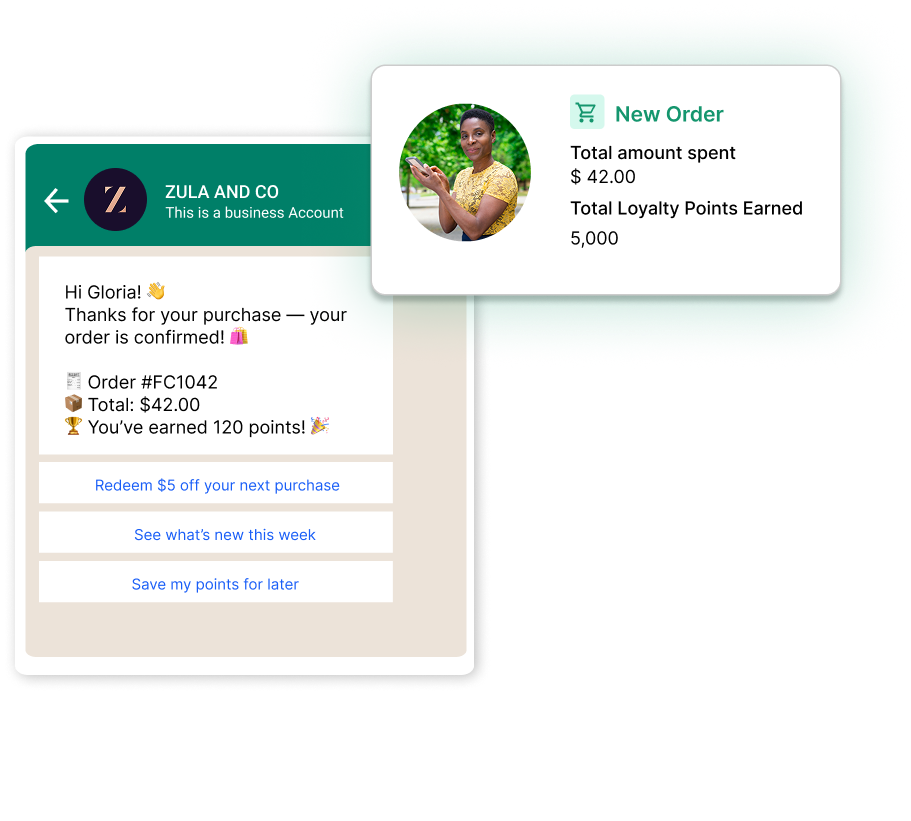
Flowcart’s loyalty program as a natural part of your customer’s shopping experience
Points sit in a simple WhatsApp wallet where users can check their balance, redeem rewards, or even cash out. For teams, this turns every feedback interaction into a chance to deepen engagement, increase repeat orders, and build long-term customer value without adding steps to the journey.
Check out how Darling Hair benefited from Flowcart’s Loyalty Program!
7. Returns, Exchanges, and Order Management
Gives customers a structured interface to select items, choose reasons, and confirm pickup details without navigating a long chat.
Where it’s used: Retailers managing WISMO queries and returns.
8. Lead Capture from Click-to-WhatsApp Ads
Opens a short, high-intent lead form the moment someone taps a Meta ad. The flow captures richer qualification data than a simple chat prompt.
Where it’s used: Any business running performance campaigns on Meta that wants to generate leads.
Also Read: WhatsApp Lead Nurturing: How to Build Relationships & Drive Conversions
Flowcart Highlight: Turn Ad Clicks Into Qualified Leads Inside WhatsApp
Flowcart helps performance teams use whatsapp lead generation to capture high-intent leads from Click-to-WhatsApp ads, automatically pre-filling data and guiding users through a structured journey to conversion.

Flowcart helps Meta Ads learn about your ideal customers and improve ads
The system identifies the marketing campaign, serves the right offer, builds the cart if needed, and routes the user straight to checkout inside the same chat. This shortens the conversion cycle, improves ROAS, and gives teams full visibility into how each ad drives revenue, not just clicks.
Limitations of Traditional WhatsApp Messaging for Complex Workflows
For structured workflows, combining whatsapp broadcast tools with Webviews ensures updates, offers, or reminders reach users while guiding them through multi-step flows without leaving chat.
Put simply, tasks like KYC, onboarding, or checkout require more than quick replies or basic menus, and that’s where traditional messaging starts to break. These limitations fall into two clear buckets:
1. Built-In Message Components Don’t Support Complex Choices
WhatsApp’s built-in components work only for lightweight decisions. Once a flow needs detail or depth, the constraints become obvious:
For example:
- Reply buttons: Limited to a maximum of 3 options.
This is great for a simple "Yes/No/Agent" choice, but it instantly fails when a customer needs to select from more than 3 shipping methods, product variations, or support categories.
- List Messages: Capped at a maximum of 10 items.
This ceiling prevents businesses from offering detailed product catalogs, long lists of regional service centers, or multi-topic surveys in chat.
When the conversation hits this limit, the chatbot has two bad choices: spam the user with long, text-heavy messages (poor UX) or, more often, redirect the user externally, which is the second, more destructive point of failure.
2. External Redirects Disrupt the Customer’s Momentum
The bigger issue appears when the chat experience can’t carry out the task. Businesses then push users to a browser page or form to finish the job. That jump out of WhatsApp is where most journeys fall apart.
For example:
- KYC (Fintech): Needs document uploads, multiple fields, and verification steps. External links for sensitive uploads create hesitation because the environment changes abruptly.
- Onboarding (SaaS): Often involves several setup screens. Opening a browser resets the pace, introduces login prompts, and breaks the smooth start the user had in chat.
- E-commerce Checkout: Requires dynamic choices and payment input. Mobile sites often load slowly, misalign layouts, or require multiple steps, leading customers to abandon their purchases.
Webviews/Flows, combined with whatsapp automation tools, keep complex user journeys—like KYC, onboarding, and multi-step checkouts—contained inside WhatsApp, reducing drop-offs and ensuring smooth automated experiences.
Recommended Read: WhatsApp Automation: How Businesses Can Save Time and Boost Conversions
Step-by-Step Implementation Guide for WhatsApp Webviews (Code vs. No-Code)
Implementing a Webview or Flow combines UX planning, data handling, and WhatsApp API configuration. The overall sequence stays the same, but the workload changes sharply depending on whether you build everything from scratch or use a platform like Flowcart.
Here’s a straightforward walkthrough.
Phase 1: Planning and Design
Before building the Webview, teams can leverage whatsapp marketing strategies to plan multi-step flows effectively, mapping every screen, button, and input to maximize conversions inside WhatsApp.
Step 1: Define the Use Case and Flow Logic
Start with the exact task you want to simplify: KYC, returns, plan selection, slot booking, or anything that currently drops users off.
Outline the steps, fields, screens, and decisions a customer must go through. Keep the layout mobile-first and only include what’s necessary for completion.
- Goal Clarity: Pinpoint the exact high-friction task you want the Webview to solve (e.g., KYC submission, product configuration, appointment booking).
- Design the User Journey: Map out the exact screens, buttons, and data inputs required. Since the space is limited, keep the design mobile-first and the flow as short as possible.
Step 2: Confirm Your WhatsApp Business API Setup
You’ll need:
- A WhatsApp Business Platform account you can use WhatsApp Webview for eCommerce to trigger flows directly from messages, ensuring that customers complete actions like checkout or KYC without leaving chat.
- A verified number
- Compliance with Meta’s business policies
This is what lets you trigger Webviews in chat.
Phase 2: Development and Hosting
This is where your path splits. You either build the entire interface yourself or use a no-code system that handles the heavy lifting.
Let’s look at both approaches:
A. The Code-Required Approach (Custom Build)
Create the screens manually using HTML, CSS, and JavaScript. The UI must load quickly and work well on small screens.
📌Needs front-end development and attention to mobile UX.
Next, create API routes to receive and process whatever the user submits: IDs, forms, choices, and uploads.
📌Needs backend dev, secure data handling, and internal integration logic.
Finally, deploy the Webview on an HTTPS domain approved inside Meta Business Manager.
📌Needs hosting, domain setup, and ongoing monitoring.
B. The No-Code Approach (Using Flowcart)
Use Flowcart’s builder to add fields, images, steps, and logic without writing code.
📌Removes the need for front-end engineering.
💡With Flowcart, teams can build WhatsApp Flows without touching code. The visual builder lets you shape screens, logic, and branching paths in minutes, while AI handles routine conversations and routes high-touch moments to a human when needed. Every flow can adapt to past shopping behavior, campaign context, or user intent, making it easier to guide customers from their first message to checkout inside the same chat.
Next, map each field to your CRM or internal system through Flowcart’s integrations.
📌Removes backend development and validation effort.
Sit back and relax because Flowcart handles hosting, security, and domain compliance.
📌Removes infrastructure work and maintenance.
Phase 3: Integration and Launch
Once the Webview is built and connected to your systems (either by your team or Flowcart), the final step is weaving it into the customer journey. This phase focuses on how the flow is triggered, tested, and brought into production.
Step 3: Create the Trigger Message
Build the WhatsApp message that opens the Webview. Usually, this is a template with a CTA button pointing to the Webview URL or Flow ID.
Step 4: Test and Refine
- Cross-device testing: Test the Webview's functionality, load time, and appearance on different operating systems and screen sizes (iOS and Android).
- Data validation: Verify that the data submitted via the Webview is securely and accurately reaching your backend system (CRM/database).
- A/B testing: Launch the Webview to a small group first, and monitor key metrics like conversion rate and drop-off points to optimize the flow continually.
Step 5: Launch and Monitor
Deploy the Webview flow into your live customer journeys (e.g., after an ad click or during an automated support path).
💡Pro Tip: Use Flowcart's analytics dashboard to track performance and ensure the Webview is achieving its goal of boosting conversions and reducing friction.
Next Read: Best WhatsApp Marketing Tools to Grow Your Business
Next Steps: Using Flowcart to Build Your Webviews
Webviews/Flows give businesses a way to run structured, high-intent journeys inside WhatsApp without relying on external pages or complex redirects. The brands that use them well improve their UX and tighten their funnels, reducing friction at every step and unlocking journeys that felt impossible in a standard chat.
Flowcart helps teams get there faster. You can design screens visually, connect data in minutes, and launch personalised flows across onboarding, checkout, lead capture, support, and loyalty without writing code. Schedule a Flowcart demo to see these flows in action.
FAQs
Is coding required for Webviews?
Not always. You can custom-build Webviews using HTML, CSS, and JavaScript if you want full control over the interface. Platforms like Flowcart provide whatsapp marketing tools that allow teams to visually design and launch WhatsApp Webviews without coding, connecting forms, payments, and lead capture into one flow.
Do Webviews work for ads?
Yes. Webviews load instantly when someone taps a Click-to-WhatsApp ad, allowing you to collect lead details, show products, or guide users into a checkout flow. This keeps the ad-to-conversion journey inside WhatsApp, which usually results in better performance.
Are WhatsApp Webviews secure?
Webviews run on HTTPS and handle data through secure channels defined by the business’s backend. Because everything stays inside WhatsApp’s sandboxed environment, sensitive inputs like documents, IDs, and payments are processed in a controlled setup.
What industries benefit most from WhatsApp Webviews?
Any business with multi-step workflows sees value, like e-commerce, fintech, real estate, healthcare, education, SaaS, and service brands. If the journey requires forms, selections, uploads, or checkout, Webviews help maintain high completion rates.
Do Webviews increase conversions?
Yes. By removing redirects and keeping users inside WhatsApp, Webviews reduce friction at the most sensitive points of a journey, such as sign-up, purchase, verification, or booking. Integrating Webviews with whatsapp sales funnel approaches helps businesses optimize each stage—from lead capture to checkout keeping users inside WhatsApp and improving overall conversion metrics.






%201.webp)




.png)