.png)
.png)

.png)
Key Takeaways
Understand how Shopify–WhatsApp integration works across setup, templates, and catalog sync, without custom engineering effort.
Learn high-impact WhatsApp use cases for Shopify: cart recovery, order updates, support automation, and personalized recommendations.
See how Flowcart connects Shopify data with WhatsApp to drive automated, behavior-based campaigns and in-chat checkout flows.
Shopify merchants encounter it at different points, through cart recovery apps, customer support requests, or regional expansion plans, but guidance is often fragmented. One source explains setup, another focuses on campaigns, and a third treats WhatsApp as a standalone marketing channel rather than part of a commerce stack.
This article pulls those pieces together. It examines how WhatsApp integrates with Shopify, which use cases matter at different stages of growth, and how merchants are approaching the channel in real-world operating environments.
Why Shopify Stores Are Adopting WhatsApp for Commerce?
WhatsApp adoption among Shopify stores is increasing steadily.
Around 12 percent of Shopify merchants now use a WhatsApp integration, with adoption growing year over year. This growth is strongest in regions where WhatsApp isn’t treated as a secondary channel, but as the default way people interact with businesses.
In much of Latin America, for example, WhatsApp is already used for everyday commercial interactions, like ordering food, confirming appointments, resolving service issues, and completing purchases.
On the other hand, in parts of Southeast Asia and India, smartphones are the primary gateway to the internet. Shopping, payments, and customer service all happen on mobile, often within the same session.
In these environments, messaging apps function as everyday utilities rather than secondary communication tools. Customers expect to ask questions, receive updates, and resolve issues without leaving the app they’re already using.
This expectation changes how Shopify stores operate. Instead of pushing customers toward email threads or external help desks, merchants increasingly bring commerce interactions into messaging. That includes pre-purchase questions, order updates, and post-purchase support within a single, continuous conversation.
Demographics reinforce this shift. Younger shoppers are more comfortable discovering products, interacting with brands, and completing purchases through messaging and social platforms.
They’re less inclined to treat email as a primary channel for time-sensitive communication. When a brand responds quickly in a conversational format, it aligns with how these customers already communicate elsewhere.
Integration has become easier and more accessible
Finally, infrastructure has caught up with demand.
Shopify merchants can now choose from multiple certified WhatsApp integration apps that connect directly to inventory, orders, and customer data. They can use prebuilt flows for cart recovery, order updates, and FAQs from day one. WhatsApp’s pricing is also more transparent than maintaining custom-built systems.
As a result, the barrier to entry has dropped significantly. What once required months of development and large budgets can now be implemented in days at a predictable monthly cost.
Taken together, these forces explain why WhatsApp has moved from experimentation to standard practice for many Shopify stores. The channel fits customer behavior, outperforms traditional recovery and engagement tactics, and no longer carries prohibitive setup costs.
Additional Read: AI Agents on WhatsApp: How Businesses Are Automating Conversations
How to Integrate WhatsApp with Shopify?
Integrating WhatsApp with Shopify doesn’t require engineering work, but it does require choosing the right setup path. Most merchants start small, validate impact, and then add complexity only when it’s justified by volume or revenue.
In practice, Shopify–WhatsApp integration works best as a phased rollout. You begin with visibility and basic automation, then layer in catalog sync, templates, and workflows as usage grows.
Step 1: Choose your integration approach
Shopify merchants typically integrate WhatsApp in one of two ways, depending on scale and automation needs.
- No-code app integrations are designed for fast deployment. Setup takes 5–30 minutes, requires no API credentials, and works well for small to mid-sized stores that want quick results.
- WhatsApp Business API integrations are better suited for high-volume merchants. Setup takes 2–7 days due to Meta approvals, but unlocks full automation, advanced workflows, and team collaboration.
A simple rule applies: choose app-based integration if speed is most important, and API-based integration if durability and scalability are paramount.
Step 2: Install a Shopify WhatsApp app or provider channel
Once you’ve chosen your approach, the next step is to install the integration layer in Shopify.
For app-based setups, this happens directly through the Shopify App Store. For API-based setups, this usually involves installing a WhatsApp sales channel provided by your Business Solution Provider.
- The app requests permission to read products, orders, and customer data to trigger messages automatically.
- After installation, WhatsApp appears as a dedicated channel inside your Shopify admin.
At this stage, no customer messages are sent. You’re only establishing the connection. This step ensures that Shopify events, such as checkouts, orders, and fulfillment, can trigger WhatsApp messages later.
Next Read: WhatsApp Business Dashboard: Track & Optimize Your Campaigns
💡With Flowcart, this begins directly from the Flowcart dashboard. The merchant enters their Shopify store URL, which redirects them to the Shopify admin to approve permissions. These include access to products, orders, discounts, and customer data, phone numbers being essential for WhatsApp-based workflows.
After installation:
- Shopify customers are synced into Flowcart’s managed users view
- Orders remain native to Shopify
- Webhooks are established to trigger messages from Shopify events
Step 3: Connect and verify your WhatsApp Business number
WhatsApp integrations require a dedicated business phone number.
- The number must not be linked to any personal WhatsApp account, or verification will fail.
- Verification is completed via SMS or voice call and usually takes a few minutes.
- For API integrations, Meta approval typically takes 24–72 hours, depending on the quality of the documentation.
Once verified, this number becomes the identity customers interact with across support, updates, and campaigns.
Step 4: Add a chat entry point on your store
Before automations go live, customers need a way to start conversations. Most Shopify integrations include a floating WhatsApp widget or click-to-chat button.
- The widget placement, color, and welcome message can be customized to match your storefront.
- Business hours can be defined so expectations are clear.
- This entry point captures high-intent questions during browsing and checkout.
This step alone often improves conversions, because customers can resolve doubts without leaving the page.
💡Flowcart also provides a customizable WhatsApp widget inside Shopify:
- Placement and appearance can match the storefront
- Business hours can be defined
- A pop-over message can be used to prompt first-time conversations
This entry point captures high-intent questions during browsing and checkout. It also drives consent, which is mandatory before any outbound WhatsApp messaging can occur.
Step 5: Enable high-impact automations first
The fastest way to see ROI is by enabling a small set of core automations. Most Shopify WhatsApp apps support these out of the box:
- Abandoned cart reminders, triggered within 15–30 minutes of checkout abandonment, typically recover 20–30% of carts.
- Order confirmations are sent immediately after purchase, and see open rates close to 98%.
- Shipping and delivery updates, which reduce “Where is my order?” queries by 40–50%.
These messages rely on pre-approved templates and require minimal customization beyond brand tone.
💡With Flowcart, these include:
- Abandoned cart flows, triggered with configurable delays and optional discounts
- Order confirmation messages, sent as soon as Shopify creates an order
- Shipping, transit, and delivery updates, driven by Shopify webhooks
Step 6: Sync your product catalog for in-chat shopping
Catalog synchronization allows products to appear directly inside WhatsApp. For API-based setups, this involves connecting your Shopify catalog to Meta Commerce Manager.
- Products are synced via a feed that updates hourly or near real time.
- Only selected collections need to be included initially to keep browsing focused.
- Once connected, customers can view products, prices, and availability inside WhatsApp.
This step enables use cases like cart reminders with product images, back-in-stock alerts, and guided shopping flows.
💡Flowcart adds a layer Shopify doesn’t natively support: cart-level actions inside WhatsApp. From a chat, merchants can:
- Search Shopify products
- Add items to a cart
- Send a checkout link with optional discounts
- View a customer’s past Shopify orders
For merchants who want more control, Flowcart also supports WhatsApp checkout. In this setup, customers can browse products, add items, confirm addresses, and pay without leaving WhatsApp. Draft orders are still created in Shopify to maintain consistent inventory and reporting.
Step 7: Create and approve WhatsApp message templates
WhatsApp requires pre-approved templates for all automated outbound messages. Templates are submitted once and reused across workflows.
- Utility templates cover order updates, shipping notifications, and cart reminders.
- Marketing templates are used for promotions and require a clear business context.
- Most templates are approved within minutes, though some take up to 48 hours.
Submitting 8–12 templates upfront ensures coverage even if a few require revision.
💡Flowcart allows merchants to:
- Create templates directly from the Shopify plugin
- Submit them for Meta approval
- Reuse approved templates across smart broadcasts and WhatsApp flows
Step 8: Monitor performance and expand gradually
Once messages are live, the focus shifts to measurement and iteration. Shopify merchants typically track:
- Message open rates, which should remain above 95%.
- Cart recovery rates should fall between 20–30%.
- First response time on inbound messages, ideally under 5 minutes.
- Block or spam rates should remain below 1%.
If performance holds, merchants will add advanced workflows such as personalized recommendations, back-in-stock alerts, and AI-assisted support.
Next Read: How to Measure ROI from WhatsApp Marketing Campaigns
Key Use Cases of WhatsApp Integration for Shopify
WhatsApp integration supports a set of repeatable use cases that map directly to revenue, efficiency, and retention.
Some deliver immediate returns. Others compound over time. Stores that implement multiple use cases together tend to see stronger results because each interaction builds on the last.
Below are five of the most impactful use cases Shopify merchants typically start with.
1. Abandoned cart recovery
Abandoned carts occur when a customer pauses, becomes distracted, or needs a final nudge to complete a purchase.
WhatsApp works well here because the reminder doesn’t feel detached from the moment. The message arrives as a direct notification, shows the product they were considering, and links straight back to checkout. There’s no need to search an inbox or reopen a tab.
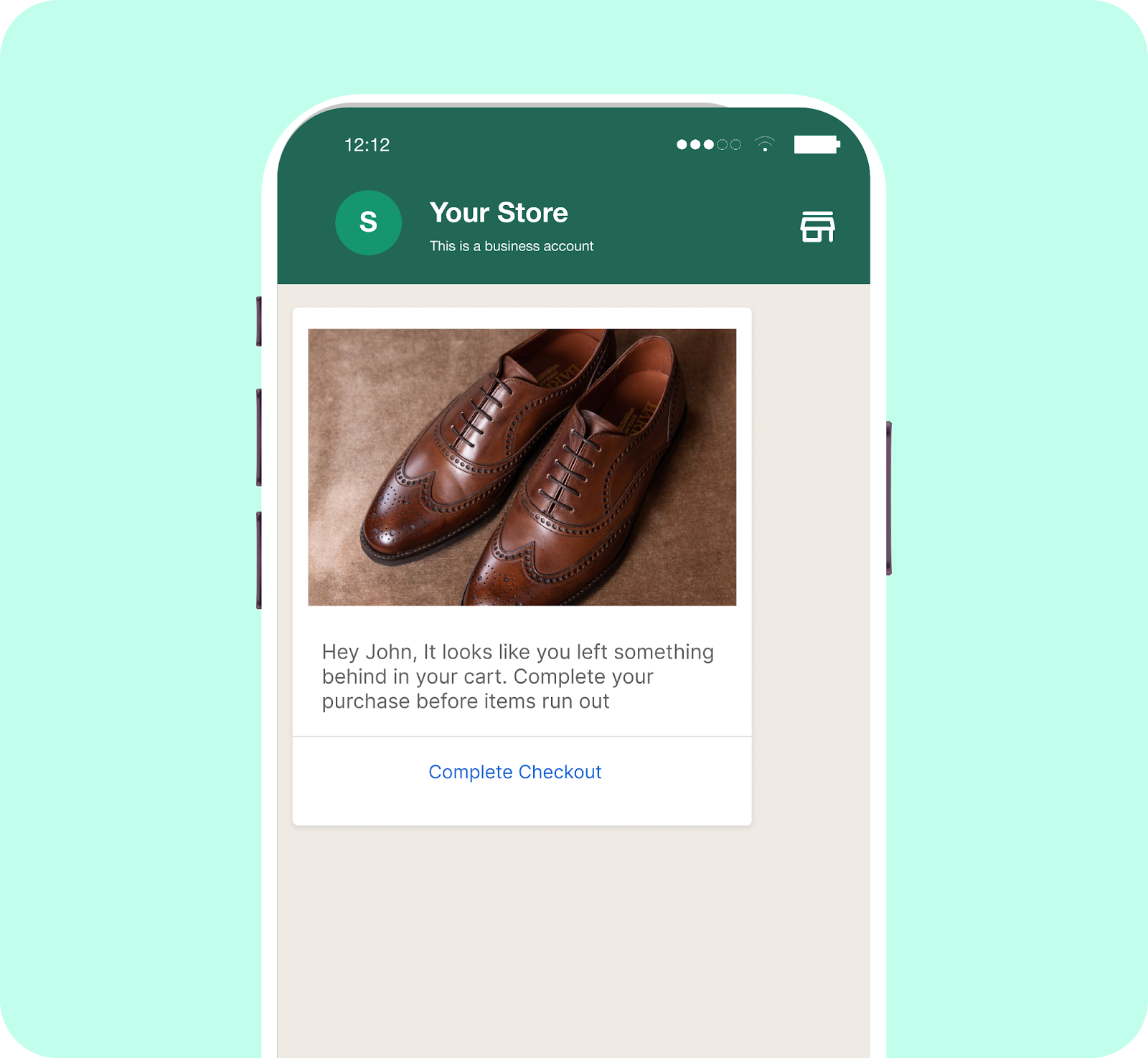
Abandoned cart recovery reminder on smartphone
For many stores, this is the first WhatsApp flow they enable, because it addresses an existing problem and requires minimal setup.
As one merchant put it:
“We used to lose a lot of carts, especially on weekends. Now, Flowcart brings them back with better timing and smarter messages than we ever could manually.”
Willy Kimani,
CEO & Founder, Jaza Retail
2. Back-in-stock alerts
Back-in-stock alerts are also about timing.
When a customer is waiting for an item to return, speed matters more than persuasion. WhatsApp allows stores to notify interested shoppers as soon as inventory is updated, without requiring them to check back.
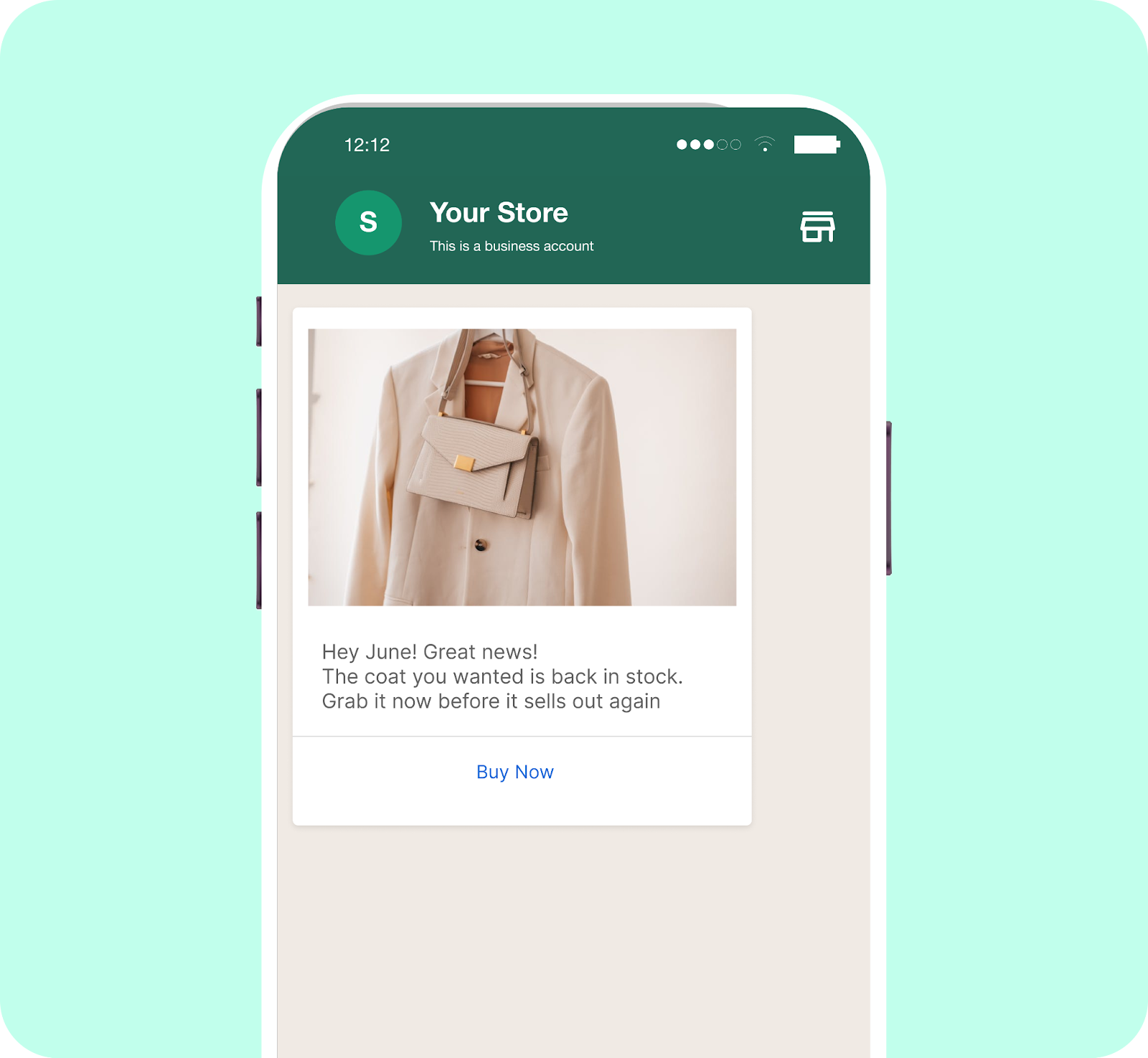
Back-in-stock jacket alert on smartphone
Because the alert arrives in the same place customers already spend time, it often prompts quick action, especially for limited or fast-moving products. This makes it a natural fit for apparel drops, seasonal collections, and popular SKUs.
3. Order updates and customer support automation
Order-related questions account for a large share of support volume for Shopify stores.
WhatsApp helps reduce this by sending proactive updates at key moments, such as order confirmation, shipping, and delivery. Customers don’t need to ask whether their order went through or where it is. The information comes to them automatically.
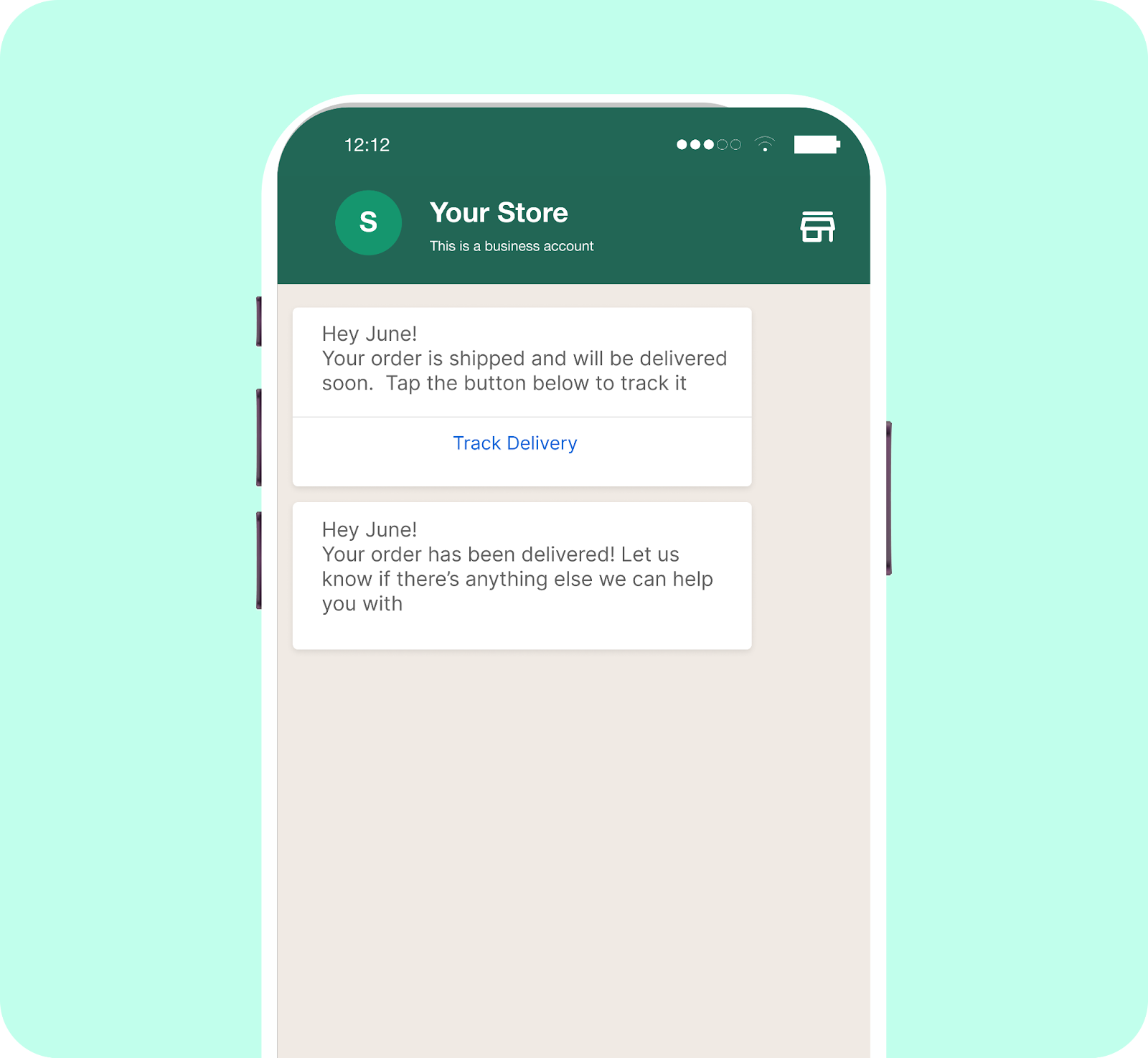
Order update via WhatsApp message
Additionally, many stores use WhatsApp to handle common support questions via automated replies. Simple requests like order status, return instructions, or delivery timelines can be answered instantly, while more complex issues are routed to a human agent with the full conversation history available.
🔎Did You Know? 40-45% of businesses use WhatsApp for customer support, and those that do see a 120-127% improvement in conversation and conversion rates.
4. Personalized product recommendations
WhatsApp also supports product discovery through more conversational interactions.
Instead of sending broad promotions, stores can follow up based on what a customer has already shown interest in. That might mean recommending complementary products after a purchase, suggesting alternatives after a product view, or reminding someone about an item they browsed earlier.
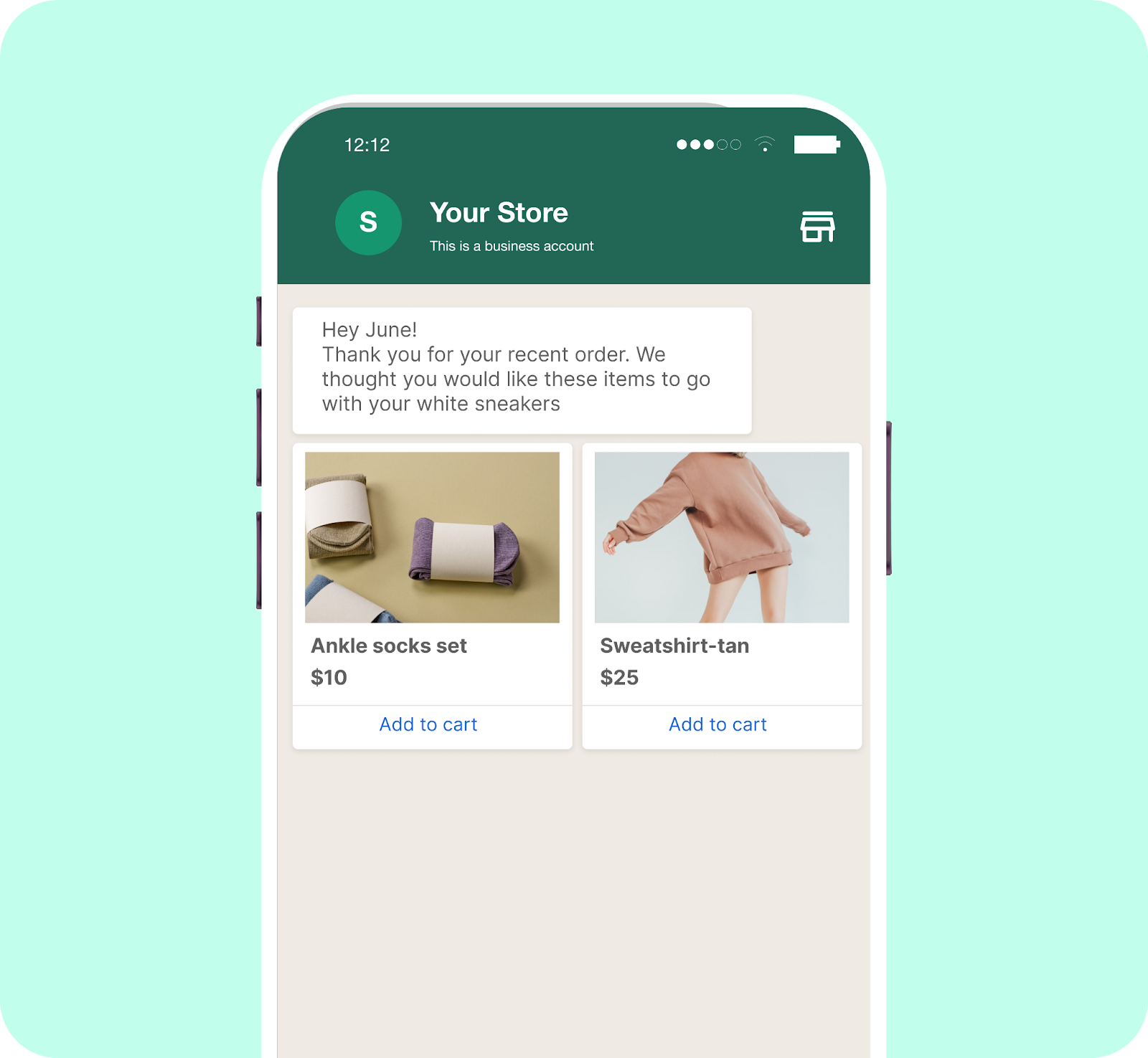
Smartphone with online store recommendations
Because these messages reference recent behavior, they feel more like assistance than advertising. For customers, it reads as helpful guidance. For stores, it supports higher-value orders and repeat purchases.
Additional read: How to Build App-Like Shopping Journeys Using WhatsApp Webviews for Ecommerce
5. Customer loyalty and retention programs
Retention-focused use cases are where WhatsApp shows its long-term value.
Stores use WhatsApp to keep customers informed about loyalty points, milestones, and exclusive benefits. Messages might include a thank-you after purchase, an update when a customer reaches a new tier, or a reminder to use rewards before they expire.
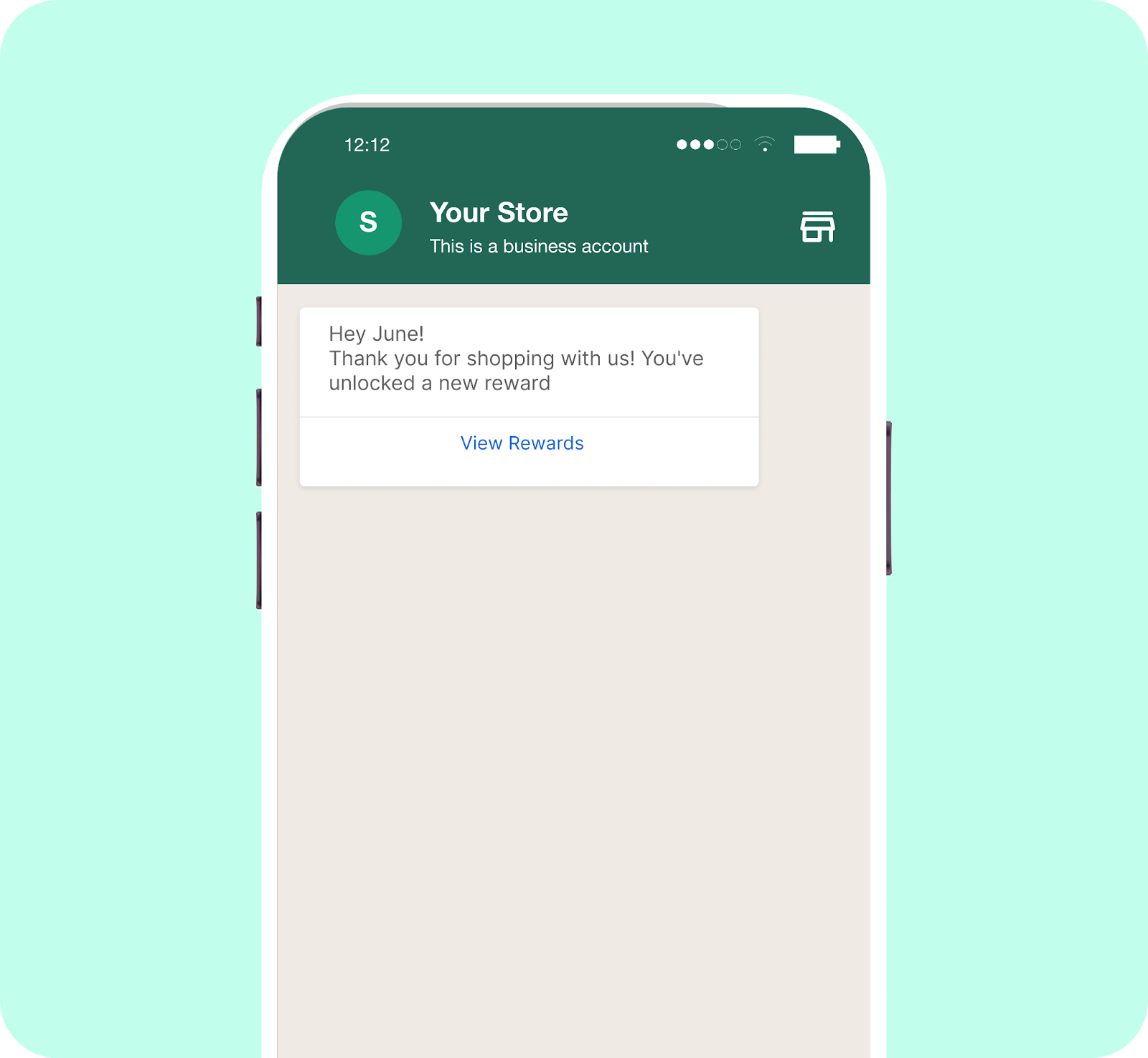
Customer loyalty update on WhatsApp
Delivered in a messaging app, these updates feel timely rather than promotional. Over time, they help reinforce the relationship and keep the brand top of mind between purchases.
Related Read: WhatsApp Retention Campaigns: Proven Strategies to Drive Loyalty & Repeat Sales
Bringing Shopify Data and WhatsApp Execution Together
By the time WhatsApp is live on a Shopify store, most of the hard work is already done. Products are synced, orders trigger messages, and conversations establish rhythm. The remaining challenge is scale: sending the right messages to the right customers without fragmenting data or adding manual effort.
This is where Flowcart fits into the stack.
Instead of duplicating customer records or rebuilding segments elsewhere, Flowcart works directly with Shopify’s existing data. Merchants can use their current Shopify segments for WhatsApp broadcasts, combine segments when needed, or upload external lists without breaking consent or delivery rules. Shopify remains the system of record. Flowcart handles WhatsApp delivery, templates, and automation logic on top.
The result is a setup where WhatsApp doesn’t sit off to the side as a separate tool. It operates as an extension of the Shopify workflow, connected to real customer behavior, order events, and lifecycle stages already defined in the store.
If you want to see how this looks in practice, you can schedule a Flowcart demo to walk through the setup with your own Shopify use case.
FAQs
What is Shopify WhatsApp integration?
Shopify WhatsApp integration connects your store’s products, orders, and customer activity with WhatsApp. It lets merchants trigger messages based on real Shopify events such as checkouts, fulfillment, and support requests.
Is WhatsApp integration officially supported by Shopify?
Shopify does not provide a native WhatsApp channel inside the platform. Integrations are built using Shopify apps and approved WhatsApp Business Solution Providers. This setup keeps Shopify data intact while enabling WhatsApp messaging via external tools.
Can WhatsApp recover abandoned carts on Shopify?
Yes, WhatsApp can be used to recover abandoned carts with customers’ consent. Messages are triggered after abandonment and usually include a direct checkout link or applied discount. These flows run automatically once the integration is configured.
How much does WhatsApp automation cost for Shopify stores?
Pricing depends on the integration tool, WhatsApp conversation fees, and total message volume. Smaller stores often start with lower-cost app plans and pay per conversation. Costs typically rise only when traffic and automation usage increase.
Is WhatsApp better than email for Shopify marketing?
WhatsApp performs best for urgent and transactional moments, such as cart recovery, delivery updates, and support. Email still suits newsletters, product launches, and longer campaigns. Most Shopify teams use WhatsApp to complement email rather than replace it.
Can we automate customer support on WhatsApp for Shopify?
Yes, routine support queries such as order status and shipping updates can be automated. Conversations can be handed off to live agents when needed without switching tools. This reduces response time and support workload.
Which is the best WhatsApp integration tool for Shopify?
Lightweight apps are well-suited to fast setup, while platforms like Flowcart support deeper automation, segmentation, and checkout flows. The right choice depends on scale, control, and the degree of integration required between WhatsApp and Shopify.

.png)





%201.webp)




.png)