
Key Takeaways
- Around 70.22% of ecommerce carts are abandoned, and recovery depends less on the offer and more on timing, visibility, and ease of return.
- WhatsApp works well for cart recovery because reminders are seen quickly and can include product context, images, and a direct path back to checkout.
- Effective recovery follows a simple loop: detect abandonment, send timely reminders, reduce friction, and measure what brings shoppers back.
- Automation matters, but message structure, sequencing, and consent matter just as much for sustained results.
- WhatsApp automation tools differ widely. Some focus only on reminders, while others extend recovery into checkout, loyalty, and repeat engagement.
- Flowcart stands out by keeping recovery, checkout, and follow-up inside WhatsApp, reducing drop-offs and turning recovered carts into repeat revenue opportunities.
Approximately 70.22% of online carts are regularly abandoned. While every team tries to reduce that number through the channels they already use, response times and the shopper’s attention can vary. WhatsApp abandoned-cart recovery strategies add a touchpoint that meets customers where they already spend time, making reminders harder to miss and easier to act on.
If you’re exploring whether it can improve recovery rates, the answer depends on how you structure the message, timing, and flow. This piece breaks down those parts.
Why WhatsApp is the Best Channel for Cart Recovery?
WhatsApp Abandoned cart recovery depends on timing and visibility. The reminder must reach the shopper while the product is still top of mind, and the path back to checkout should be easy to resume. WhatsApp better meets that requirement than many existing channels for one simple reason: messages are often seen quickly, which matters when the buying decision is still active.
It narrows the gap between abandonment and follow-up. Instead of waiting hours for an email to surface, the reminder appears alongside regular conversations.
WhatsApp also supports richer context. A recovery message can include the exact products left behind, along with images, prices, and a direct checkout link. That eliminates the extra step for your customers, who would otherwise have to return to the cart to resume the process. This support nudge also often leads to higher reply rates.
How WhatsApp Abandoned Cart Recovery Works?
WhatsApp cart recovery uses an automated workflow to reconnect with shoppers who abandon their carts.
It starts with integration. Your ecommerce platform tracks cart activity, flags sessions where a customer adds items but exits before completing payment, and triggers the recovery flow. For businesses operating at scale, the WhatsApp Business API connects this data to an automation platform that handles message delivery.
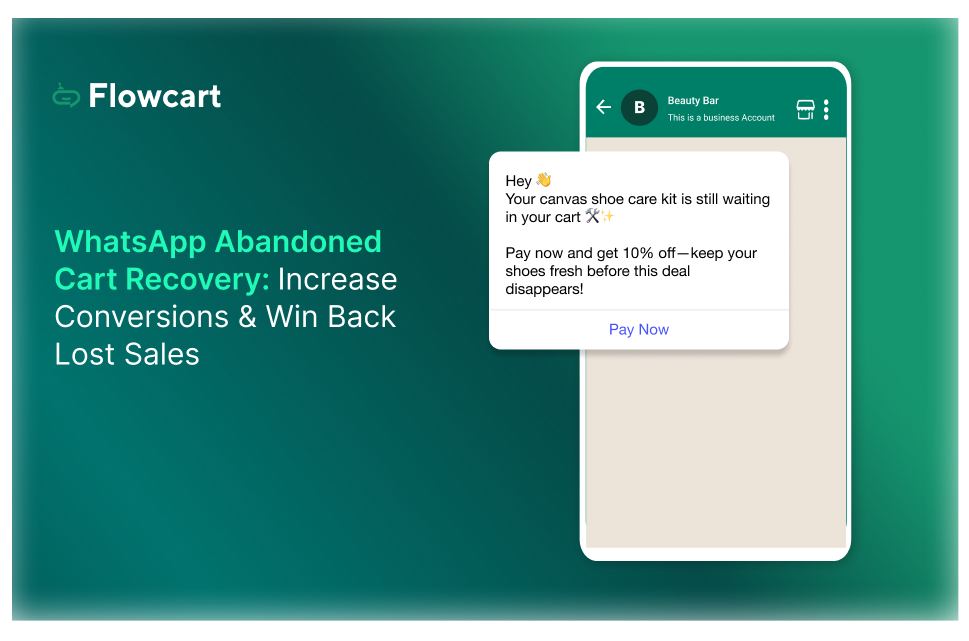
Once a cart is marked abandoned, the system sends a reminder based on predefined timing rules. The first message usually goes out within an hour, when the intent is still relatively fresh. This message includes key cart details and a direct link back to checkout, making it easy for the shopper to resume their purchase.
If there’s no action, follow-up messages can be scheduled later. These often offer light incentives, such as free shipping or a limited discount, to address common drop-off reasons, including price hesitation and last-minute comparison shopping.
Personalization is central to this flow. Messages dynamically pull in the customer’s name, product details, and cart value, rather than relying on generic copy. This helps the reminder feel relevant instead of automated or generic.
Once set up, the system runs continuously without manual input. Teams track metrics like message opens, clicks, completed checkouts, and recovered revenue to adjust timing, copy, or incentives over time.
Most setups also include a clear opt-out option to respect customer preferences and stay compliant with messaging guidelines.
Put simply, WhatsApp abandoned cart recovery is a structured follow-up loop: detect the drop-off, send a timely reminder, reduce friction, and measure what brings shoppers back.
Additional Read: WhatsApp Marketing Cost: Pricing, Factors, and How to Save Money
How to Set Up WhatsApp for Abandoned Cart Recovery Campaigns?
Setting up WhatsApp for cart recovery follows a clear sequence. Let’s break it down:
Step 1: Get Access to the WhatsApp Business API
Abandoned cart recovery requires the WhatsApp Business API, unlike the standard WhatsApp Business app. The API allows you to send automated messages triggered by user behavior.
To get access, you apply through an official WhatsApp Business Solution Provider (BSP). These providers manage approval, hosting, and message delivery, and provide a dashboard for running campaigns.
The process usually involves:
- Submitting your business details through the BSP
- Waiting for business verification by WhatsApp
- Receiving an approval of your WhatsApp Business Account within few days
Once approved, your account is ready to send automated messages at scale.
Step 2: Connect WhatsApp to Your Ecommerce Platform
Next, you integrate WhatsApp with your store so the system can detect abandoned carts. Most platforms support this natively:
- Shopify stores typically connect through a one-click app integration.
- WooCommerce stores use plugins or API-based connections.
- Magento and BigCommerce offer similar plugin-based setups.
- Custom stores rely on APIs or webhooks, which most BSPs support with documentation.
This connection allows your store to pass cart data to your WhatsApp automation tool.
Step 3: Create Approved WhatsApp Message Templates
WhatsApp requires all outbound marketing messages to use pre-approved templates. These templates define the structure of your recovery messages.
Each template usually includes:
- A greeting with a dynamic variable for the customer’s name
- A short reminder referencing the abandoned items
- A clear call-to-action, such as a cart link or button
- Optional footer text with brand or support information
Submit these templates for approval via your BSP dashboard. Reviews typically take 24–48 hours.
Most cart recovery setups use:
- One template for the first reminder
- One template for a follow-up with an incentive
- An optional final reminder for unresponsive carts
Next Read: How to Boost Customer Engagement on WhatsApp
Step 4: Configure Cart Abandonment Triggers
Once templates are approved, you define when messages should be sent.
This includes:
- Setting rules for when a cart is considered abandoned
- Defining the delay before each message is triggered
- Mapping ecommerce data to message variables
A common setup can have you scheduling the first message within 15–60 minutes after abandonment. Then, the second message can be sent 8–24 hours later if no purchase occurs, and a final, optional reminder can go out after 2–3 days with a stronger incentive.
Step 5: Set Up Customer Consent
WhatsApp messaging requires explicit customer opt-in. This is both a policy requirement and a trust factor. Consent is usually collected by:
- Adding a WhatsApp opt-in checkbox during checkout
- Confirming opt-in through an initial welcome message
- Respecting prior customer-initiated conversations where applicable
Every message should include a clear opt-out option, and unsubscribe requests must be honored immediately. Failure to do so may result in your account being blocked or heavily reported as spam.
Step 6: Test the Workflow Before Going Live
Before enabling the campaign, test it end-to-end. You should:
- Abandon a test cart yourself
- Confirm messages arrive at the right intervals
- Check that personalization fields populate correctly
- Verify that checkout links and discount codes work
Testing prevents broken links and incomplete data from reaching real customers. This practice also helps you review cart recovery messages, reducing the risk of typos or unintended errors.
Step 8: Monitor and Improve Performance
After launch, track how the flow performs. Key metrics include:
- Message delivery and read rates
- Click-through rates on cart links
- Completed purchases and recovered revenue
Over time, you can adjust timing, copy, or incentives based on customer behavior rather than assumptions.
Additional Read: WhatsApp Webviews: Complete Guide
How to Create Effective Abandoned Cart Recovery Messages?
Quick guidelines to get this right:
- Send the first message as a reminder. Assume intent still exists and make it easy to return to checkout.
- Keep messages short and functional, with one clear action that leads back to the cart.
- Personalize only what helps the decision, such as product details and cart value. Skip filler.
- Use incentives selectively and later in the sequence, not as a default.
These principles keep recovery messages helpful, timely, and focused on closing the loop without additional delays.
Best Tools/Software for WhatsApp Cart Recovery
Most WhatsApp cart recovery tools solve one narrow problem: sending reminders after checkout drop-off. Where they differ is in the level of control, context, and follow-through they provide when the shopper clicks back.
Some tools focus on affordability, others on automation depth, and a few extend recovery into a complete WhatsApp commerce experience.
The right choice depends on whether you want basic reminders or a system that turns recovery into revenue and repeat purchases.
Why choose Flowcart for Cart Abandonment Recovery?
Flowcart is built for what happens after your abandoned cart recovery reminder lands, focused on turning recovered carts into repeat revenues.
It approaches WhatsApp cart recovery as a cyclical process. Flowcart reconnects shoppers when they drop off, returns them to a guided flow, and reduces friction at checkout.
What sets Flowcart apart in practice:
- Recovery happens inside the chat: Customers can view their cart, browse products, and complete payment without leaving WhatsApp. Fewer redirects mean fewer drop-offs, especially on mobile.
- Follow-ups are timed and personalised by behaviour: Flowcart detects when a shopper abandons checkout and triggers reminders based on timing you control with product previews and context pulled directly from the cart.
- In-chat checkout reduces friction: Details like name, number, and address auto-fill from WhatsApp. Payments are accepted via cards, UPI, M-Pesa, wallets, mobile money, and COD. Customers move from intent to confirmation in a single flow.
- Recovery doesn’t rely only on discounts: Flowcart lets you use urgency, delivery clarity, loyalty points, or selective offers instead of default price cuts. This protects margins while still nudging hesitant buyers.
- Human follow-up is built into the system: When automation isn’t enough, support teams can view abandoned carts, step into conversations, and close high-value orders personally.
Beyond recovering carts, Flowcart helps teams think longer-term. For example, customers can earn and redeem points directly via WhatsApp, track their rewards, and cash out via mobile money using its loyalty program. Abandoned carts become another opportunity to drive engagement.
It also helps you send targeted reminders and messages, eliminating the risk of being marked as spam. The platform segments users by behaviour and triggers messages that match intent. You can expect higher returns without sending bulk broadcast messages.
For teams tired of chasing abandoned carts with disconnected tools, Flowcart offers a more cohesive approach with cart-reminder messages, loyalty programs, and WhatsApp flows to set up automated customer journeys, while also ensuring everything is trackable in its built-in dashboard.
If you want to see how this can work for your store, the next step is seeing the flow live. Schedule a demo to understand how Flowcart fits into your existing setup and what cart recovery can look like when conversations actually convert.
FAQs
What is WhatsApp abandoned cart recovery?
WhatsApp abandoned cart recovery is the process of re-engaging shoppers who leave checkout without completing a purchase by sending timely WhatsApp reminders. These messages reconnect customers with their cart while purchase intent is still active. The goal is to reduce drop-offs by making returns and checkout easy.
How does WhatsApp help reduce cart abandonment?
WhatsApp reaches customers faster and more visibly than many traditional channels. Messages appear in a space people check frequently, which shortens the gap between abandonment and follow-up. This helps brands reconnect with shoppers before interest fades.
What types of messages can I send for abandoned cart recovery on WhatsApp?
Brands typically send a short reminder first, followed by a reassurance message that addresses delivery, returns, or availability. A final message may include urgency or a limited incentive if the cart remains inactive. All messages should be clear, relevant, and easy to act on.
Is WhatsApp abandoned cart recovery automated?
Yes, most WhatsApp cart recovery setups run through automated workflows. The system detects when a cart is abandoned and sends messages based on predefined timing and rules. Teams can monitor performance and adjust messaging without manual follow-ups.
Is it legal to send WhatsApp abandoned cart reminders?
Yes, as long as customers have given explicit consent to receive WhatsApp messages. Brands must comply with WhatsApp’s messaging policies and applicable local data protection laws. Every message should also include a clear option to opt out of future communication.






%201.webp)




.png)